Twilio signup, upgrade & number setup
Sign up at Twilio, upgrade to a paid account, buy a phone number for WorkDial, and copy the Account SID and Auth Token you will need during setup.
Access the Twilio Console
Open your web browser and navigate to console.twilio.com.
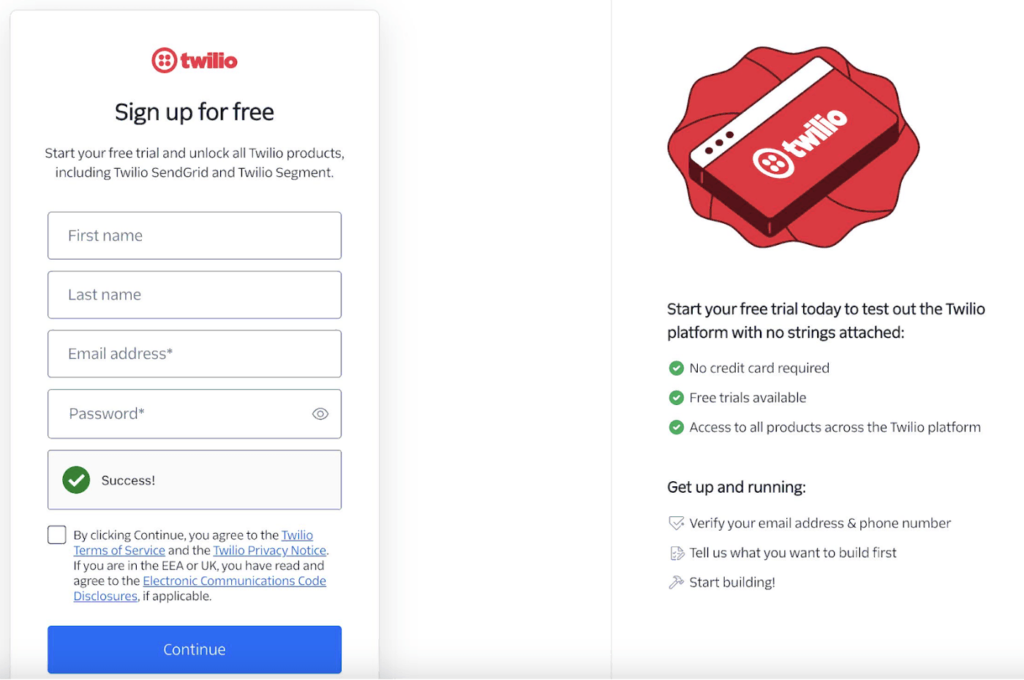
Sign up or log in
If you have an existing account, click Log In and enter your credentials. Otherwise, create a new account.
Navigate to the homepage
After signing in, you will see the Twilio homepage with your dashboard.
Upgrade to a paid account
- Click Admin in the top-right dropdown menu.
- Select Account Management from the options.
- Follow the payment prompts, enter your payment details, and click Submit to upgrade.
Note: You need to upgrade in two places: one at Twilio and another in the WorkDial app on Salesforce. Twilio manages your call costs, while WorkDial manages your app licenses.
Access Phone Numbers
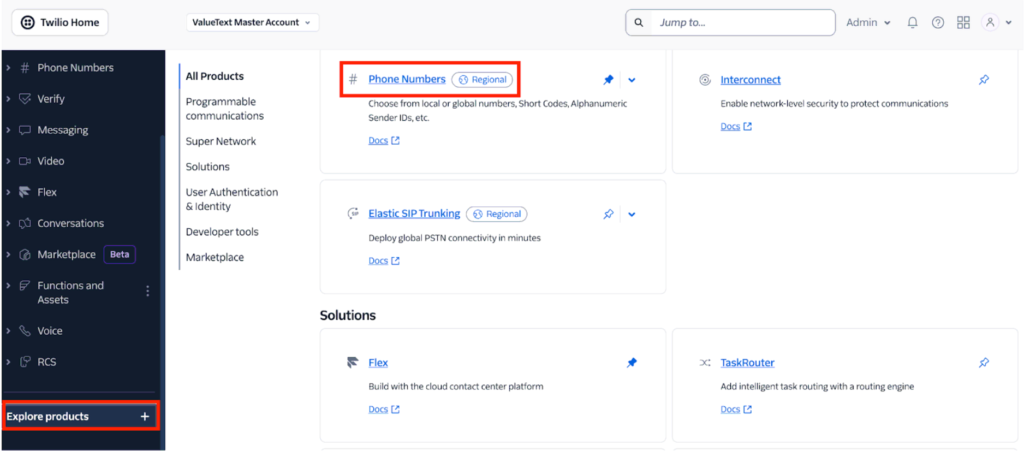
On the left-hand side, click Phone Numbers under the Account dashboard. If it is not visible, click Explore Products, find Phone Numbers, and pin it to the left panel.
Buy a number
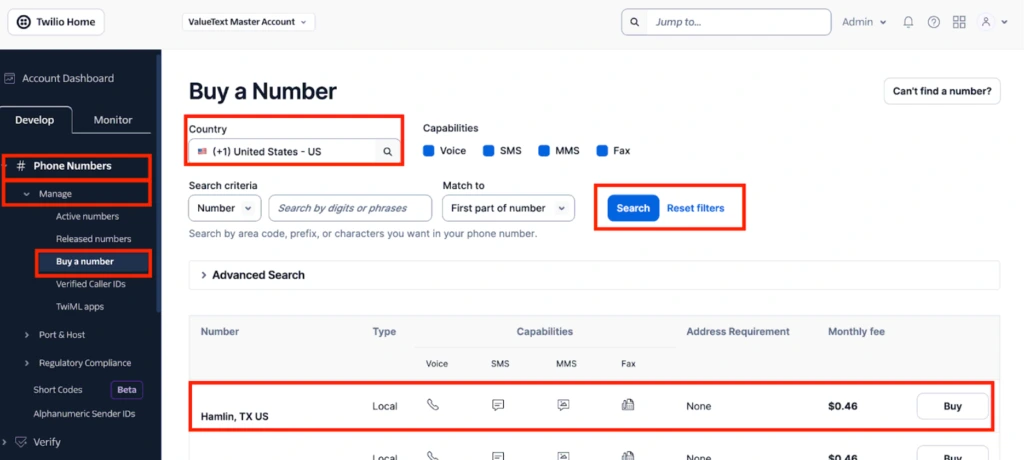
- Under Phone Numbers, click Manage then Active Numbers to view purchased, porting, and hosting numbers.
- Click Buy a Number from the Phone Numbers menu.
- Enter a country (for example, USA) or a prefix (for example, +1202) in the search bar, then click Search.
- Browse the available numbers and review their capabilities (Voice, SMS, MMS, Fax).
- If no numbers are available for your selected country, see Twilio’s guide to international phone number availability.
Note: Ensure the selected numbers have Voice capability. If you plan to configure the same number in ValueText (the Salesforce-native messaging platform) for SMS, ensure it includes SMS capability as well.
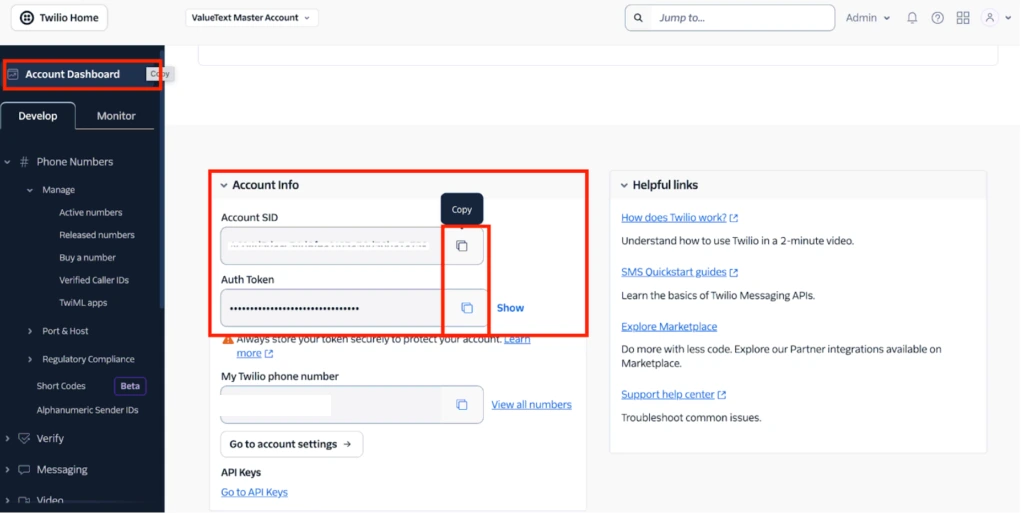
Copy Account SID & Auth Token
The Account SID and Auth Token function like a username and password, so keep them secure. Find them on the Twilio Console homepage by scrolling down to the Account Info section.