
Sales teams
Read the AI summary before the next call, report on sentiment by stage, and trigger follow-up tasks from a transcript. All inside the opportunity, no tool-switching.
Transcript__c
Salesforce CTI with AI included
Call intelligence tools analyse in their own database. Your Salesforce gets a synced copy. The AI and the insight live in their cloud. WorkDial is a Salesforce-native CTI platform. It writes call transcription, sentiment analysis, and a summary straight to your own Salesforce objects the moment the call ends. The AI is in the seat, not a separate invoice.
Transcripts at Core · full analysis at Professional · 14-day trial, full AI on
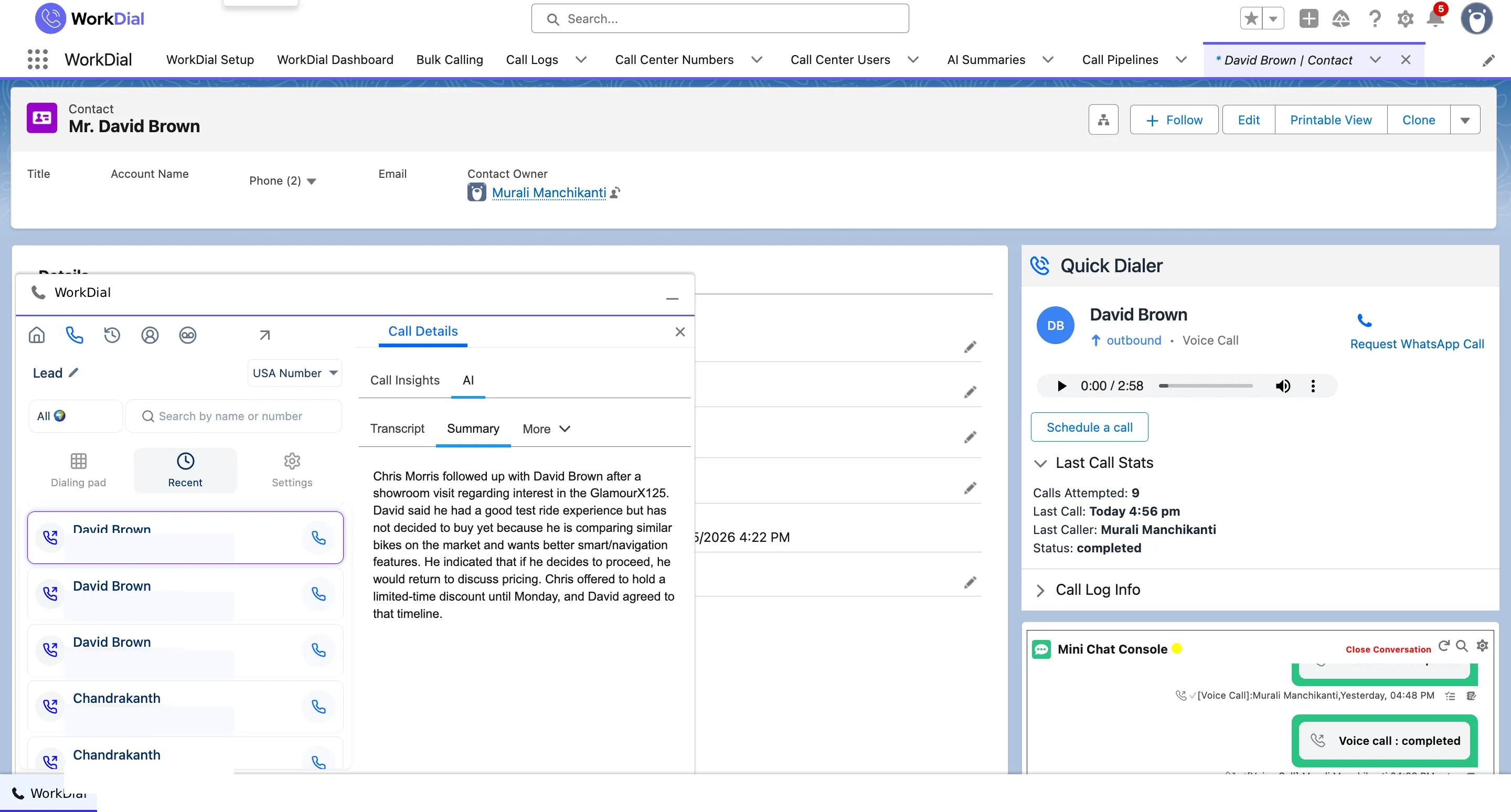
Its AI call analysis turns each call into structured data written straight to the Salesforce record: a transcript as Transcript__c, a sentiment read as Sentiment__c, and an AI summary on the call object. All three are Salesforce records and fields, queryable the moment the call ends. The AI is part of the seat price at Professional, not a metered add-on on a separate invoice.
 ValueText
 Built by the team behind ValueText, the Salesforce-native messaging platform, rated 4.97 stars across 116 AppExchange reviews.
01The cost of a second system of record
Insight out of context. The transcript and score sit in a database the vendor owns. The rep on the Salesforce record sees that a call happened, not what was said.
Two records to reconcile. A sync mirrors a copy into Salesforce, so there are two systems to trust. When they drift, you cannot tell which one is right.
Automation cannot fire. Salesforce Flow cannot act on an insight that lives outside Salesforce. Negative-sentiment calls cannot route themselves to a manager.
A separate invoice and a separate security model. The AI is metered by the vendor, and the conversation sits in their database under their rules. You pay twice and govern in two places.
02What WorkDial analyses
Call ends, analysis appears on the record. No export, no second dashboard. Each is a queryable Salesforce field.
See it live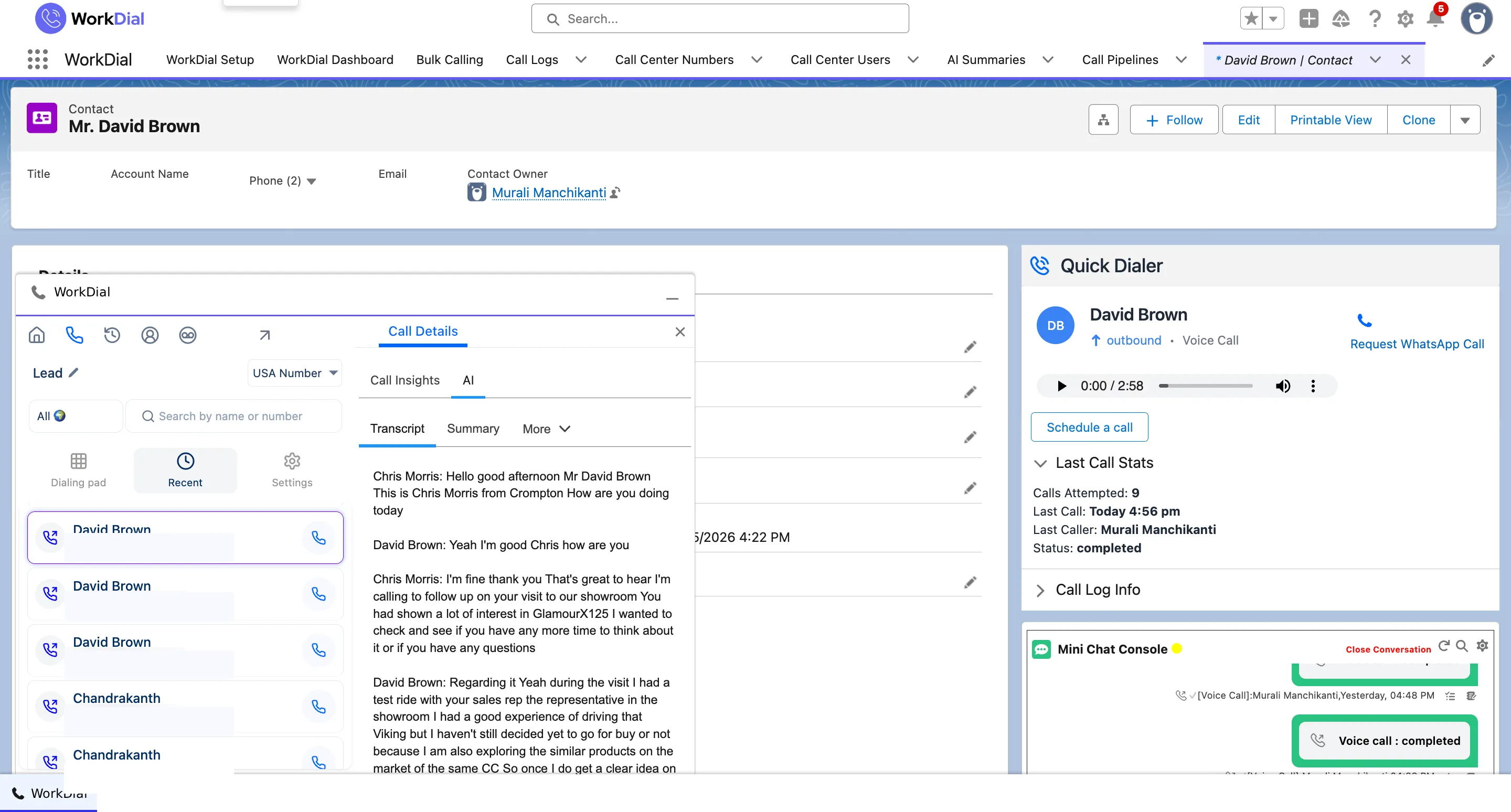
Call transcription. Every call is transcribed to Transcript__c, a Salesforce field searchable in reports, list views, and Flow the moment the call ends. Included on Core as part of the seat price.
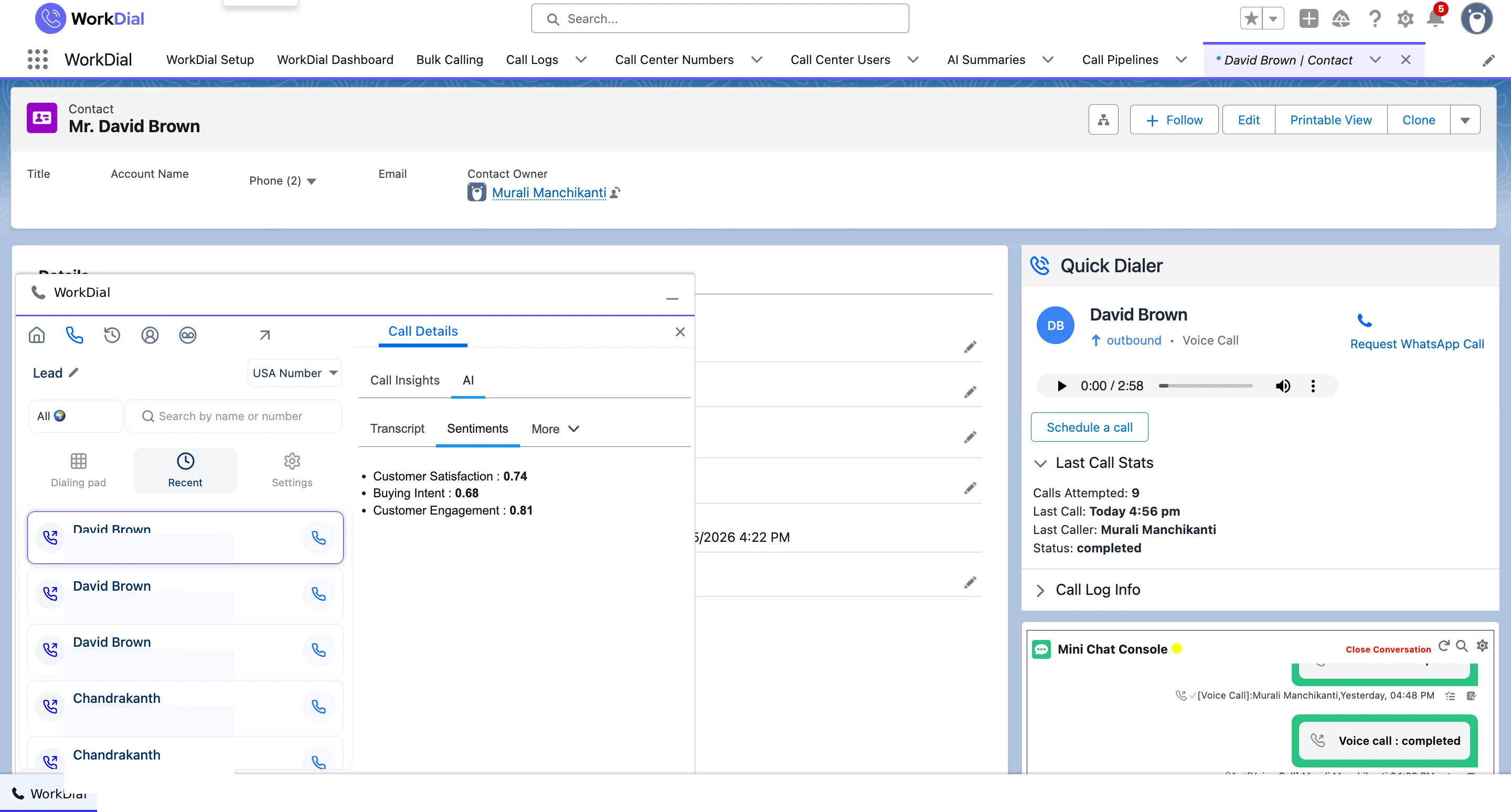
Sentiment analysis. WorkDial reads the sentiment of the call and writes it as Sentiment__c: a Salesforce field you report on, filter by, and trigger Flow on without an export. Because it is a queryable field, managers surface coaching patterns by reading the data, not by replaying audio.
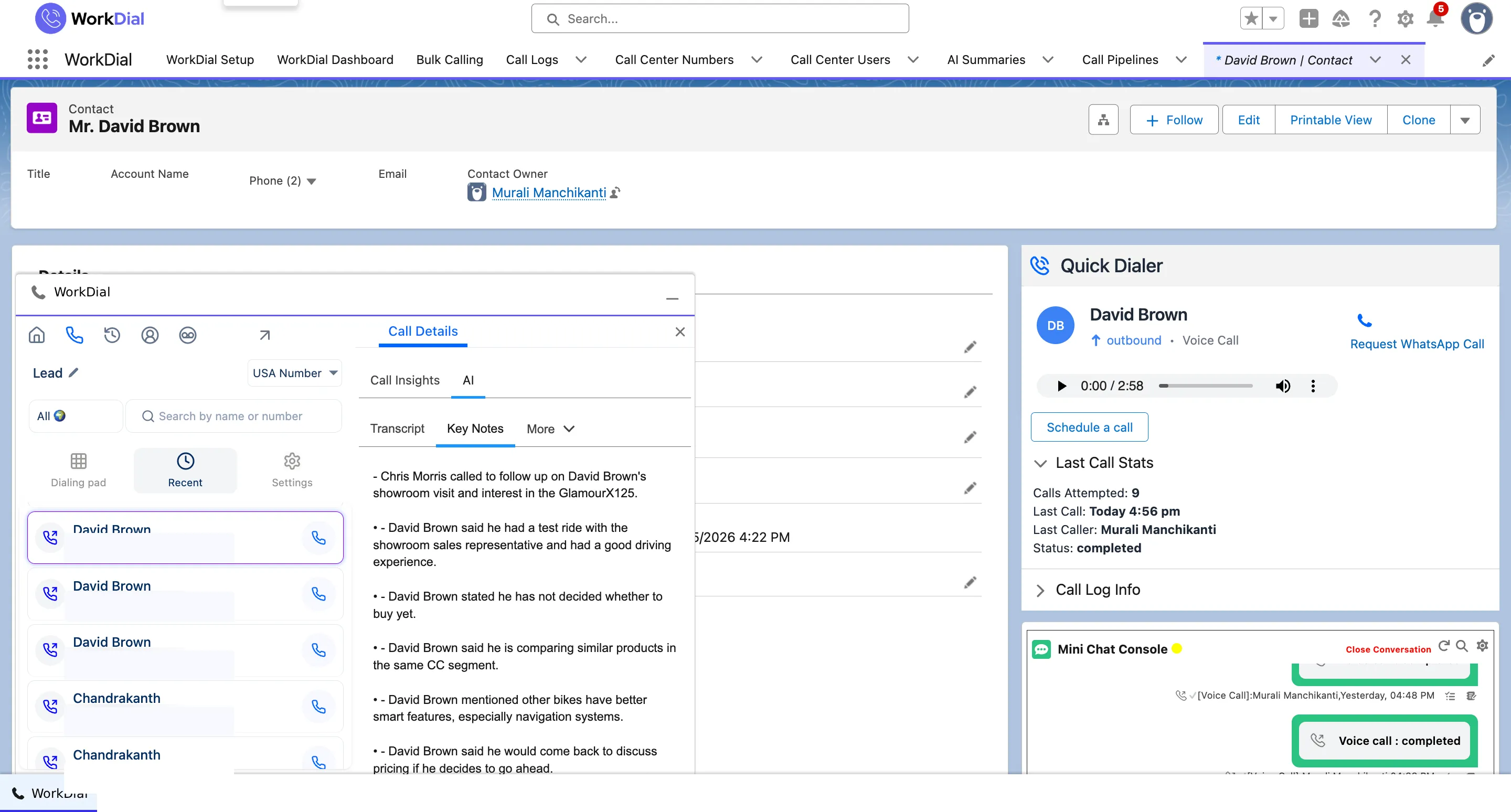
AI summaries. A short summary lands on the call record so the next person reads what happened without listening back. The AI is included in the Professional seat price, not a separate line on the invoice. See how summaries, transcripts, and sentiment become Salesforce fields.
What you can report on
Trend lines exist because the fields already exist: no export, no separate BI connector, no lag between the call and the chart.
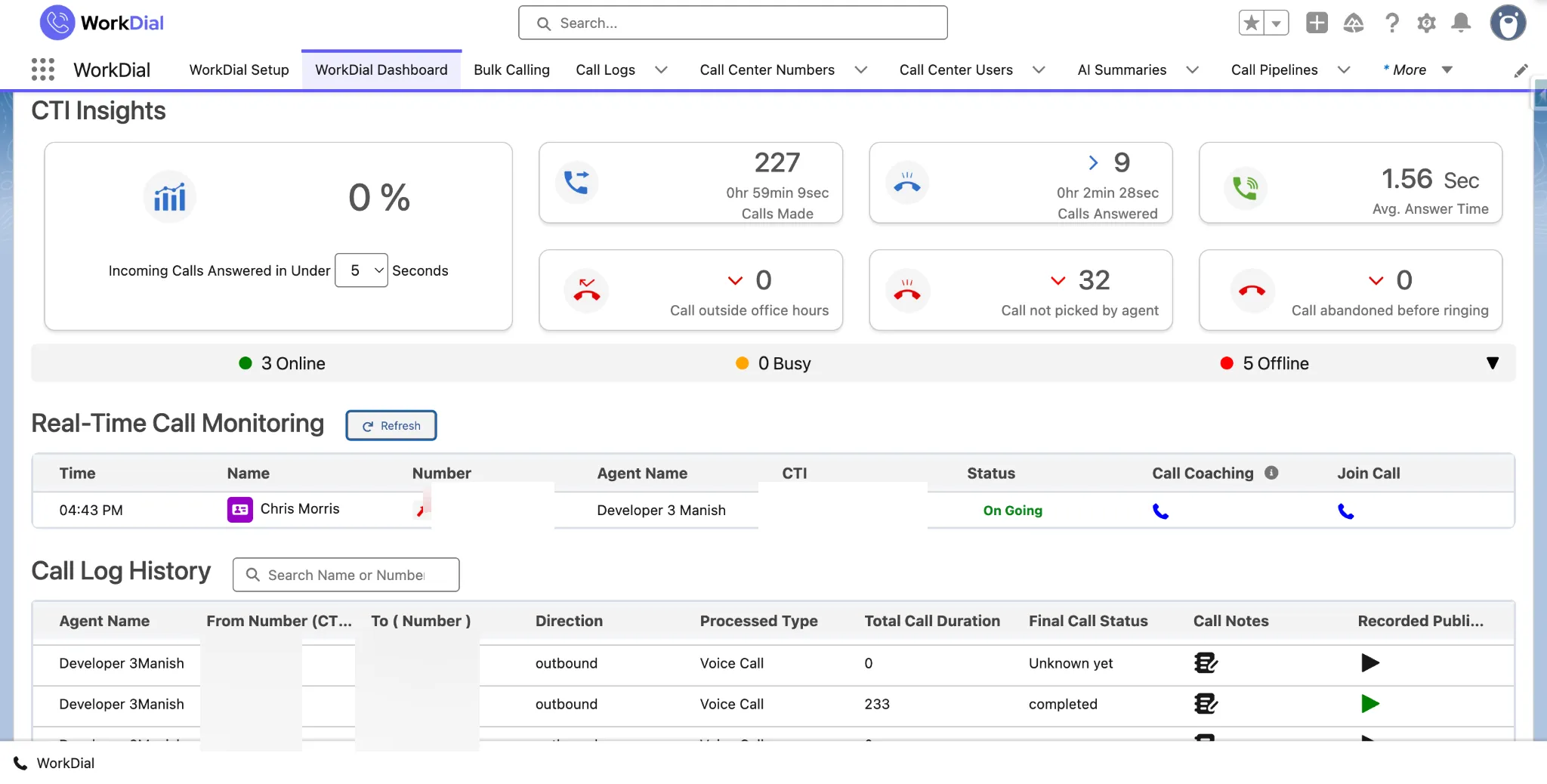
03How the architecture differs
Gong, Chorus, and Dialpad keep their source of truth in a vendor database. WorkDial does not match them feature for feature; it writes the analysis to Salesforce as the primary record.
When the transcript, sentiment, and summary are Salesforce records, every report, permission, and Flow already understands them. When they are synced from outside, you maintain a second system, a mapping, and a copy of your most sensitive data in a vendor database. WorkDial keeps no external copy of your customer data. This is the native-versus-integrated decision applied to call intelligence.
04What it means for the business
The transcript, sentiment, and summary are Salesforce records, not copies synced from a vendor database. Nothing to reconcile, nothing that drifts.
Sentiment is a queryable Salesforce field. Reps read the AI summary before the next call instead of retyping notes; managers get the coaching signal without opening a recording.
AI call analysis is part of the Professional seat price. Transcripts are at Core. No metered AI add-on, no separate license, no surprise line on the bill.
05Who uses it
Read the AI summary before the next call, report on sentiment by stage, and trigger follow-up tasks from a transcript. All inside the opportunity, no tool-switching.
See sentiment on the case, surface negative calls for review, and keep the full transcript on the record for the next agent. No separate coaching tool needed.
Build dashboards on standard Salesforce reports, with no connector to maintain and no second data model to govern. Flow triggers on call events directly.
Questions
Get started
4.97★ across 116 AppExchange reviews · from the team behind ValueText, the Salesforce-native messaging platform