
Salesforce CTI that logs itself

Every call logs itself on the Salesforce record.

A bolt-on dialer logs the call when the rep remembers to. WorkDial is a Salesforce-native CTI platform. The call, its outcome, notes, and recording land on your own Salesforce objects as it ends.

Included from Core at $28/user/mo · 14-day trial, no card
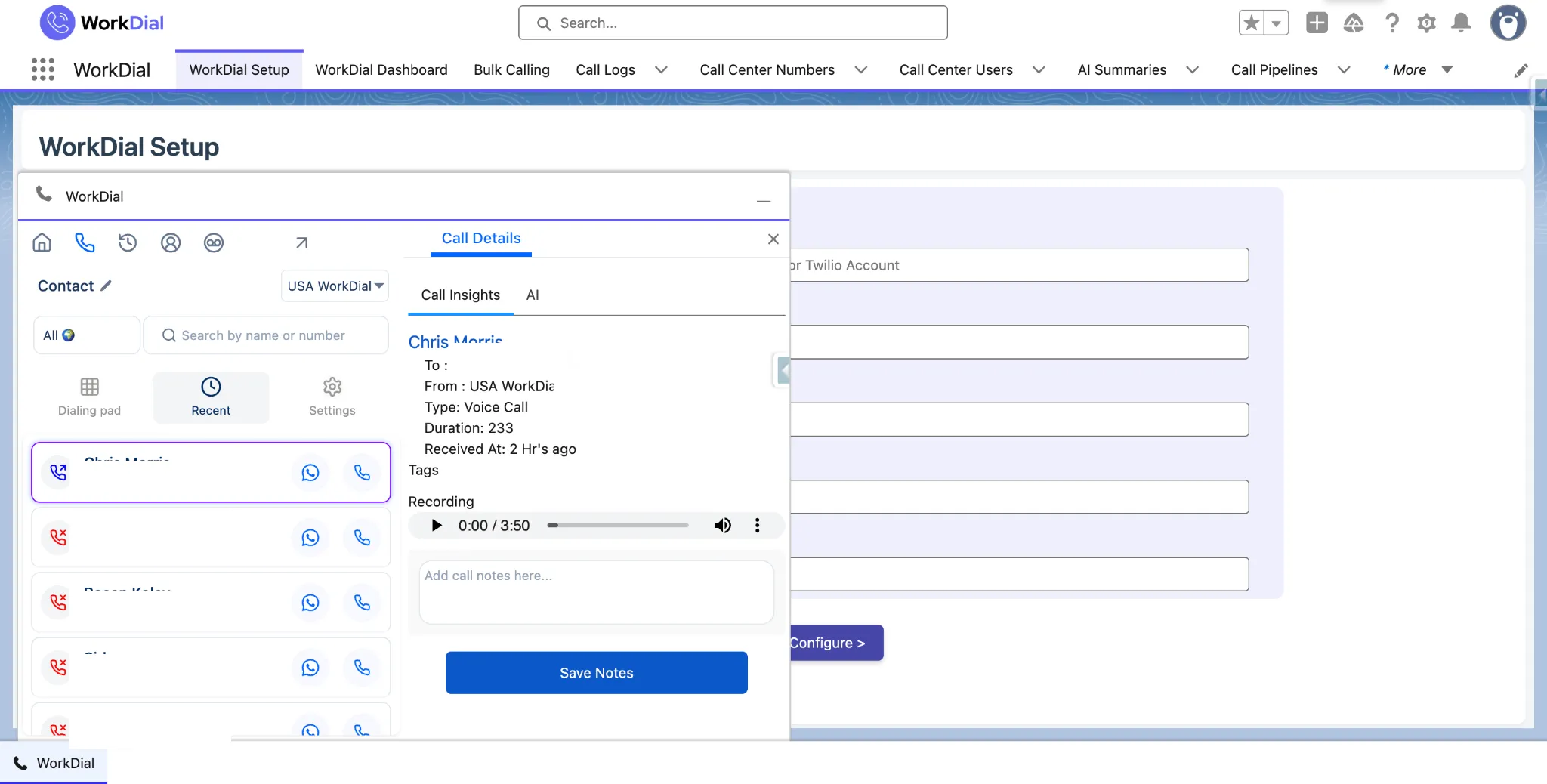
A call logged automatically to a Salesforce call record, with the recording attached to the same record
logged call · salesforce
Common question

What is automatic call logging in Salesforce?

Automatic call logging means the call record is created and filled in by the system, not by the rep. WorkDial writes each call to a Call__c record as the call ends, carrying the direction, duration, outcome, and the notes and tags added while talking. Where a recording is kept it is linked as Recording__c. There is no step to skip and no sync to reconcile.

ValueText

Built by the team behind ValueText, the Salesforce-native messaging platform, rated 4.97 stars across 116 AppExchange reviews.

01The cost of a second system of record

What breaks when logging is a step the rep has to remember?

01

The log is optional, so it is skipped. Anything that depends on a rep finishing an admin step after a call is a field that is sometimes empty. Pipeline reporting inherits every gap.

02

Post-call admin is paid for twice. The rep retypes what was just said into the CRM, and the company pays for the call and then for the typing.

03

Data arrives late. A dialer that syncs on a schedule means the record is right eventually. A manager looking at today's activity is reading yesterday.

04

Two logs, one question. When the vendor's log and the Salesforce copy disagree, there is no way to tell which is correct without opening both.

manual log · skipped

02What lands on the record

The record is already right.

Notes, tags, and outcome are captured while the call is live, on the record the call was placed from. Nothing is retyped.

See it live
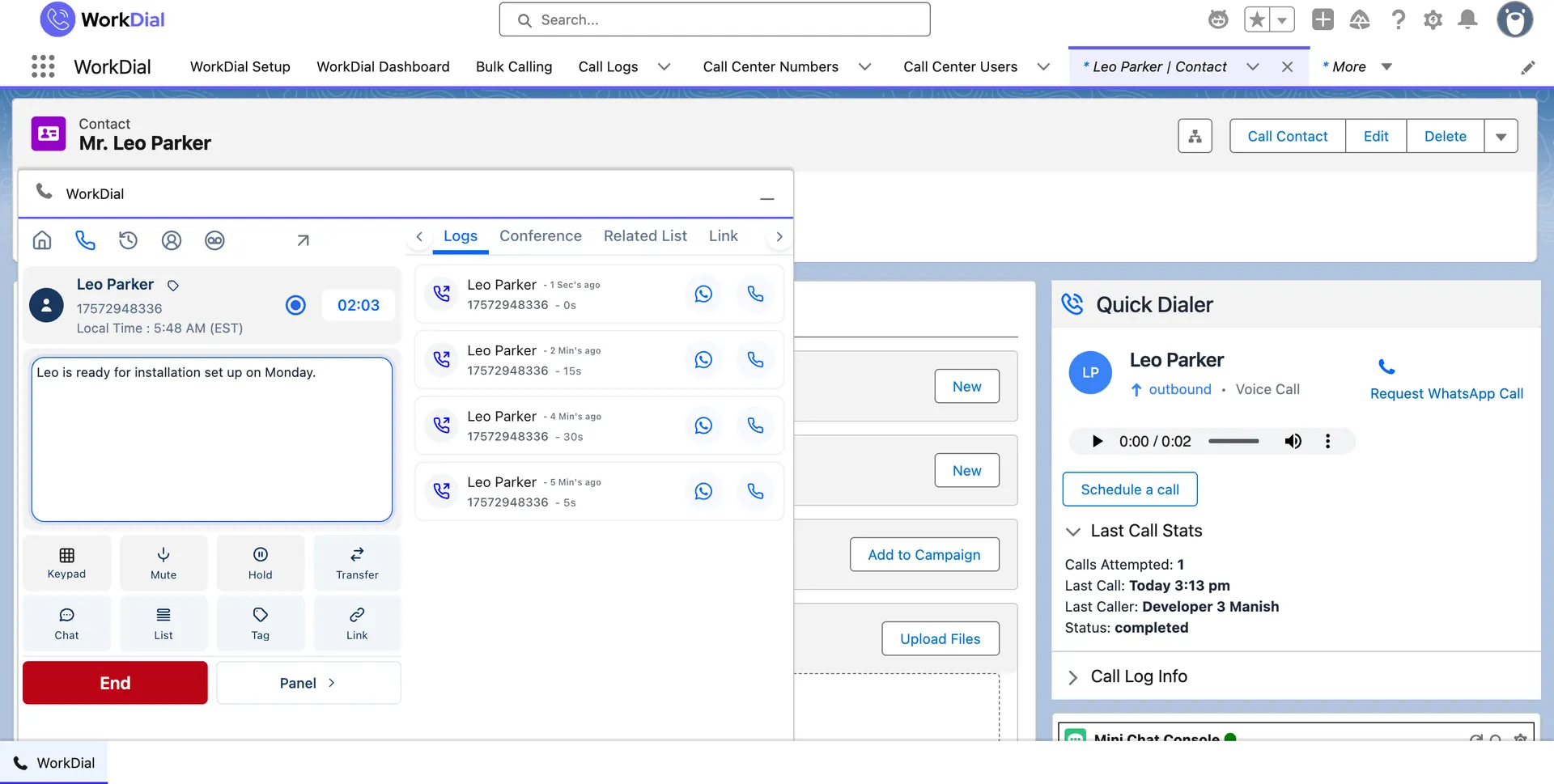
notes · during the call
A rep typing call notes into the WorkDial panel inside Salesforce while the call is live
notes · on the record

Notes written while talking. The rep types into the panel on the record during the call, so the note is filed when the call ends.
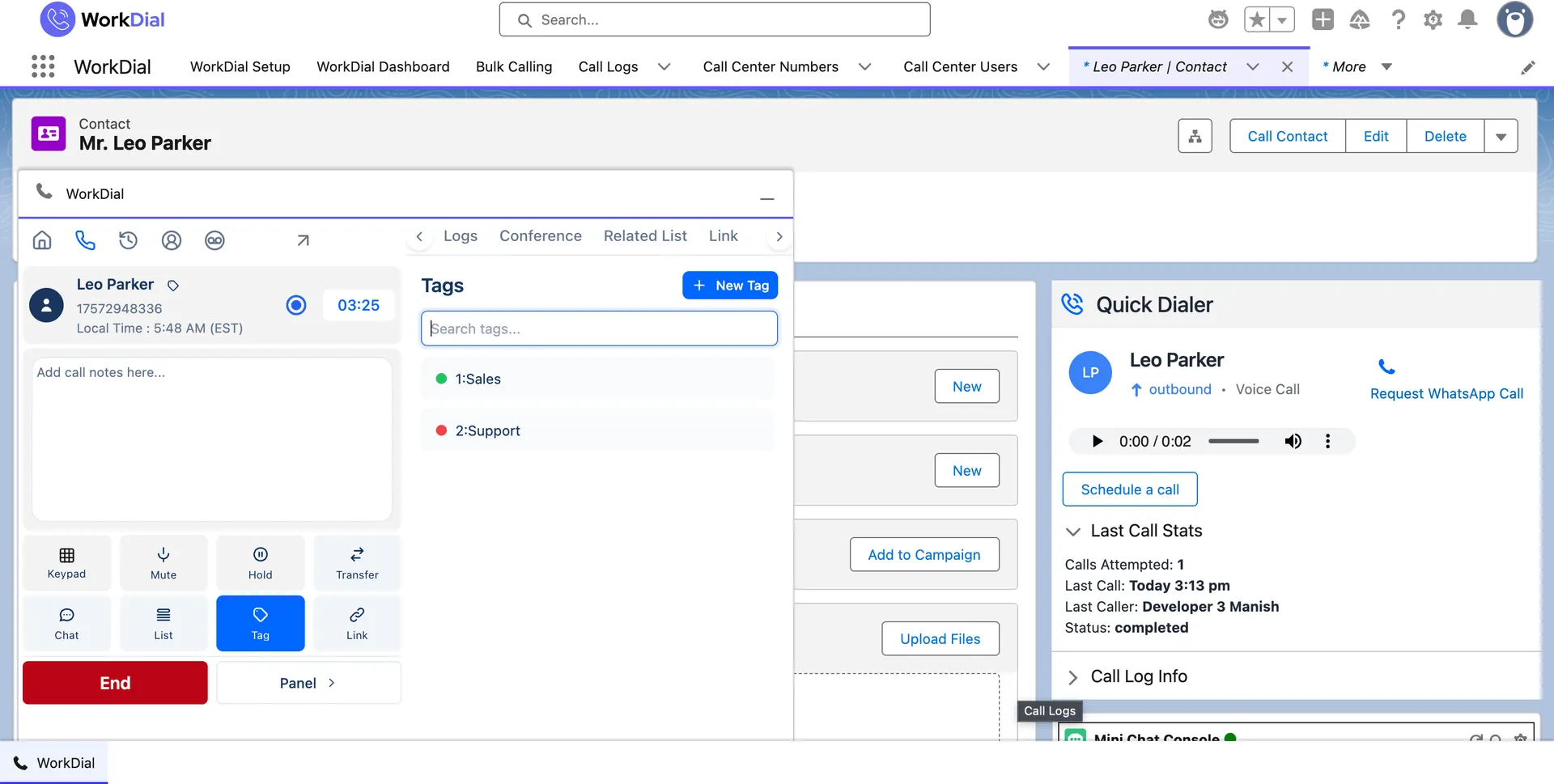
outcome · structured
Call outcome tags applied to a call inside Salesforce during the call
tags · reportable

Outcomes as fields, not free text. Tagging sets a structured value on Call__c, so team reporting stays consistent.
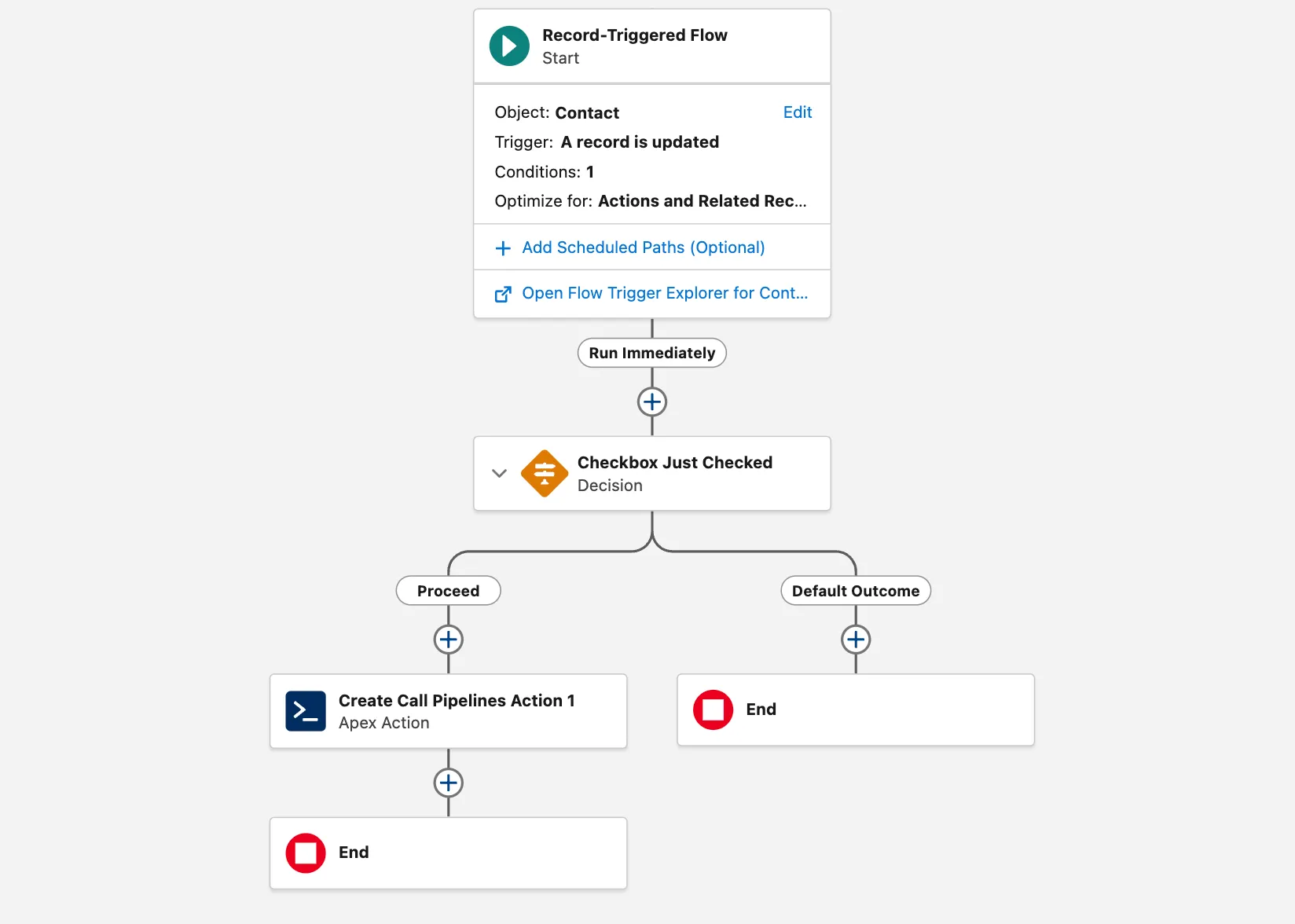
Salesforce Flow · triggered
A Salesforce Flow triggering directly from a WorkDial call event
flow · no middleware

Automation fires on the call itself. Because the call is a Salesforce record, Flow triggers on it directly: a follow-up task on an outcome, an alert on a missed call, a field update when a recording attaches.

03Call recording

The recording attaches to the call. You choose where it lives.

A recording can sit as a native Salesforce File in your own org, in your own Twilio account, or in your own cloud storage. WorkDial keeps no copy of its own, so the controls you have already approved are the controls that apply.
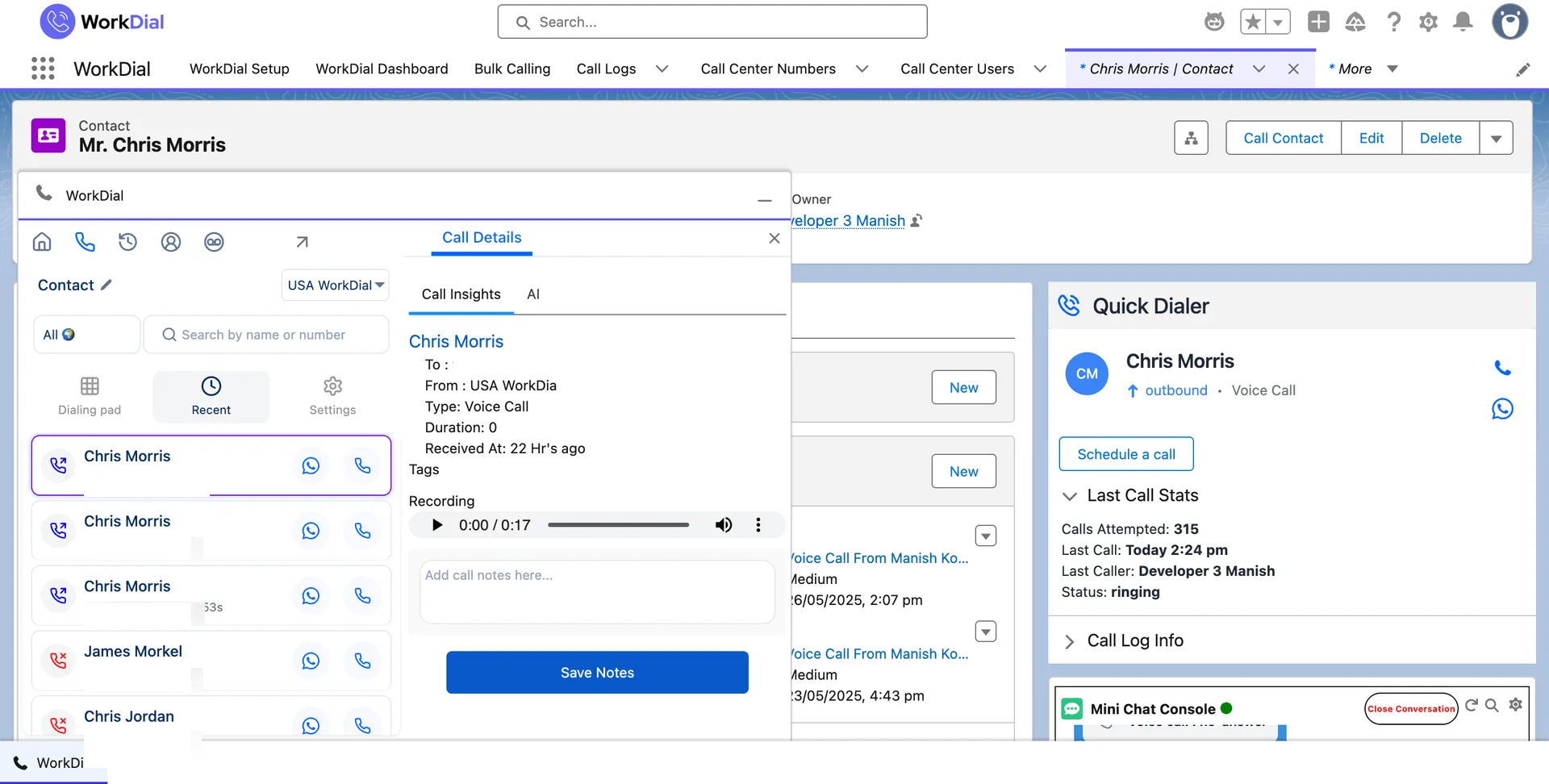
A call recording linked from the Salesforce call record and played back without leaving Salesforce
recording · linked from the record

Why storage choice is the whole question on recordings

A recording is the most sensitive thing a calling tool touches. Keep it in storage you already own and an audit has one place to look, not two. More on the Architecture page.

04Call tracking and reporting

Call tracking is a Salesforce report, not another dashboard.

Activity, duration, and outcome are native fields the moment the call ends, so trend lines are standard Salesforce reports. No connector to maintain, no export, no lag between the call and the chart.
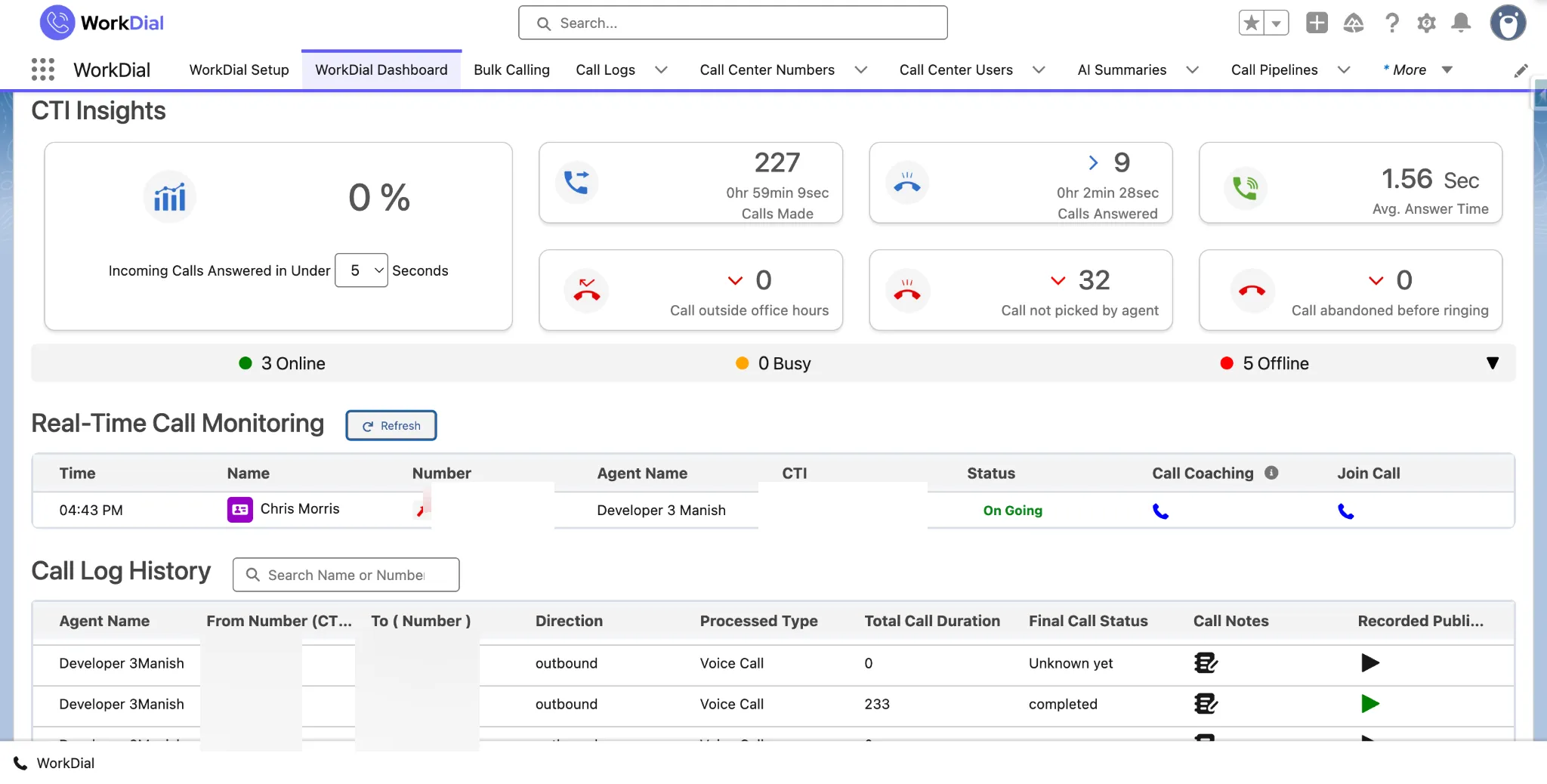
A WorkDial dashboard inside Salesforce trending call activity and outcomes over time
workdial dashboard · salesforce

05How the architecture differs

One record, or a record and a copy of it.

A call written as a Salesforce record is one system. A call synced in from a dialer's database is a copy you maintain forever.

Bolt-on dialers keep their source of truth in their own database and push a copy into Salesforce. WorkDial does not claim to match every mature dialer feature for feature. It claims the log you report on is the original.

one record · not a synced copy

06What it means for the business

Complete activity data, without asking for it.

Reporting you can trust

Activity data stops measuring who is diligent about admin. The report reflects what happened.

Selling time back

Notes and outcomes are captured during the call, so the retyping step is gone, not shorter.

One place to govern

Calls and recordings sit in the security model you already run. No second one to keep in step.

Start your trial

Questions

Call logging and recording, answered

What is automatic call logging in Salesforce?
Automatic call logging means the call record is created and filled in by the system rather than by the rep. WorkDial writes each call to a Call__c record as the call ends, carrying the direction, duration, outcome, the related record it was placed from, and any notes or tags added during the call. Nothing is typed in afterwards and nothing depends on the rep remembering.
Does the rep have to do anything for a call to be logged?
No. The dialer runs inside Salesforce, so placing or answering the call is what creates the record. There is no separate "log this call" step to skip, and no end-of-day catch-up. Notes and tags a rep adds while talking land on the same record instead of in a notebook.
Does it log inbound calls as well as outbound?
Yes. Inbound, outbound, and WhatsApp voice calls all produce a Call__c record, because every call is captured on the same path regardless of how it started. Inbound calls are matched to the Salesforce record the number belongs to.
How is this different from a dialer that syncs call logs into Salesforce?
A bolt-on dialer places the call in its own system, stores the log there, and pushes a copy to Salesforce on a schedule. That gives you two records to trust, a lag between the call and the data, and a sync that can fail quietly. WorkDial writes the Salesforce record as the primary record, so there is no second log and nothing to reconcile. This is the native-versus-integrated decision applied to logging.
We already log calls as Salesforce Tasks. Why change?
A Task records that a call happened. It does not carry the recording, the transcript, the sentiment, or a structured outcome you can report on consistently, and it is usually created by hand. WorkDial writes a purpose-built Call__c record with those fields on it, so reporting stops depending on how carefully each rep filled in a subject line.
Where are call recordings stored?
Where you choose. A recording can live as a native Salesforce File in your own org, in your own Twilio account, or in your own cloud storage. WorkDial keeps no copy of its own in a WorkDial-operated database. The recording is linked from the call record either way, so the rep opens it from the record without leaving Salesforce.
Why does it matter that WorkDial keeps no copy?
A recording is the most sensitive artefact a calling tool touches. If the vendor holds a copy, you inherit their security model, their retention, and their data residency alongside your own, and you have a second place to answer for in an audit. When the recording sits in storage you already own, the controls you have already signed off on are the controls that apply.
Can Salesforce Flow trigger on a logged call?
Yes. The call is a Salesforce record, so Flow can trigger on it directly: create a follow-up task when an outcome is set, alert an owner on a missed call, or update a field when a recording is attached. No middleware sits between the call event and the automation, because there is no gap for middleware to bridge.
Can I report on call activity and outcomes?
Yes, with standard Salesforce reports and dashboards. Because the call, its outcome, and its duration are native fields, call tracking is a report you build in Salesforce rather than a dashboard in a vendor tool. There is no connector to maintain and no export step between the call and the chart.
What does a logged call actually carry?
The Call__c record holds the direction, duration, timestamps, the outcome, the related Salesforce record, and the notes and tags added during the call. Where a recording is kept it is linked as Recording__c. On plans with AI call analysis, the transcript and sentiment land on the same record as Transcript__c and Sentiment__c.
Who can see a logged call and its recording?
Whoever your Salesforce says can. The call record is governed by the same profiles, permission sets, field-level security, and sharing rules that already protect the rest of your Salesforce data. There is no second permission model to keep in step, because there is no second system holding the data.
Which plan includes automatic call logging?
All of them. Call logging is what the native dialer does rather than a feature tier, so it starts on Core at $28 per user per month billed annually. Full AI call analysis on top of the logged call starts on Professional at $59. The 14-day no-card trial runs on Professional.
Is there a separate charge for recording storage or minutes?
Not from WorkDial. Telephony is BYOA (bring your own Twilio), billed by Twilio at their rates with 0% markup from us, and recordings sit in storage you already own. There is no per-minute WorkDial fee and no storage add-on, because we are not the ones holding the audio.

Get started

Stop asking reps to log the call.

4.97★ across 116 AppExchange reviews · from the team behind ValueText, the Salesforce-native messaging platform