Voice, WhatsApp voice, and AI inside Salesforce
The Salesforce dialer with
AI call analysis built in.
Every call and every transcript becomes a Salesforce record the instant it happens. Reps dial from the record. Managers report from the record itself, not a second tool.
14 days · no credit card · full AI on
What is WorkDial?
WorkDial is a Salesforce-native CTI platform. It places calls and WhatsApp voice, then writes every call, recording, transcript, and sentiment score straight to native objects like Call__c. There is no second system of record: nothing syncs in, nothing to reconcile. Other tools connect to Salesforce. WorkDial runs inside it.
 ValueText
 Built by the team behind ValueText, the Salesforce-native messaging platform, rated 4.97 stars across 116 AppExchange reviews.
01A pipeline you can trust
A pipeline you can trust, because every call logs itself.
Calls write to native Salesforce objects in real time, nothing to sync or reconcile. Your reports show what happened, not what got typed.
See it live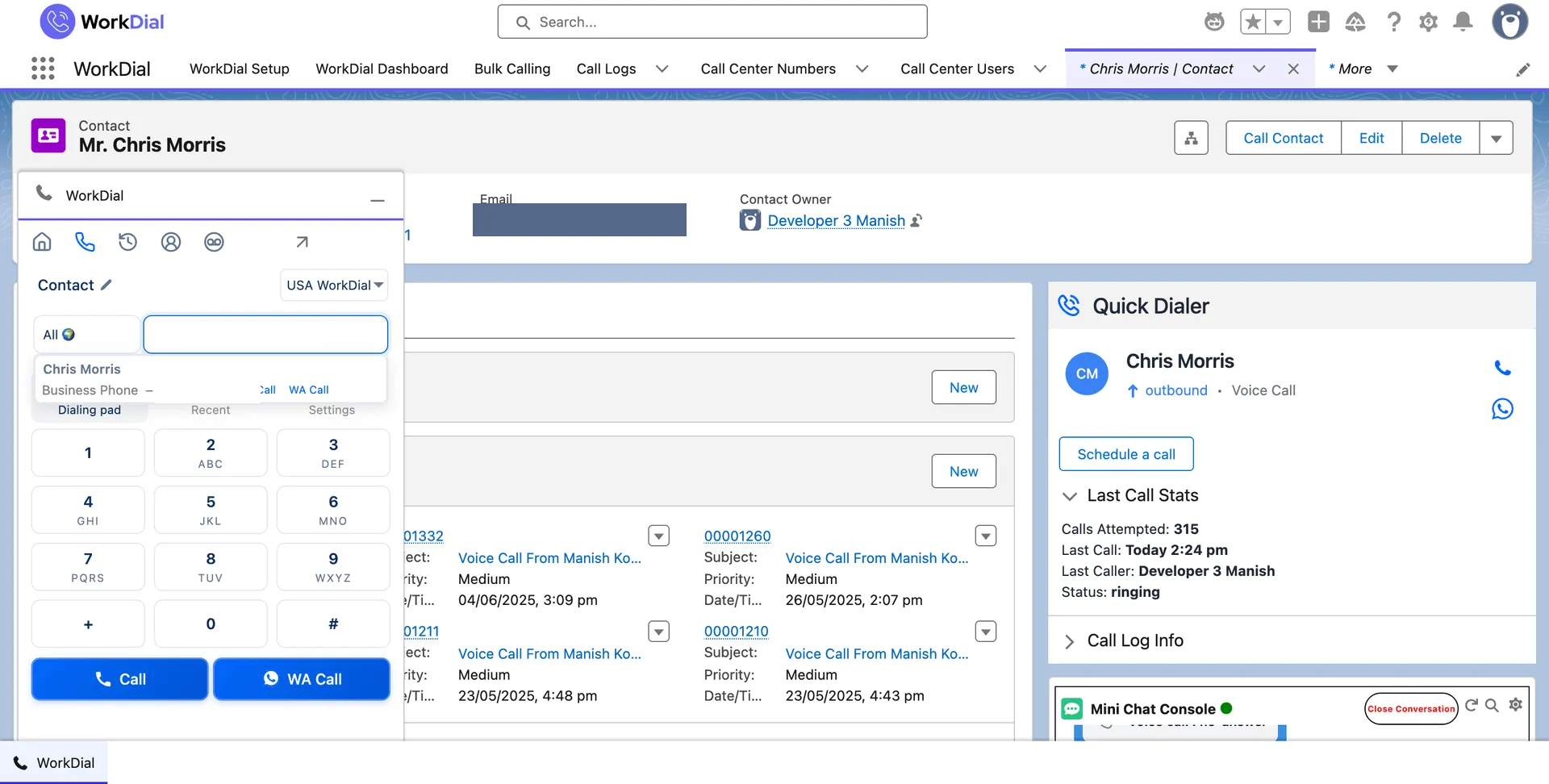
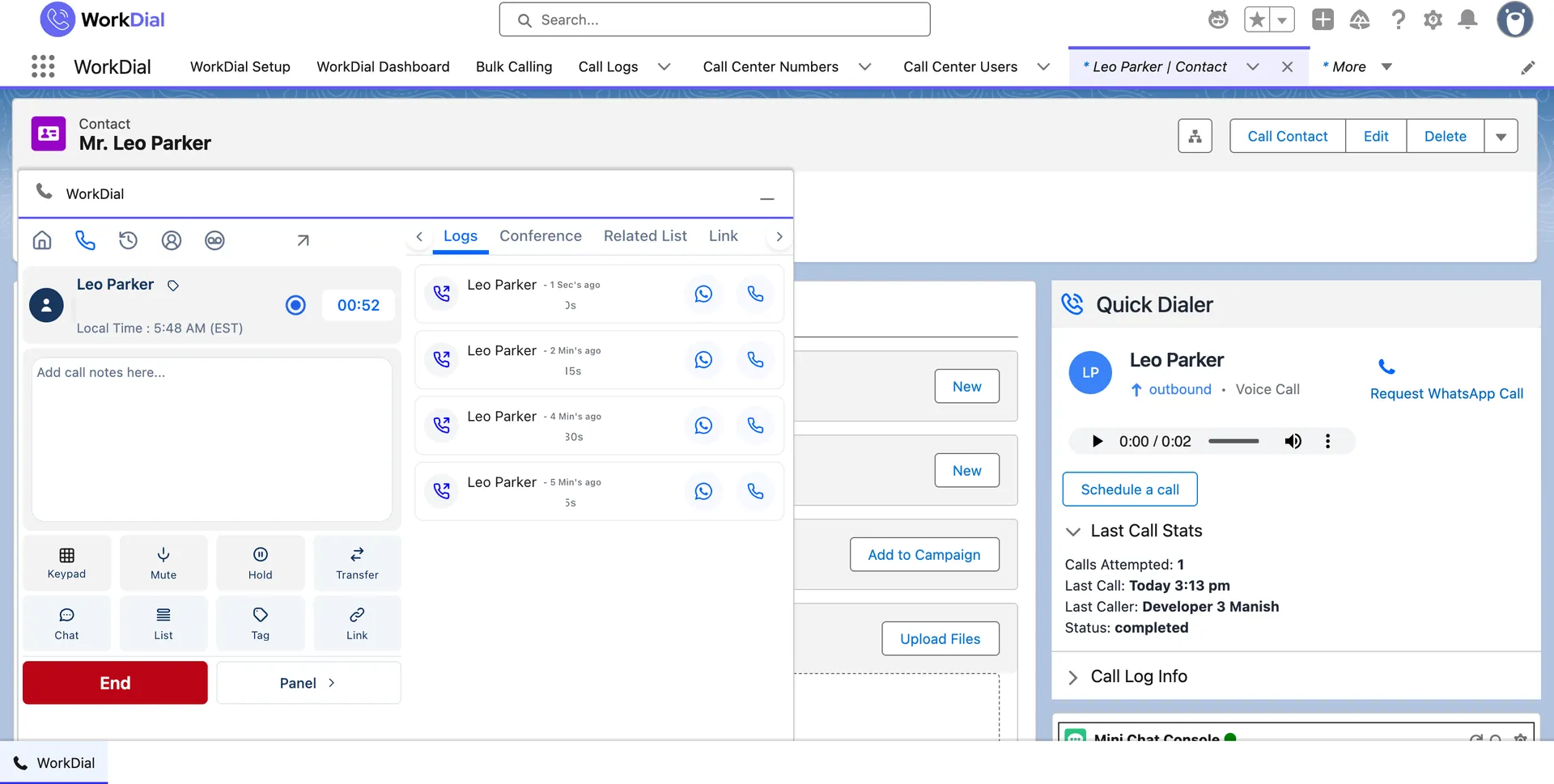
Call from the record. Voice and WhatsApp voice run through one layer inside Salesforce.
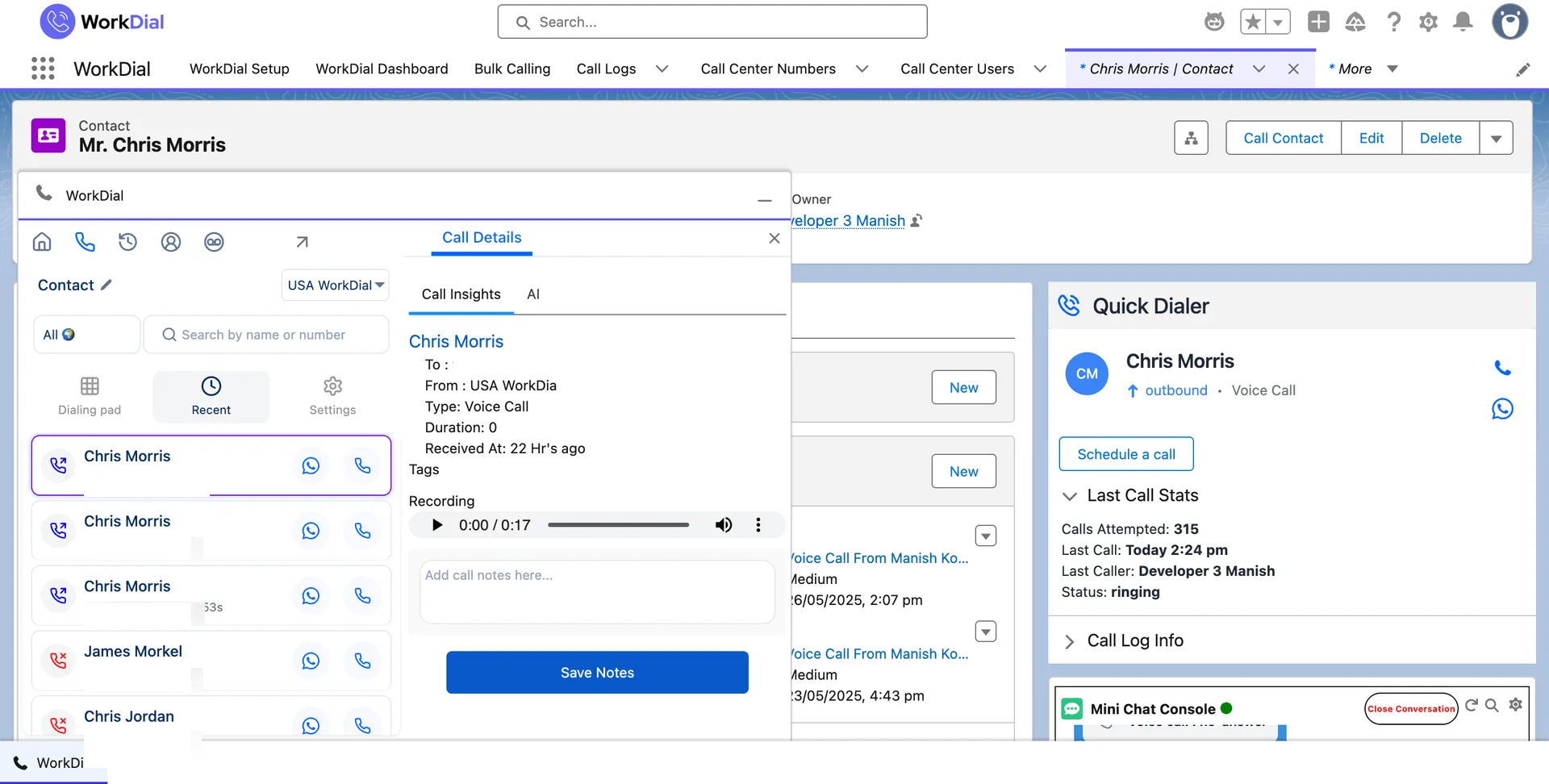
The call lands as Call__c, with the recording stored as Recording__c where you choose.
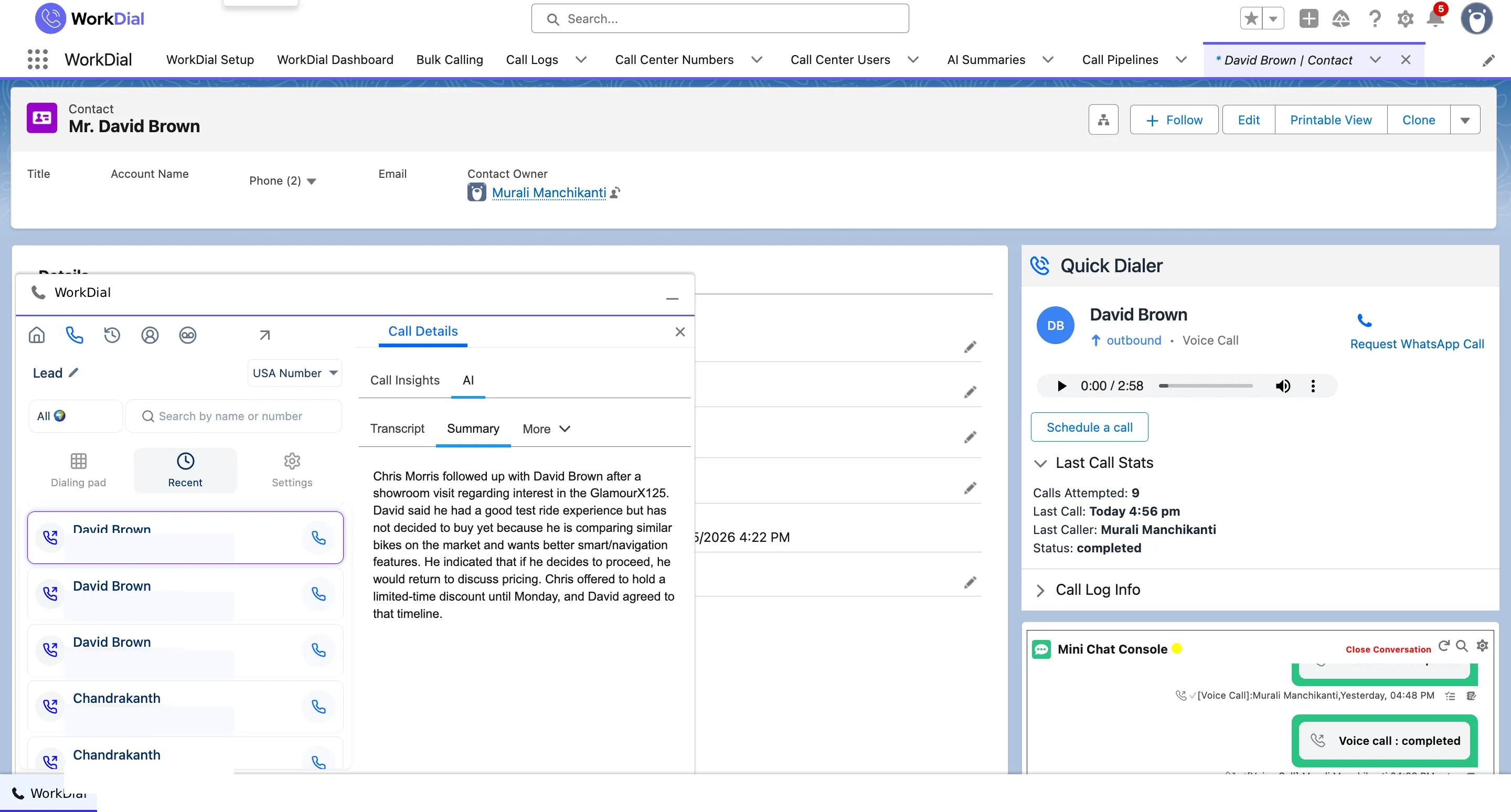
AI writes onto the record: Transcript__c and Sentiment__c, queryable the moment the call ends.
02What you pay
One price. AI included, telephony at cost.
AI call analysis is in the seat, not a separate invoice. Minutes run on your own Twilio at cost, with zero markup. The price on the page is the price you pay.
No seat minimum, no add-ons. See the full pricing.
03Who owns the data
Your conversations live in your Salesforce, and you own them.
Recordings go where you choose, including as native Salesforce Files in your own org. WorkDial keeps no copy of its own. One vendor perimeter, the security model you already run.
Your records are native Salesforce objects: Call__c, Recording__c, Transcript__c, Sentiment__c.
You choose where recordings live, including as native Salesforce Files in your own org.
WorkDial operates no external customer data store of its own.
One vendor perimeter, audited under the Salesforce security model you already run.
One line leaves the boundary. It carries the call and holds none of it.
04What it does
One voice layer, three things WorkDial does inside Salesforce.
Built for the sales team, not the call center.
Salesforce dialer
Click to call from any record. The call logs itself as Call__c, with the recording in your storage. No manual logging.
WhatsApp calling
WhatsApp voice runs through the same layer as your calls, routed by your Salesforce data and logged to the record like any other call.
AI call analysis
Transcripts, sentiment, and summaries are written onto the call record as fields, queryable the moment the call ends.
What you can report on
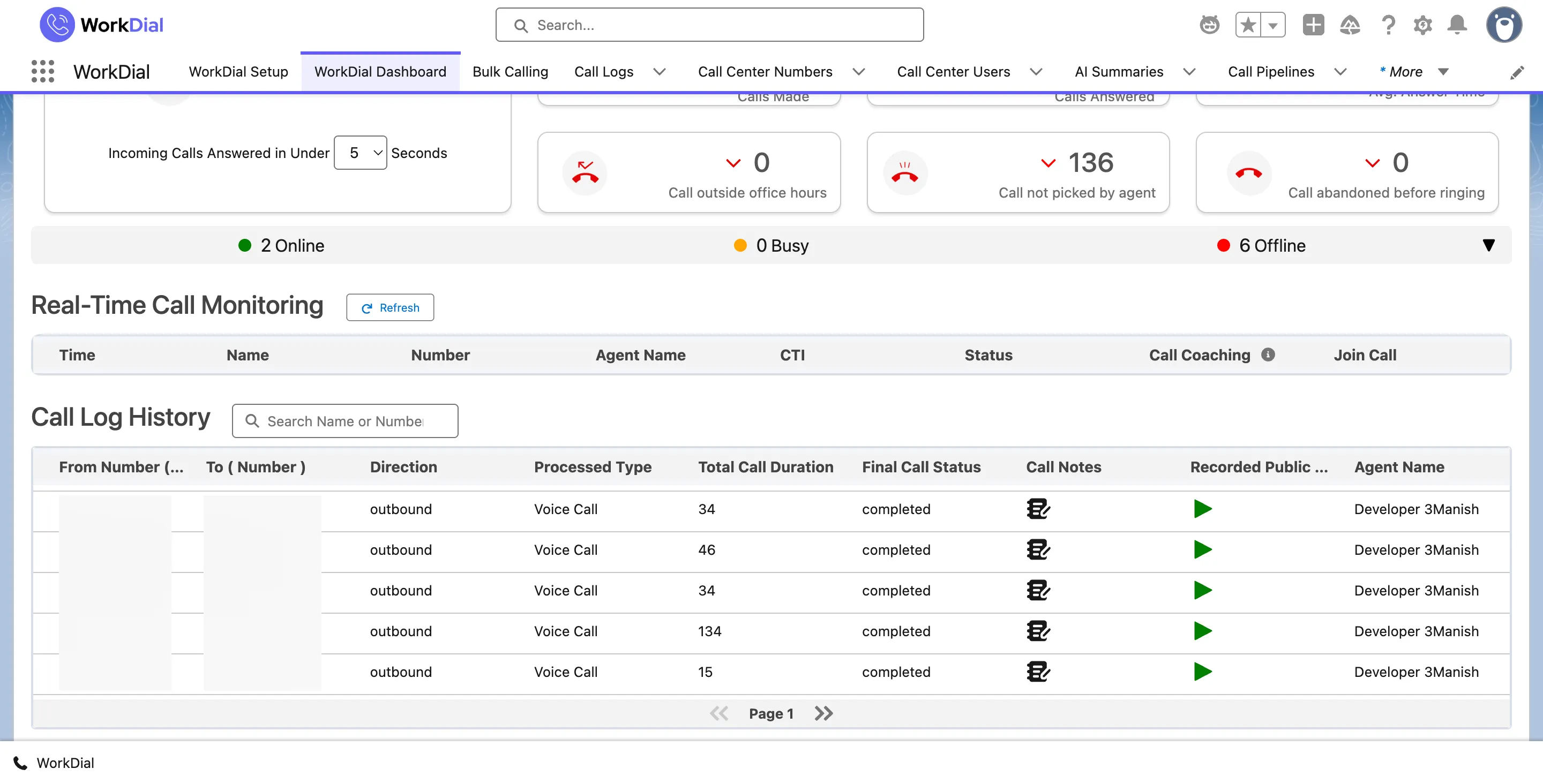
Every call is activity you can report on in Salesforce.
Call volume, outcomes, talk time, and sentiment land on native records, so they reach a Salesforce dashboard without a sync.
05The complete stack
WorkDial is the voice layer of Salesforce. ValueText is the messaging layer. Together they are the complete Salesforce-native communication stack.
WorkDial is buyable on its own. Add ValueText when you want messaging in the same org.
 WorkDial voice · whatsapp voice · ai ValueText sms · whatsapp · messaging
 FAQ
Answers, by topic.
How is WorkDial different from a synced integration?
Where does my call data live?
Who is WorkDial not for?
Is AI an extra charge?
What does the trial include?
What does telephony cost?
How long does setup take?
How are permissions handled?
Get started
Run your calling inside Salesforce.
4.97★ across 116 AppExchange reviews · from the team behind ValueText, the Salesforce-native messaging platform