WorkDial · CTI platform built for Salesforce

The Salesforce dialer where every call logs itself.

Click to call from any Salesforce record. When the call ends, the record fills itself: duration, outcome, disposition, notes, and the recording, written straight to Call__c with no manual step. Other dialers log a copy into Salesforce. WorkDial makes the call a Salesforce record.

Click-to-dial · power dialer · mobile · automatic logging · bring your own Twilio · $28/user/mo, billed annually
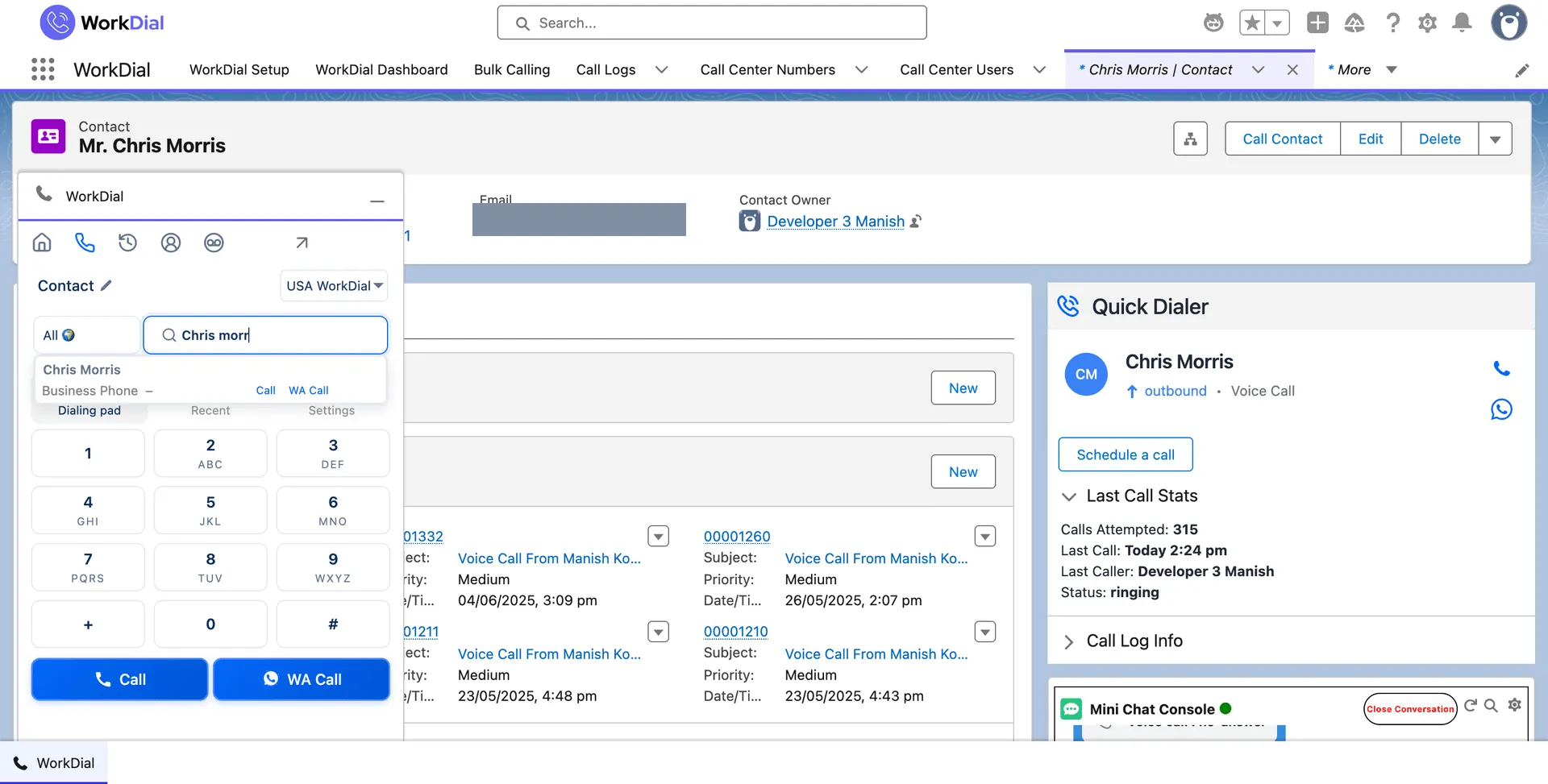
The WorkDial dialer panel open on a Salesforce contact record, searching a contact with Call and WA Call buttons ready
click-to-dial · salesforce record
Common question

What is a Salesforce dialer?

A Salesforce dialer lets reps place and receive calls from inside Salesforce and have each call logged on the record automatically. WorkDial is a Salesforce-native CTI platform with a built-in dialer: the call is written directly to Salesforce as Call__c, with the recording and outcome attached, instead of syncing it in from a separate phone system. Reps reclaim the post-call minutes they would have spent typing notes. The record fills itself.

ValueText

Built by the team behind ValueText, the Salesforce-native messaging platform, rated 4.97 stars across 116 AppExchange reviews.

01What a disconnected dialer costs you

Records that stay empty. A pipeline you cannot trust.

01

Manual logging nobody does. When logging is a separate step, it does not happen. Reps type notes in the dialer, not in Salesforce, and the record stays empty.

02

Post-call minutes lost to admin. Reps copy outcomes, paste notes, and update two systems after every call. Those minutes compound across every rep, every day.

03

Call data that arrives late. Outcomes live in the dialer and sync on a delay, if at all. By the time the record updates, the next follow-up has already moved on.

04

No real visibility. Managers cannot report on calling activity that lives outside Salesforce. Call volume, outcomes, and talk time never reach a Salesforce dashboard.

02How the dialer works

Click, call, the record fills itself.

Reps stop copying notes. The outcome and recording write themselves when the call ends. No manual step, no post-call admin.

See it live
step 01 · click-to-dial
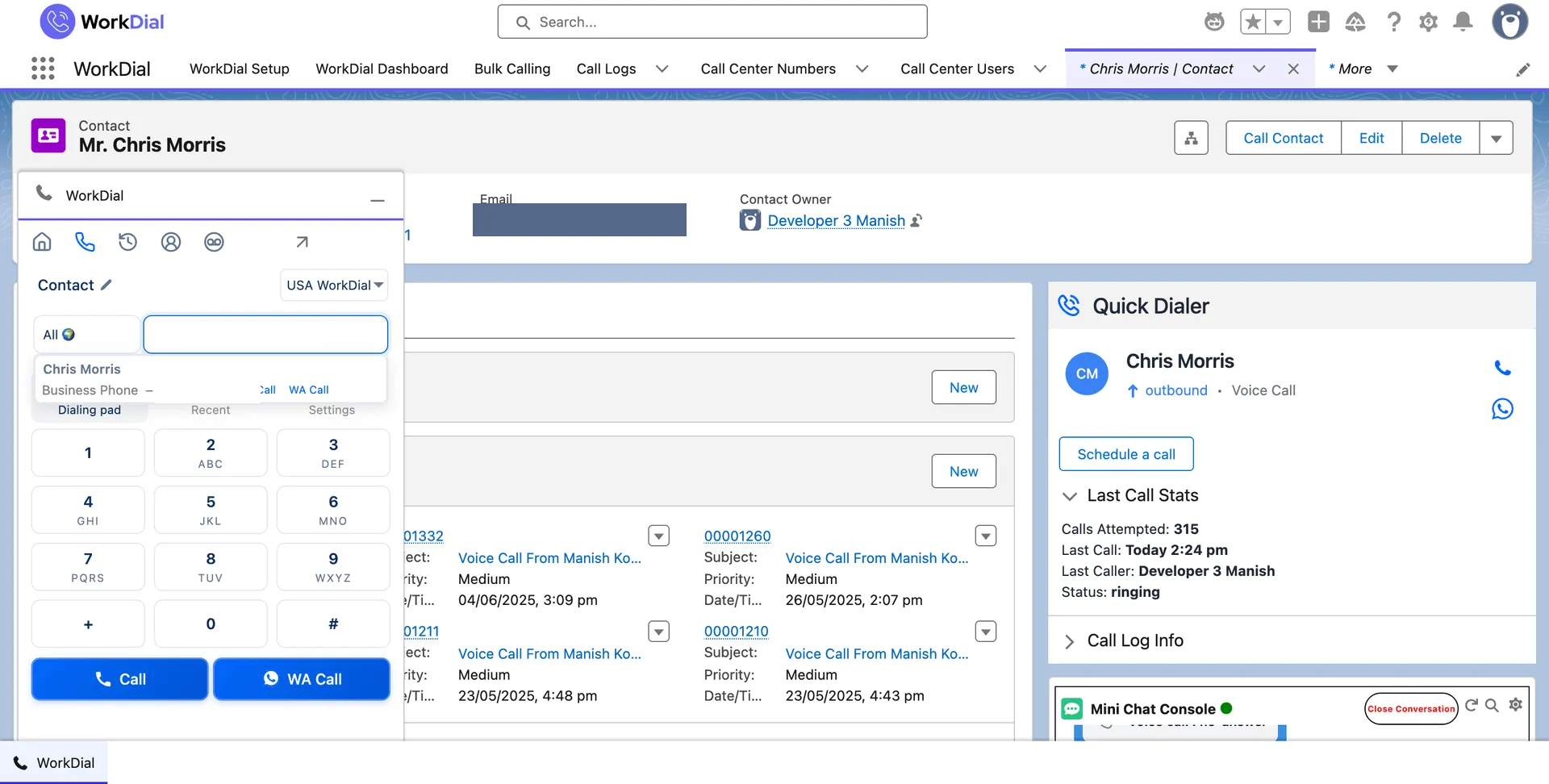
The WorkDial dialpad open on a Salesforce contact record, with the Call button ready
click-to-dial · any record

Call from any record. Click to call leads, contacts, opportunities, and cases, or dial a number from the pad. No context switching, no separate app to open.
step 02 · on the call
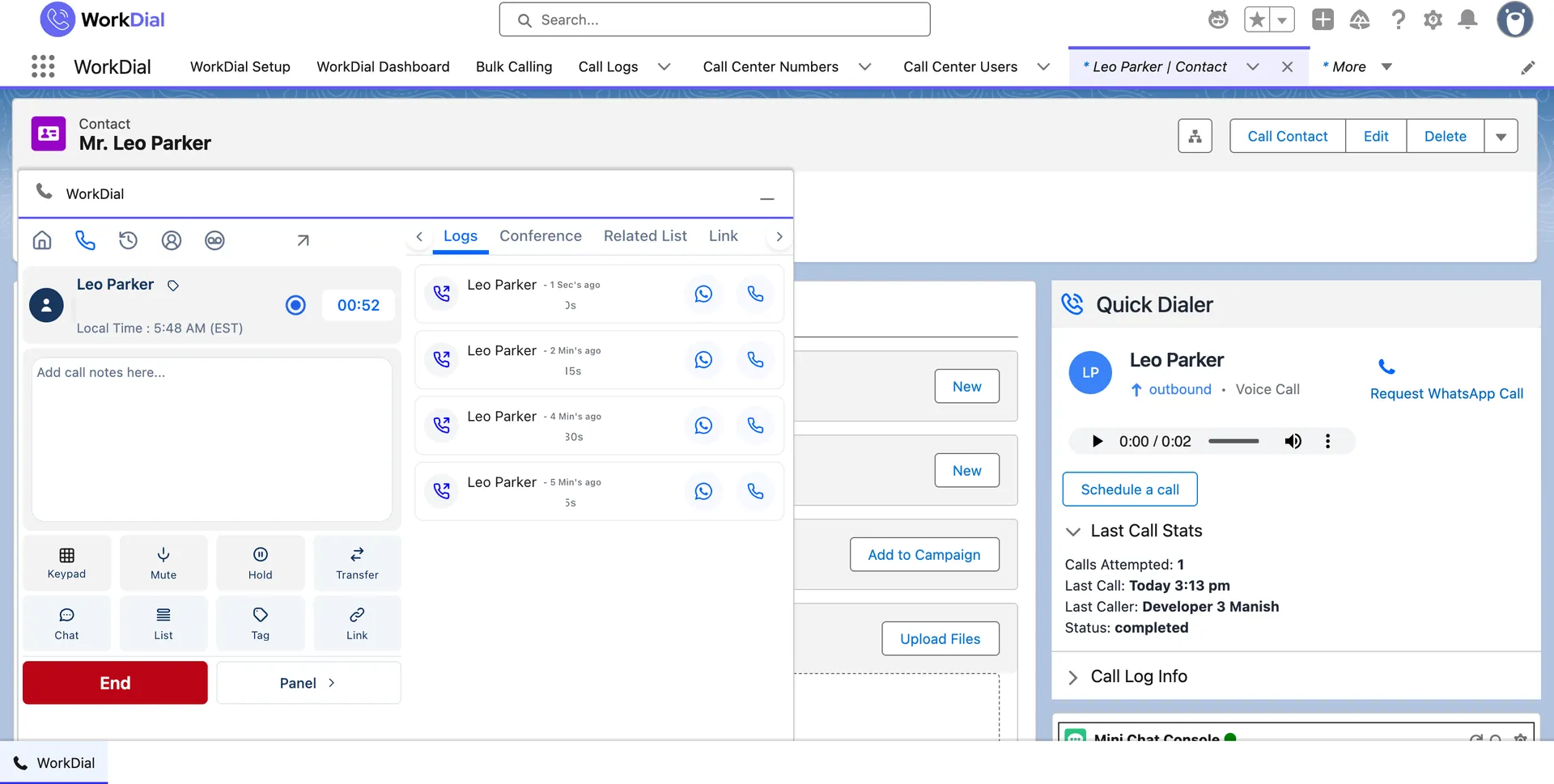
The WorkDial in-call panel on a Salesforce contact record during a live call, with mute, hold, transfer, tag, notes, and link controls
live call · on the record

The panel runs the call. Mute, hold, take notes, tag the call, and link it to a record, without leaving the contact. The call timer and recent calls sit right on the record.
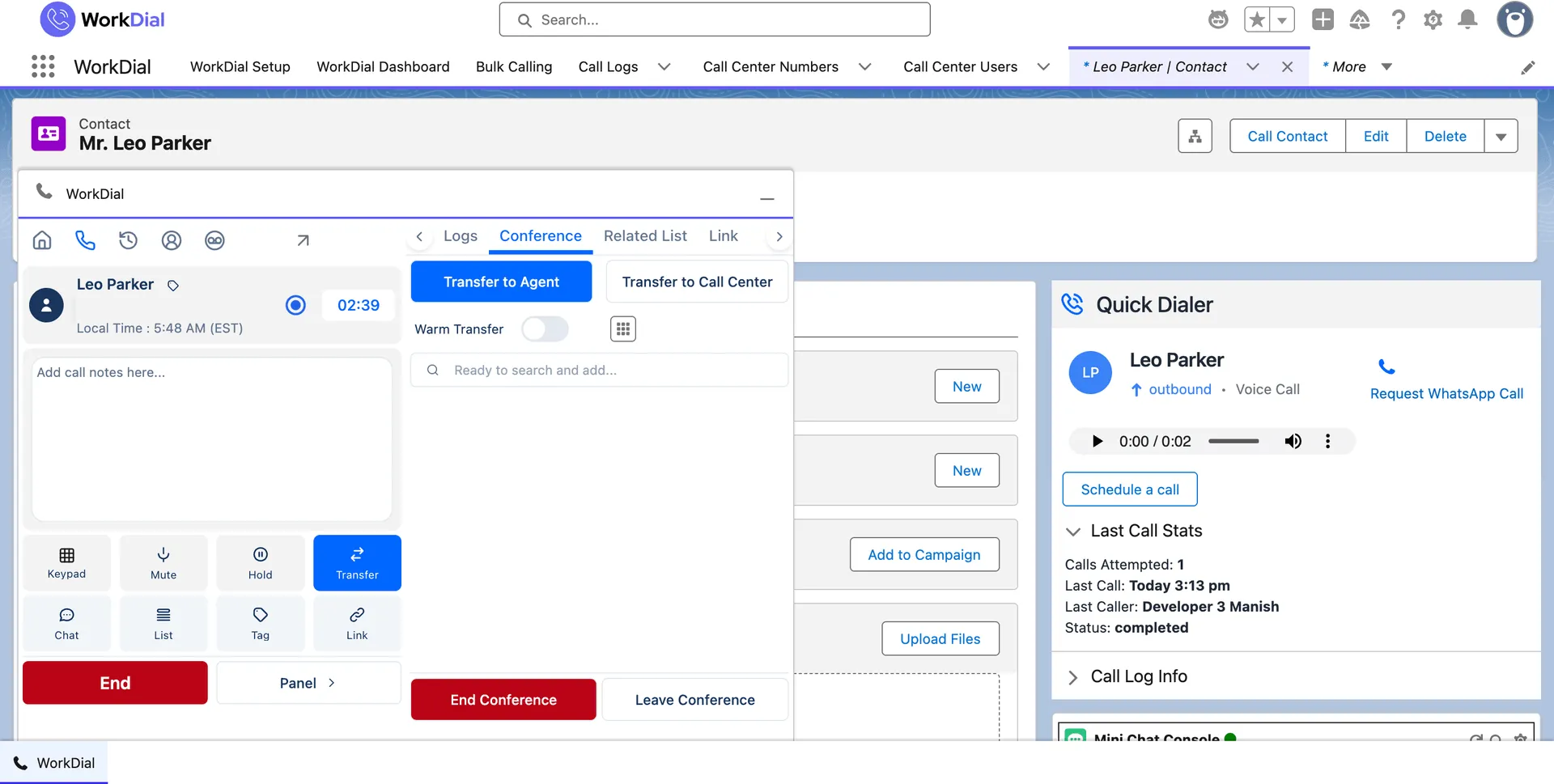
step 03 · transfer & conference
The WorkDial transfer panel during a Salesforce call, with transfer to agent, transfer to call center, and a warm transfer toggle
warm transfer · conference

Transfer or conference, live. Warm-transfer to an agent or call center, or add a third party to the call, all from the panel inside Salesforce.
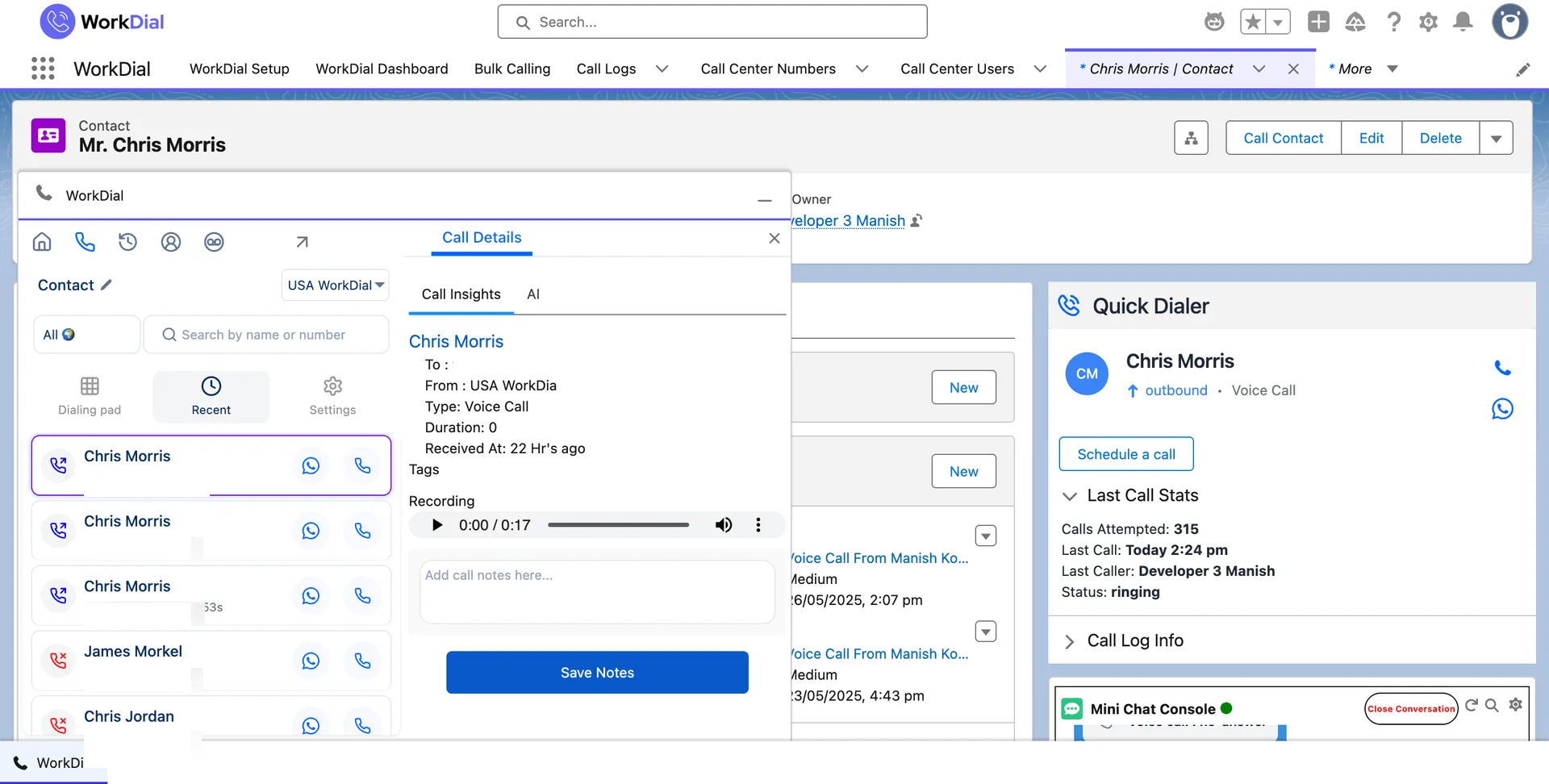
step 04 · the record fills itself
The WorkDial call details card on a Salesforce record, showing duration, tags, the recording player, and an AI tab
Call__c · recording · AI tab

The record fills itself. When the call ends, WorkDial writes duration, outcome, notes, and the recording to Call__c with no manual step. See how automatic call logging writes every call.
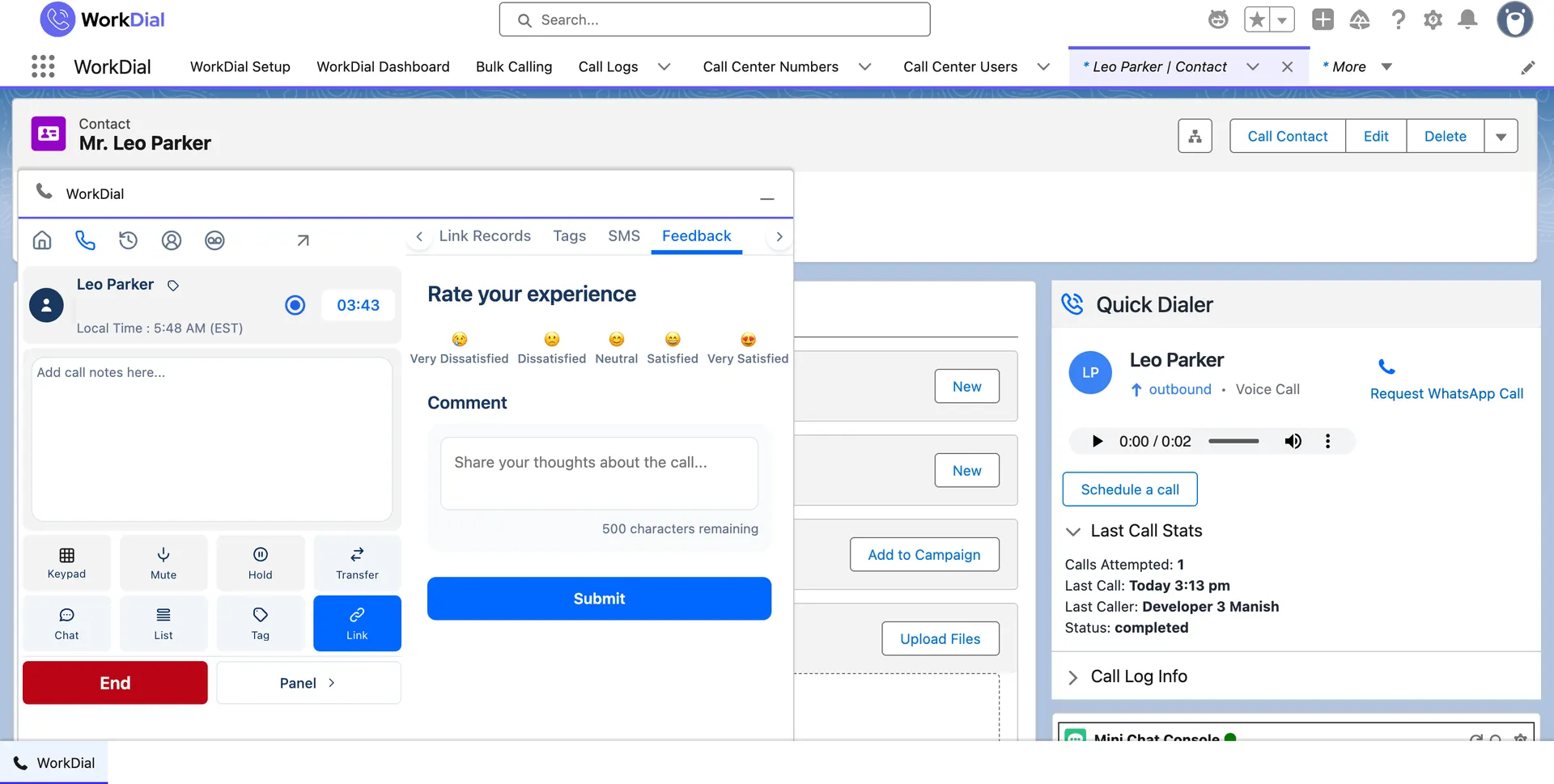
step 05 · rate the call
The WorkDial after-call feedback panel on a Salesforce record, with a satisfaction rating and a comment field
after-call rating · on the record

Close out in one step. Rate the call and add a comment as it wraps. The rating lands on the record with the outcome, so coaching reads from Salesforce.

At scale, and on mobile

Call a whole list, or from your phone.

One call and a list of calls work the same way: each one writes itself to the record, whether it starts in a list view, the Salesforce mobile app, or a Flow.
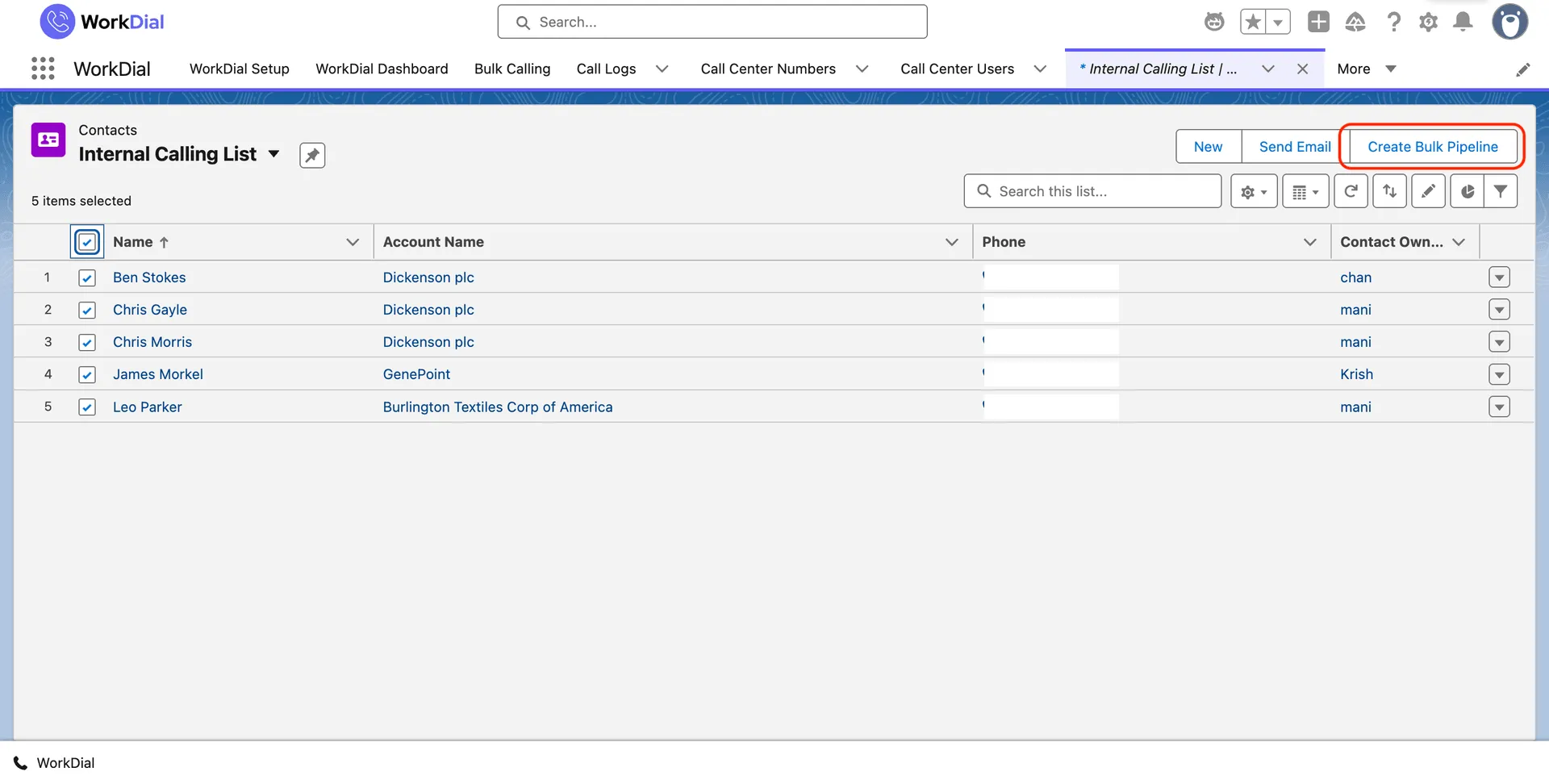
A Salesforce contacts list view with five records selected and the Create Bulk Pipeline button, ready to call the whole list
create bulk pipeline · list view

Bulk calling from a list view

Select records in any Salesforce list view, create a bulk pipeline, and work the set in sequence. Each call logs as Call__c with its outcome. If you are weighing dialer types, compare power dialing against predictive dialing.

Calling from the mobile app

Place calls from the WorkDial action on a Lead or Contact in the Salesforce mobile app. The call logs to the record the same way as the desktop dialer.

Calls triggered from Flow

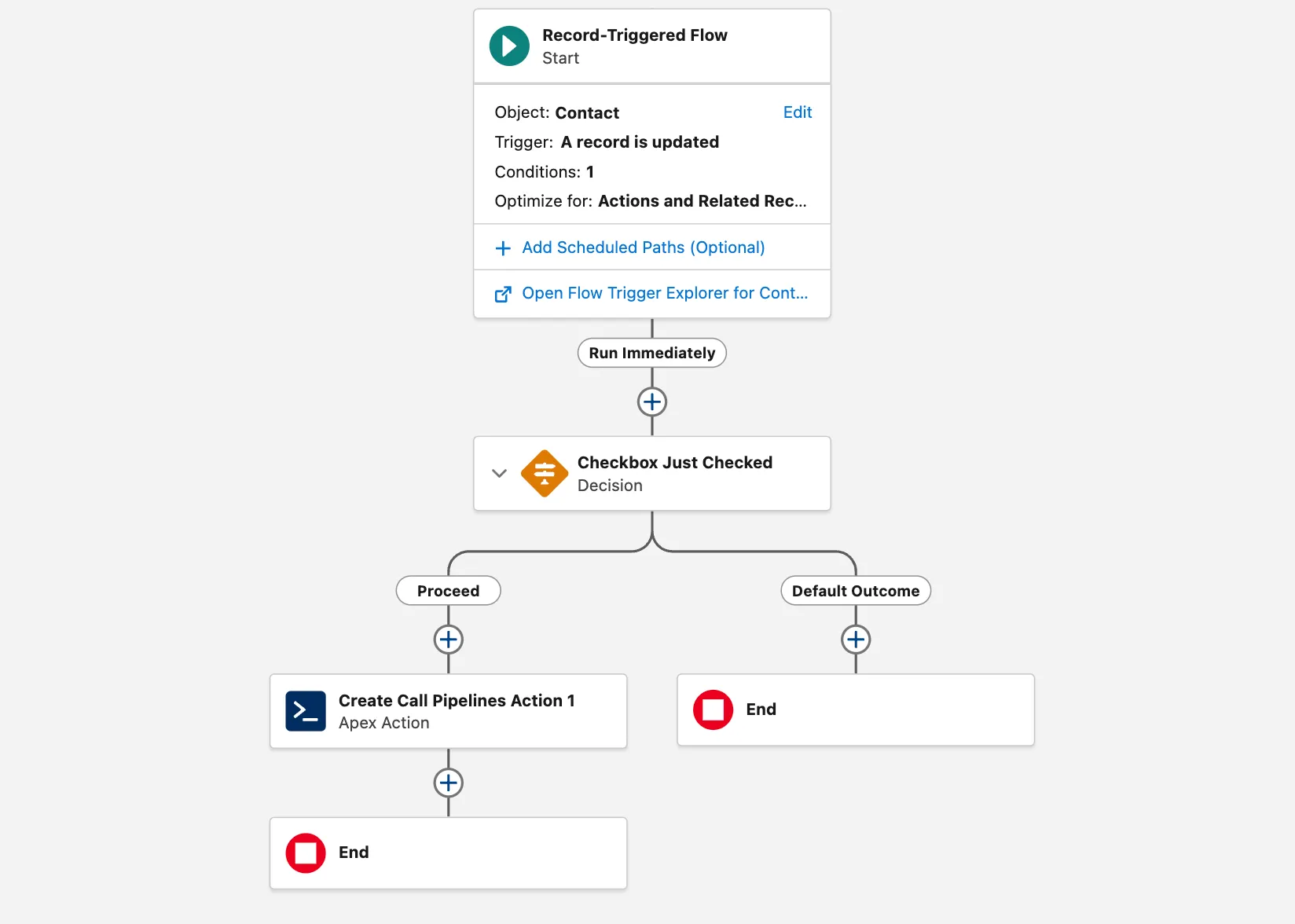
A record-triggered Flow can create call pipelines with an Apex action, so a status change can queue the next call without a rep starting it.
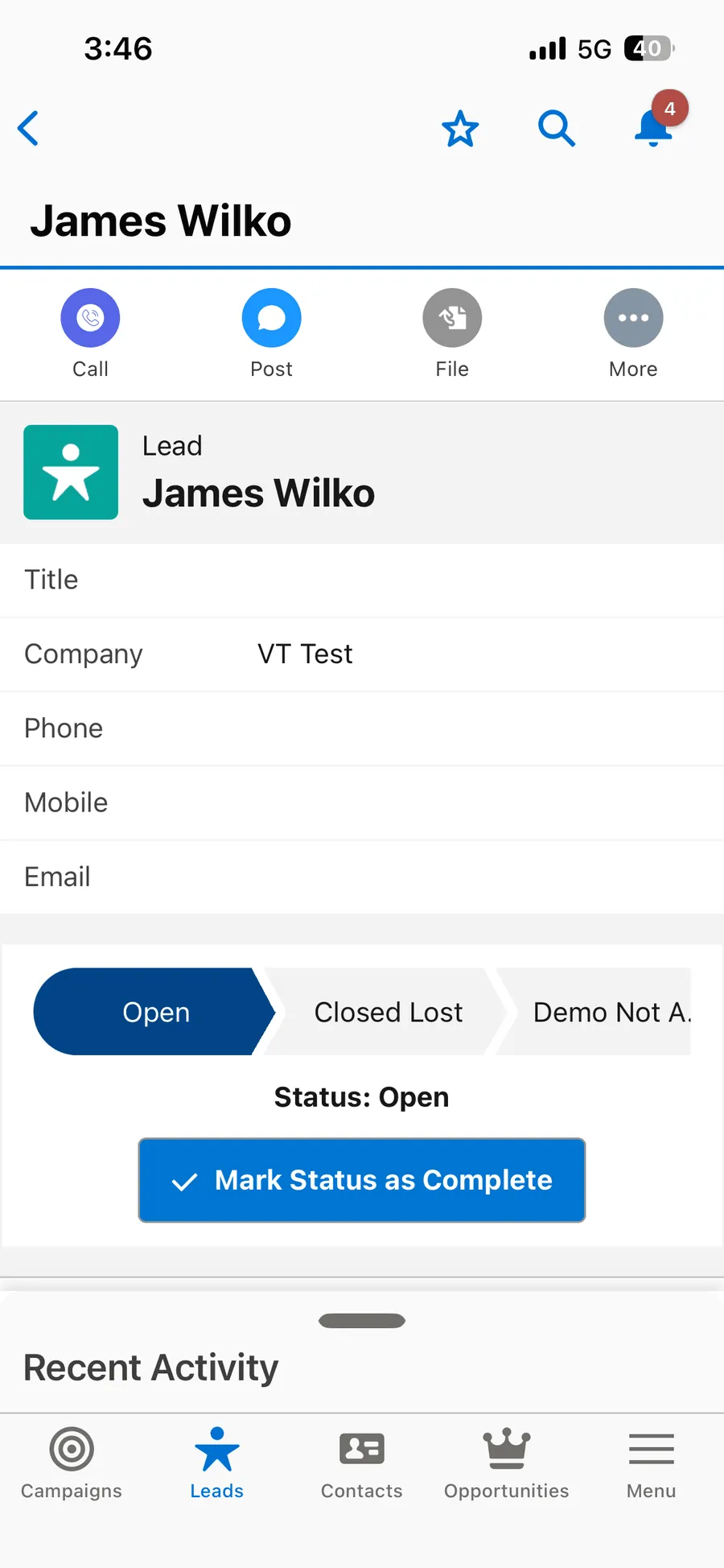
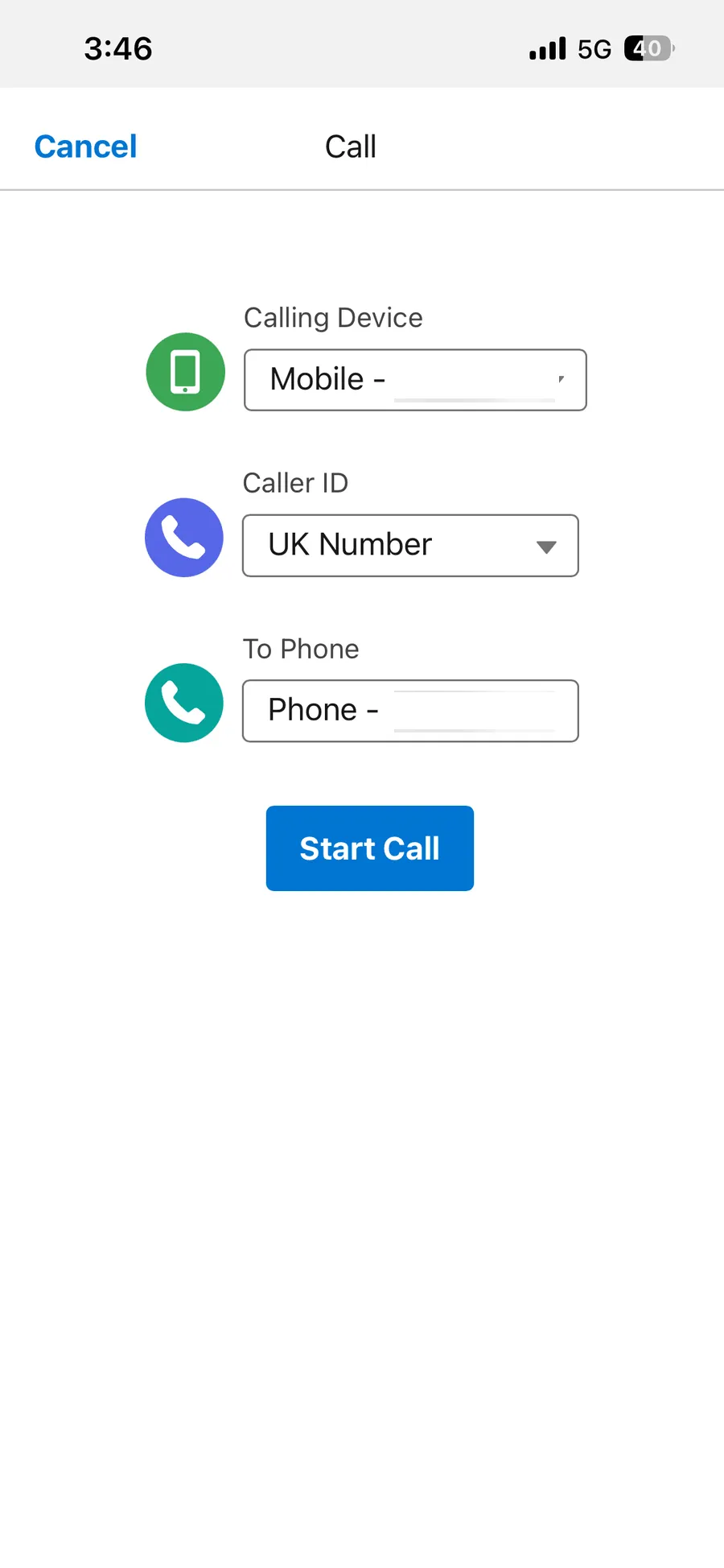
The Salesforce mobile app on a Lead record with the WorkDial Call action The WorkDial dialer on the Salesforce mobile app placing a call from a record A WorkDial call in progress in the Salesforce mobile app
salesforce mobile · call action
A record-triggered Salesforce Flow with a Create Call Pipelines Apex action firing on a call event
flow · create call pipelines

What you can report on

Every call is activity you can report on in Salesforce.

Call volume, outcomes, and talk time land on native records, so they reach a Salesforce dashboard without a sync.
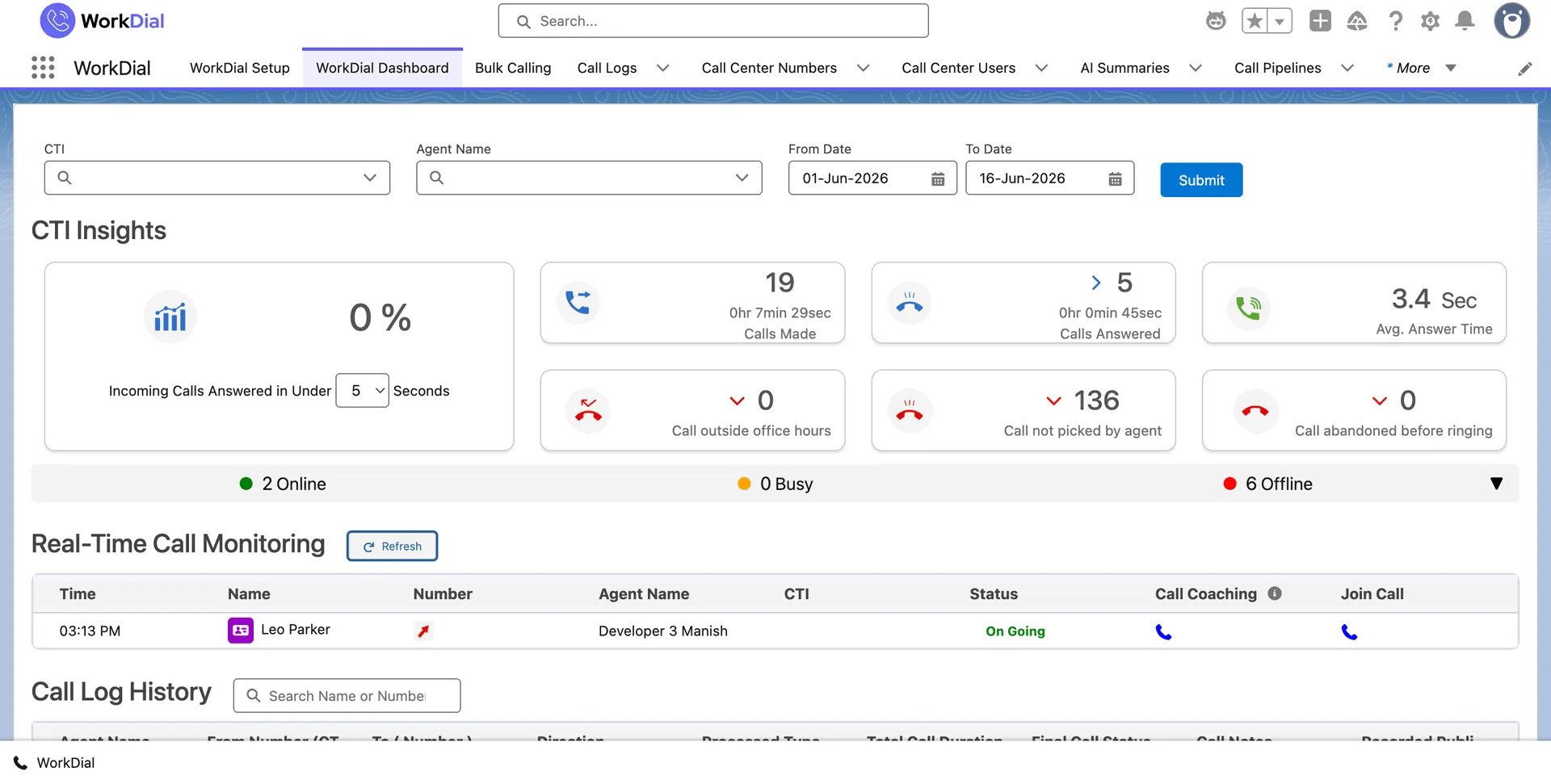
The WorkDial real-time dashboard inside Salesforce showing calls made, calls answered, average answer time, and live call monitoring
real-time monitoring · salesforce

03One system, zero sync

A copy is not a record. WorkDial writes the call itself.

A dialer that runs inside Salesforce makes the call a Salesforce record from the moment it ends. A bolt-on dialer only mirrors a copy of it, on a sync that can break.

one record · no synced copy

What that means for the record

When the call writes directly to Salesforce, there is one record, not a source record and a synced copy that can drift. Outcomes, recordings, and notes are queryable the instant the call ends. Salesforce sharing rules already govern them. WorkDial runs inside Salesforce and operates no external customer data store. Your recordings go where you choose: as native Salesforce Files in your own org, in your own Twilio, or in your own cloud storage. WorkDial keeps no copy of its own. This is the architectural question behind native versus integrated CTI, and the foundation of the WorkDial Salesforce CTI platform.

04What it means for reps and managers

No manual logging. No post-call admin.

Reps reclaim the post-call minutes

When the call ends, WorkDial writes the outcome and notes to the record. Reps move to the next call. The logging happens without them.

One source of truth

The call is the Salesforce record, not a copy of it. No dialer database to reconcile against Salesforce, no export step, and no sync gap.

Reports and Flows run on the calls

Calls are Salesforce objects, so they report alongside pipeline and trigger Salesforce Flow directly. No connector to maintain.

Start your trial

05Who uses it

Built for Salesforce-first teams.

sales

Sales teams

Work a call list without leaving the opportunity, with every call and outcome written to the record. No logging step between calls.

Call__c
support

Support teams

Call from the case, and the outcome, recording, and notes write to the record automatically. The next agent sees the full history without chasing a separate system.

Recording__c
revops

RevOps and admins

No connector to maintain, no second data model to govern. Calling activity reports as standard Salesforce data alongside pipeline.

Salesforce reports

Questions

Salesforce dialer, answered

What does it mean when the call "logs itself"?
When the call ends, WorkDial writes duration, outcome, disposition, and notes to Call__c on the record it was placed from, with the recording as Recording__c. There is no separate logging step and nothing for a rep to type into Salesforce afterward.
Does Salesforce have a built-in dialer?
Salesforce provides the Open CTI framework and some calling features in higher clouds, but not a full dialer with power dialing, recording, and AI call analysis. WorkDial installs as a managed package and adds those capabilities, with every call written directly to Salesforce as Call__c.
What is the difference between a native and an integrated Salesforce dialer?
An integrated dialer keeps the call in a separate phone system and mirrors a copy into Salesforce through a connector. The native kind writes the call directly to Salesforce as the source of truth. WorkDial is that kind: no middleware, no sync to reconcile, no external customer data store.
Does WorkDial include a power dialer?
Yes. The power dialer works calls through a Salesforce list view or campaign in sequence, logging each call as Call__c with its outcome and disposition. Because the list is a Salesforce list view, the dialer always works the live, filtered set of records.
How does WorkDial log calls?
Automatically. When a call ends, WorkDial writes the call as Call__c with duration, outcome, disposition, notes, and the recording as Recording__c, on the record it was placed from. There is no manual logging step and no after-the-fact sync.
Can I click to dial from any record?
Yes. Click to call from leads, contacts, opportunities, and cases. The call connects through your own Twilio account and writes to that record as Call__c the moment it ends.
Can WorkDial call a whole list of records at once?
Yes. Select records in any Salesforce list view and create a bulk pipeline to work the set in sequence. Each call logs as Call__c with its outcome, and you can run it against a campaign. A record-triggered Flow can also create call pipelines through an Apex action.
Can I make calls from the Salesforce mobile app?
Yes. Place calls from the WorkDial action on a Lead or Contact in the Salesforce mobile app. The call logs to the record as Call__c the same way as the desktop dialer, so mobile activity is not a separate system.
Which Salesforce editions does the dialer support?
WorkDial installs as a managed package on Salesforce Sales Cloud, Service Cloud, or both, on editions above Essentials. It inherits the org’s permissions and sharing model rather than adding a separate one.
What does telephony cost with the dialer?
Telephony is bring your own Twilio at no markup, so you pay carrier rates directly. The dialer is included from Core at $28 per user per month billed annually. WhatsApp voice runs through the same calling layer.

Get started

Every call logged. No manual step.

4.97★ across 116 AppExchange reviews · from the team behind ValueText, the Salesforce-native messaging platform