
Mobile call feature
Call customers from your own mobile phone while Salesforce handles the call. You pick three numbers, Salesforce bridges them, and notes save to the record.
What this enables you to do
Users can initiate customer calls directly from Salesforce. The process involves selecting three phone numbers before placing the call.
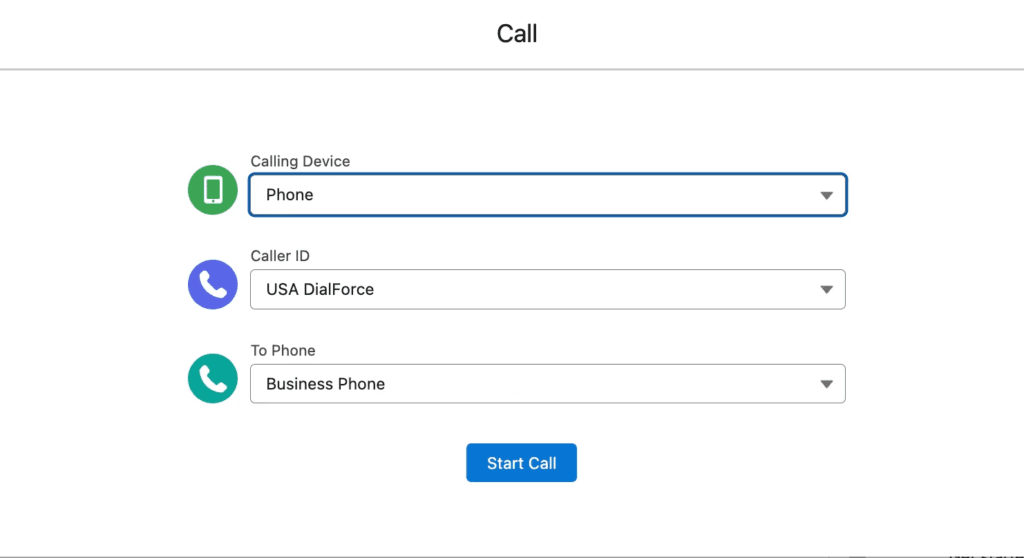
Step 1: choose the calling options. Three fields appear on the Salesforce screen:
- Calling Device (Your Phone Number): the phone number where the user wants to receive the first call. Salesforce calls this number first.
- Caller ID (CTI Number): the display number the customer sees when they receive the call. The customer sees this number as the caller.
- To Phone (Customer Number): the customer phone numbers available from the record. Users select the number they want to call.
Start Call button: what it does
After selecting the three numbers, the user clicks Start Call. The following sequence occurs:
- Step 1: Salesforce calls YOU first. The selected Calling Device number rings. The user must answer this call.
- Step 2: after you answer, Salesforce calls the customer. Once the user picks up, Salesforce automatically dials the customer. The customer sees the selected Caller ID number.
- Step 3: both calls connect together. The call becomes a conference call, enabling normal conversation between the parties.
Notes pad during the call
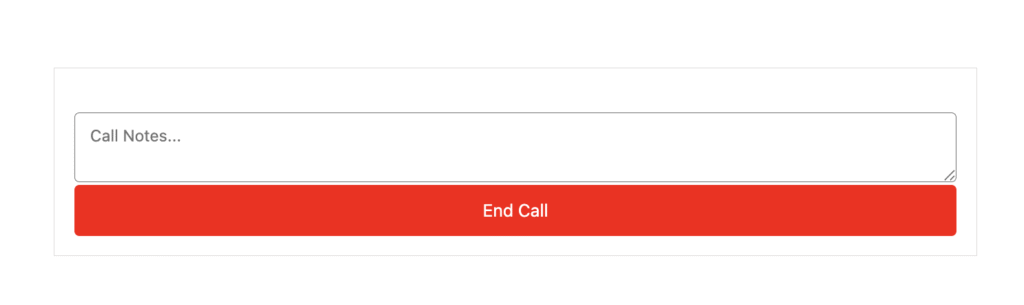
While the call is ongoing, Salesforce displays a notepad section where users can:
- Write call notes.
- Track important details.
- Capture conversation points.
The notepad functions as a simple text area box for typing information during the call.
What happens after the call ends
When the call terminates:
- Notes typed in the notepad are automatically saved into the related Salesforce record.
- This preserves customer call details for future reference without manual data entry.
Where to access this feature
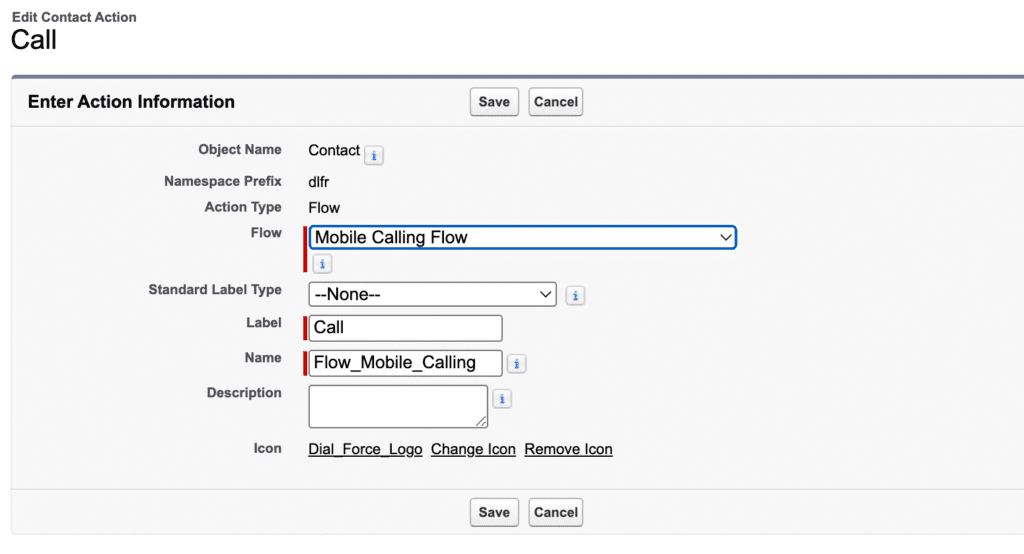
This calling process is accessed by clicking the Call button on the Salesforce record detail page. Users must create and add this button to the record detail page. That button triggers the entire interface and calling process described above.
In summary
The complete workflow:
- Open a customer record.
- Click the Call button.
- Choose your phone number, Caller ID, and the customer’s phone number.
- Click Start Call.
- Salesforce calls you first, and you answer.
- Then Salesforce calls the customer.
- Both calls connect together.
- A notes section becomes available during the call.
After the call completes, notes are automatically saved in the record.