
Salesforce CTI, in the record

A softphone that opens on the record, not beside it.

A connected softphone is a second window, and the records never quite agree. WorkDial is a Salesforce-native CTI platform. The panel is part of Salesforce, so you dial from the record in front of you.

Included from Core at $28/user/mo · BYOA (bring your own Twilio)
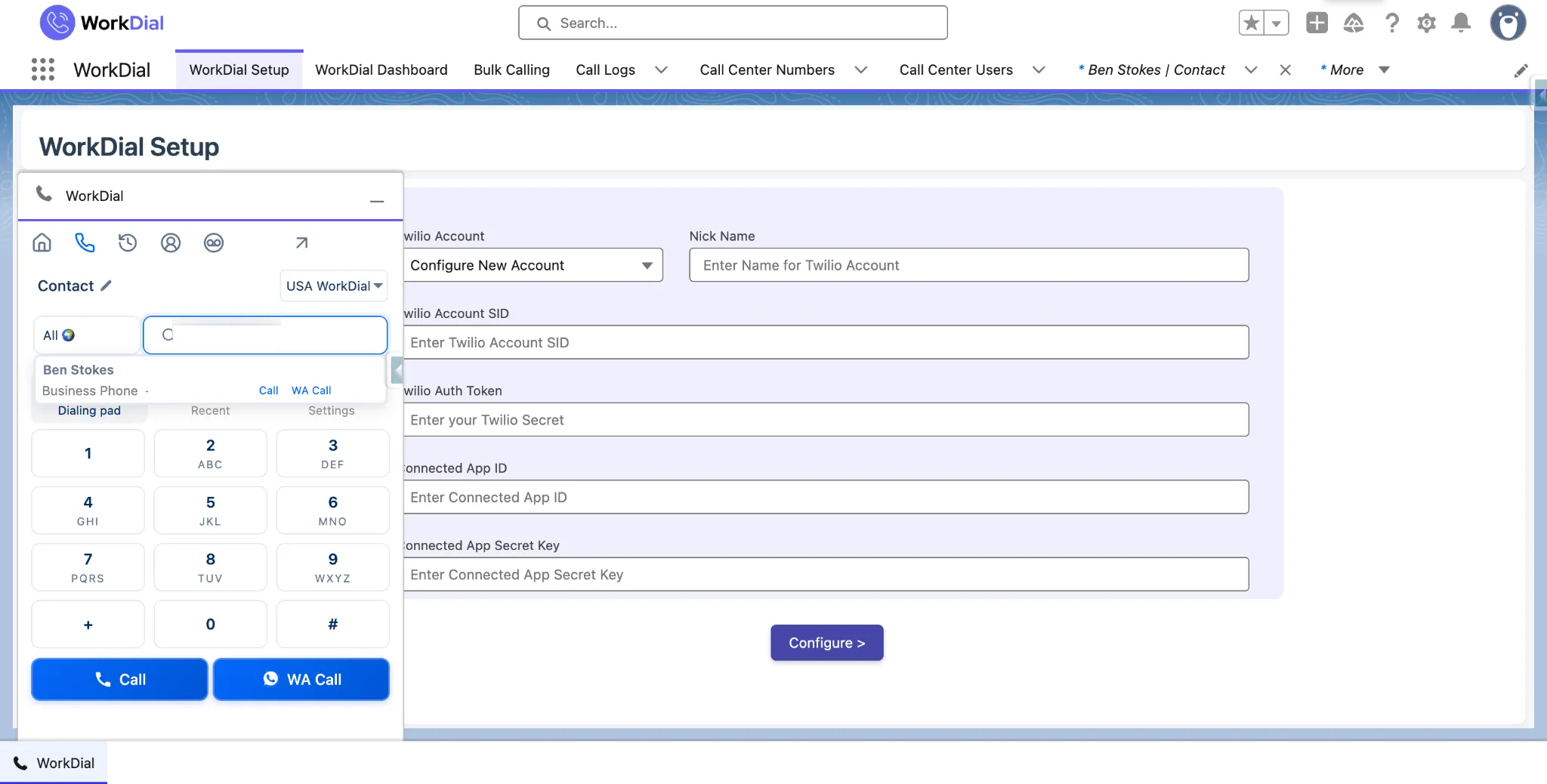
The WorkDial softphone panel open on a Salesforce record, with the dial pad beside the customer detail
softphone panel · salesforce
Common question

What is a Salesforce softphone?

A softphone is a phone handset rendered in software, so calls are placed from the computer rather than a desk phone. A Salesforce softphone puts that handset inside the Salesforce interface: the rep dials from the record they are reading, and mute, hold, transfer, and notes sit beside the customer's history. In WorkDial the panel is part of Salesforce, not an external application joined by an adapter.

ValueText

Built by the team behind ValueText, the Salesforce-native messaging platform, rated 4.97 stars across 116 AppExchange reviews.

01The cost of a second window

What does a bolted-on softphone cost per call?

01

Context is one window away. The number is in the softphone and the history is in Salesforce. The rep dials while looking at the wrong screen.

02

Notes are written twice, or once and badly. Typing into the dialer means retyping into the CRM later. Post-call admin is the tax on the conversation.

03

An adapter is a dependency. Open CTI adapters are software you host and keep compatible with each Salesforce release. Every upgrade is a thing that can break the phones.

04

The dialer owns the record. Call history lives in the vendor's database and arrives in Salesforce as a copy, so the report you trust is downstream of a sync.

post-call admin · retyped

02What the panel does

Dial and file in one panel.

Search by name, not by number. Mute, hold, and transfer in the panel. Notes land on the record as you type them.

See it live
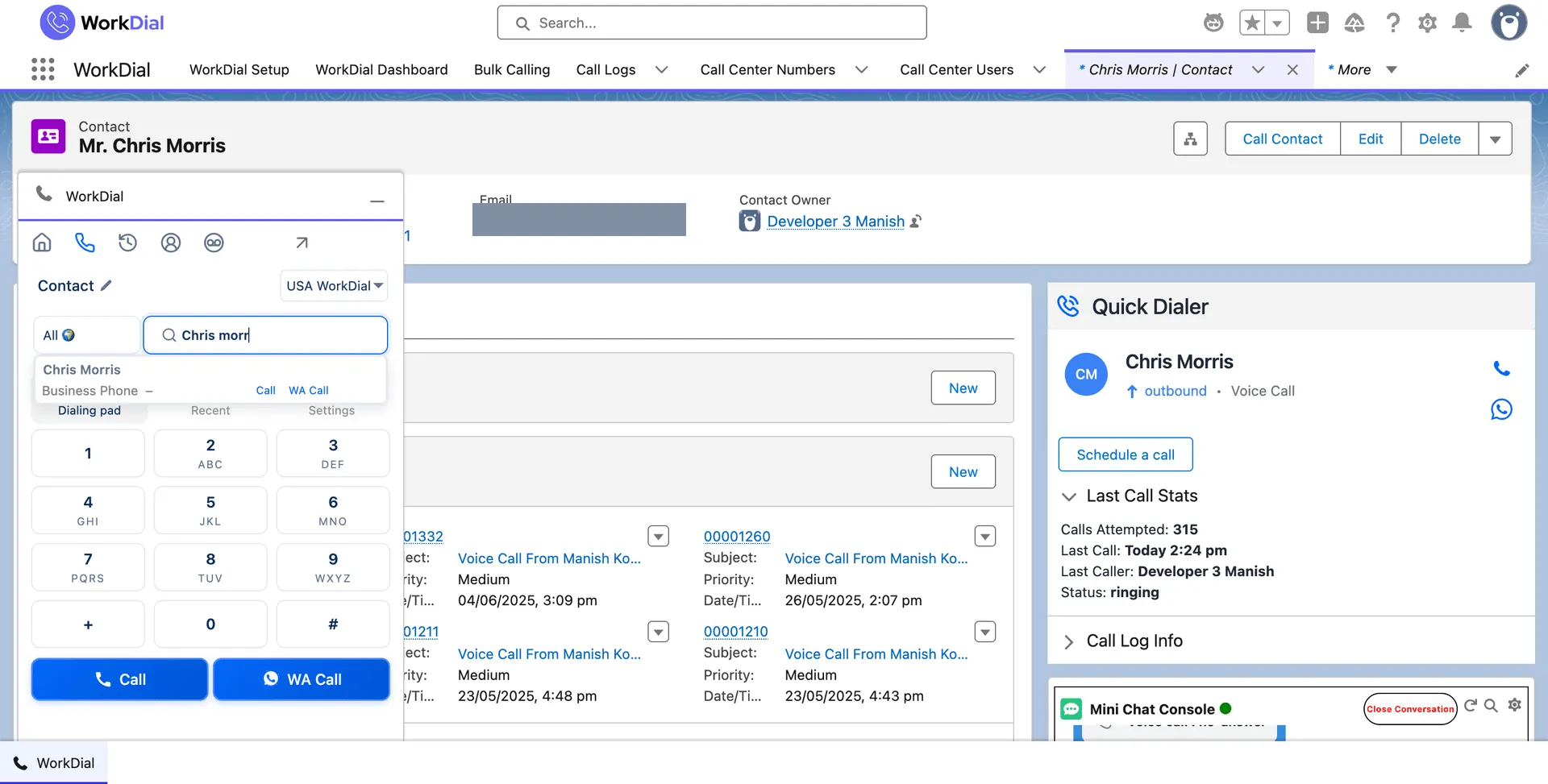
search · by Salesforce record
Searching for a Salesforce contact by name inside the WorkDial dialer panel
name search · not a number

Dial by name. The panel searches your Salesforce records, so the rep types a person rather than pasting a number. The call is bound to that record before it connects, which is why it can log itself afterwards.
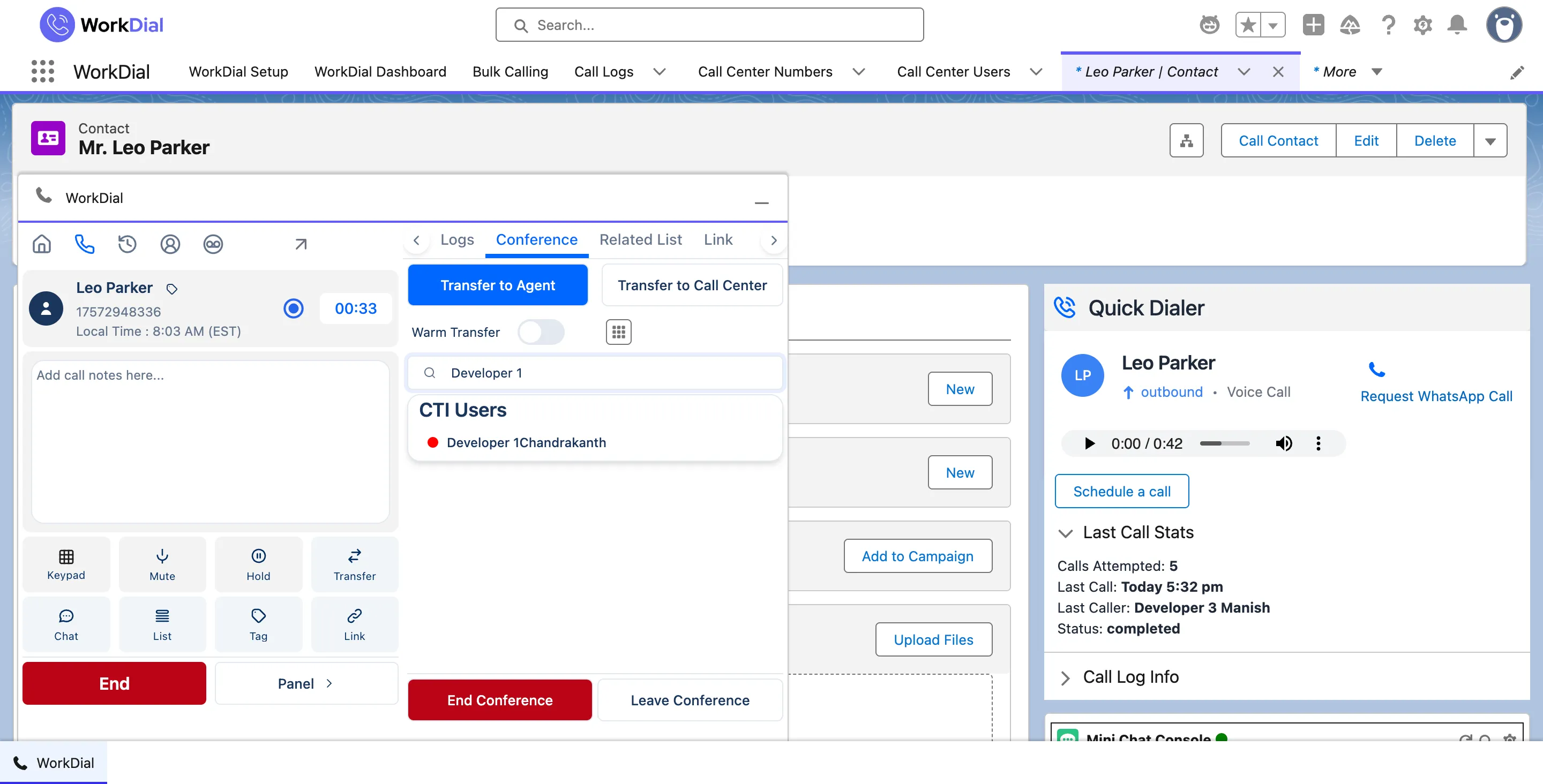
in-call · mute, hold, transfer
In-call controls in the WorkDial panel inside Salesforce: mute, hold, transfer, and keypad
controls · in the panel

Full handset controls. Mute, hold, transfer, and a number pad for extensions and IVR menus. Everything a desk phone does, in the panel beside the record, so nothing about the call requires another window.
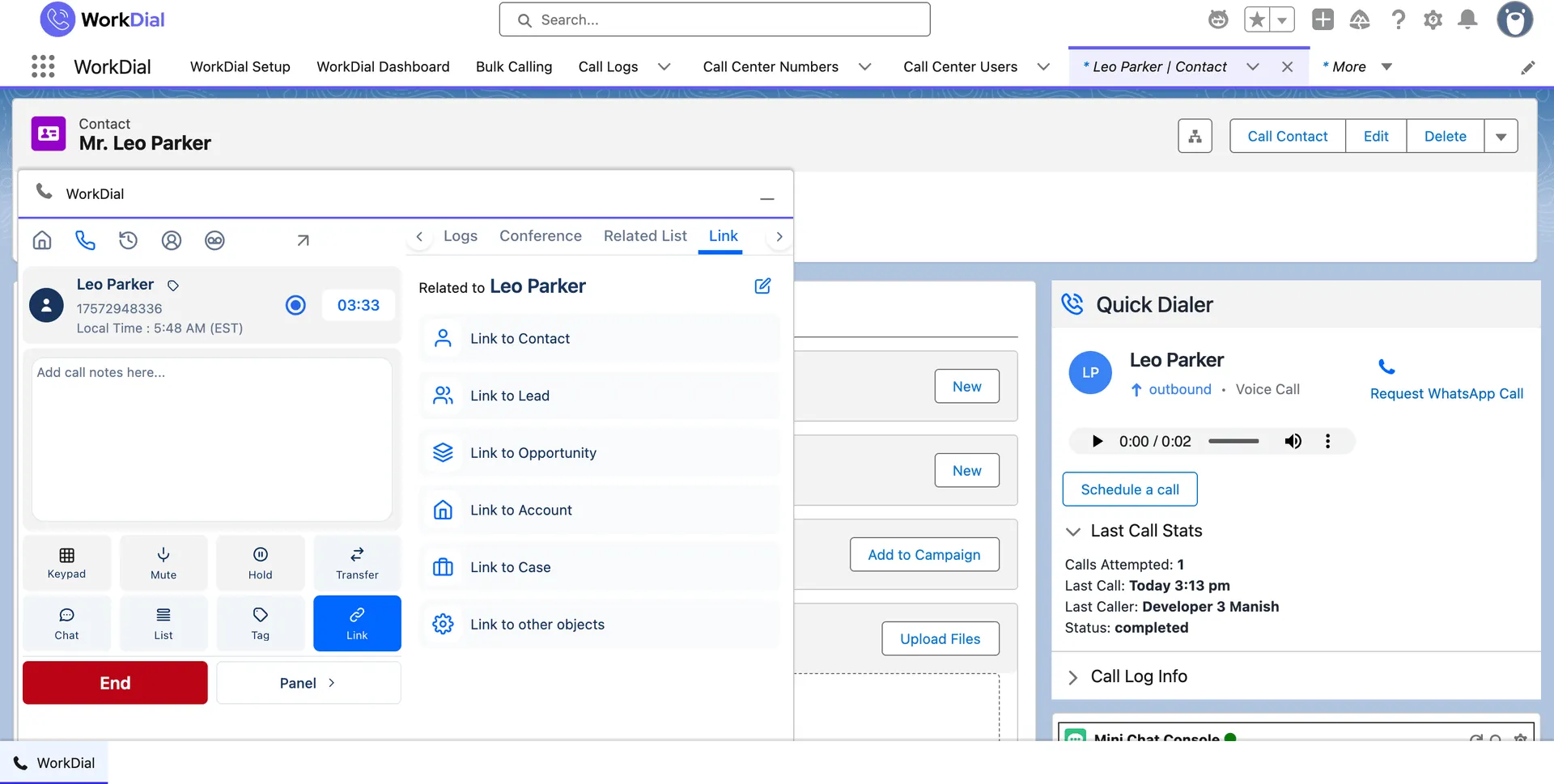
relate · during the call
Linking a live call to related Salesforce records from the WorkDial panel
link records · mid-call

Relate the call while talking. A call that turns out to be about a different opportunity or case is linked to it during the call, so the history is correct without anyone tidying it up later.

03Off the desk

The same record, from a phone.

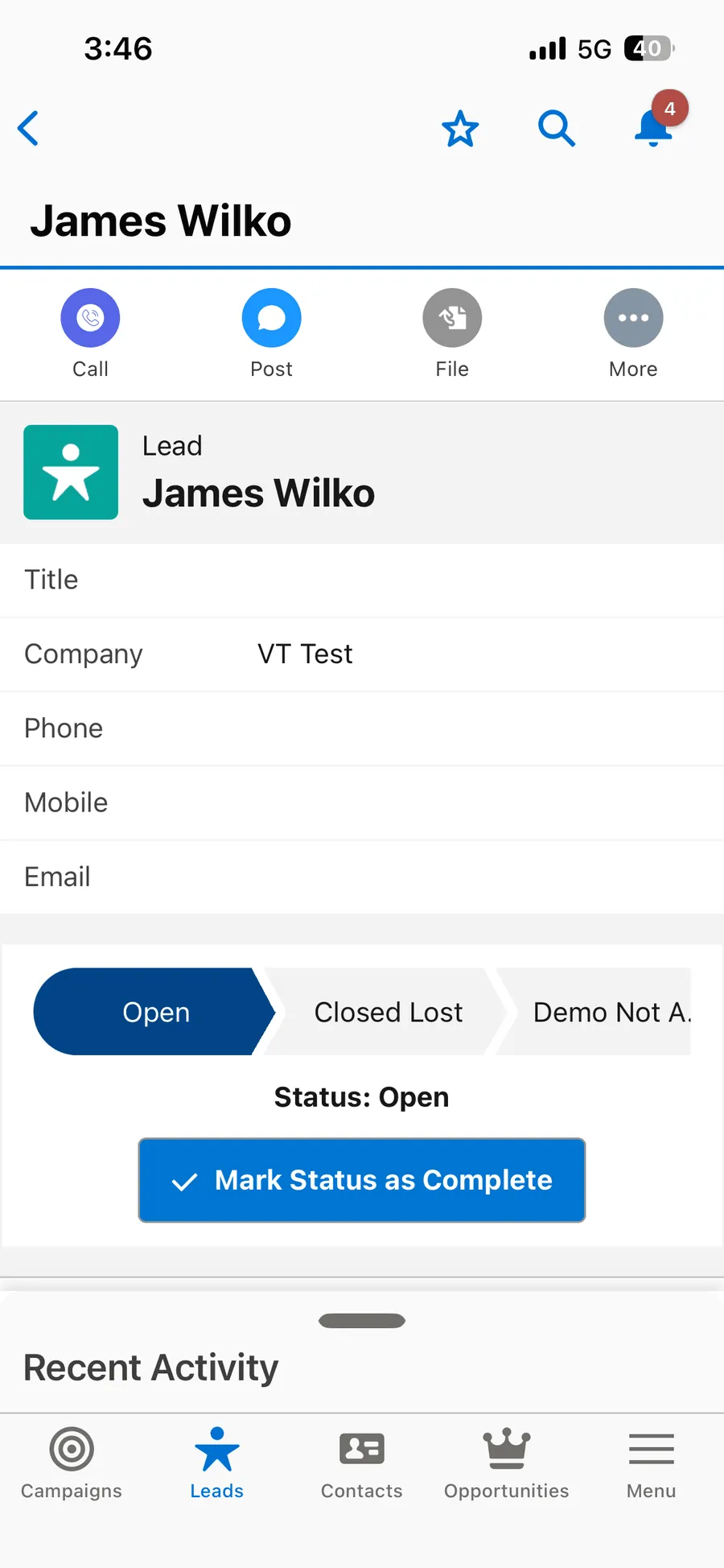
Calls from a mobile device write the same Call__c record. Transfers stay attached to the record they started on.
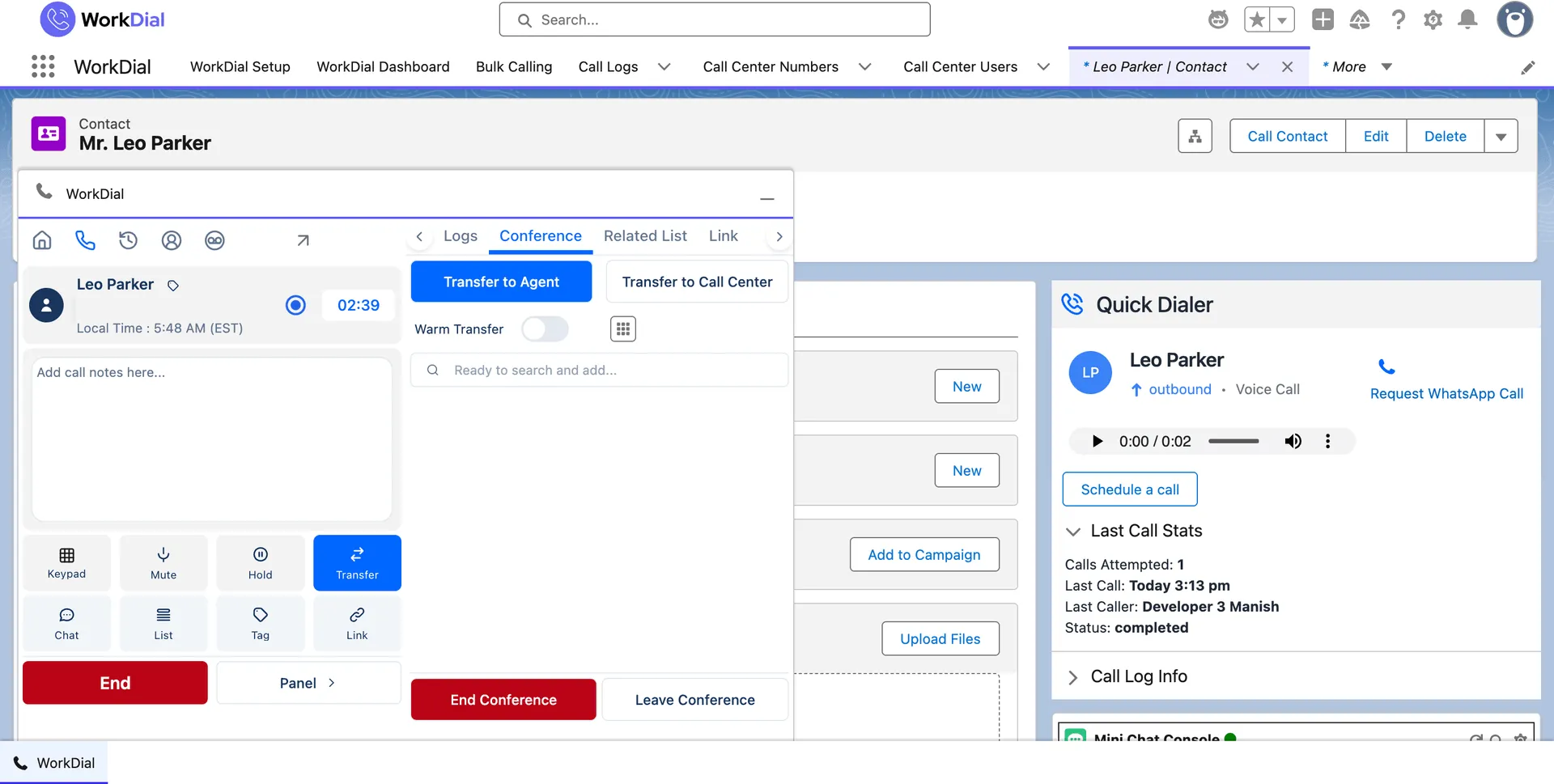
Transferring a live call to a colleague from the WorkDial panel in Salesforce
transfer · stays on the record
Placing a Salesforce call from a mobile device with WorkDial
mobile · same record

04How the architecture differs

Part of Salesforce, or connected to it.

A panel that is Salesforce needs no adapter. A phone system connected to Salesforce needs one forever.

RingCentral, Aircall, Dialpad, and Kixie reach into Salesforce through an adapter and keep call data in their own database. WorkDial writes the Salesforce record as the original.

one record · not a synced copy

05What it means for the business

Fewer windows, and nothing to install.

No adapter to maintain

No Open CTI adapter to host, patch, or re-certify. One managed package from the AppExchange.

Ramp measured in a day

A rep who knows Salesforce knows where the panel is. No second interface to train on.

Telephony at cost

Calls run on your own Twilio at Twilio's rates, 0% markup. You own the numbers.

Start your trial

Questions

The Salesforce softphone, answered

What is a Salesforce softphone?
A softphone is a phone handset rendered in software: you place and take calls from your computer instead of a desk phone. A Salesforce softphone is one that lives in the Salesforce interface, so the call is placed from the record you are already looking at and the call controls sit next to the customer's history rather than in another window.
Does WorkDial need the Salesforce Open CTI adapter?
No. WorkDial runs inside Salesforce as a managed package, so the panel is part of the Salesforce interface rather than an external application connected through an adapter. There is no adapter to install, host, or keep compatible with each Salesforce release.
Where does the softphone appear?
On the Salesforce record, in the WorkDial panel. It is available from Lead, Contact, Account, Opportunity, and Case pages, so a rep dials from the record they are working and never has to find the number somewhere else first. See the panel documentation for the layout.
What call controls does it have?
Mute, hold, transfer, and hang up, plus a number pad for extensions and IVR menus, name search to find a Salesforce record by typing, and notes and tags applied while the call is live. The controls are in the panel next to the record, so using them does not mean leaving the page.
Can I transfer a call to a colleague?
Yes. A call can be transferred from the panel during the call. Because the call is already a Salesforce record, the transfer and the resulting call history stay attached to the same record rather than splitting across two systems.
Does click to dial work from list views and reports?
Yes. Click to dial works from the record page and from Salesforce list views, so a rep can work a filtered list without copying numbers. Every call placed that way is logged to Call__c automatically.
Can reps take calls on a phone?
Yes. WorkDial supports calling from a mobile device with the call still written to the Salesforce record, so field and travelling reps produce the same activity data as reps at a desk.
How is this different from RingCentral or Aircall in Salesforce?
Those are external phone systems that connect to Salesforce through an adapter and keep their call data in their own database, syncing a copy in. WorkDial is a Salesforce-native CTI platform: the panel is part of Salesforce and the call record it writes is the primary record. WorkDial does not claim to match a mature unified-communications suite feature for feature, and it is not a general business phone system for work that happens outside Salesforce.
Do we still need a phone provider?
Yes, and you own it. Telephony is BYOA (bring your own Twilio): calls are carried on your own Twilio account, billed by Twilio at their rates with 0% markup from WorkDial. You keep the account, the numbers, and the per-minute pricing.
What gets written when a call is placed from the panel?
A Call__c record with the direction, duration, outcome, and the related Salesforce record, plus any notes and tags added during the call. Where a recording is kept it is linked as Recording__c. On plans with AI call analysis the transcript and sentiment land on the same record. Detail on automatic call logging.
Does the softphone introduce a second security model?
No. The panel runs inside Salesforce and writes Salesforce records, so access is governed by the profiles, permission sets, and sharing rules you already run. There is no external application holding call data under its own rules.
Which plan includes the softphone?
Core at $28 per user per month billed annually includes the native dialer and click to dial. Professional at $59 adds full AI call analysis on every call. There is no seat minimum and no add-on list. The 14-day trial runs on Professional with no card.

Get started

Put the handset where the record is.

4.97★ across 116 AppExchange reviews · from the team behind ValueText, the Salesforce-native messaging platform