
Package installation
Install the WorkDial managed package in your Salesforce org with this guide, or book a setup call with our team. There is no charge for setup.
Step 1: Log in to Salesforce
- Open your Salesforce org (production or sandbox).
- Use an Administrator account. Only admins can install AppExchange packages.
Step 2: Choose where to install
Select the org where you want to install:
- Production installation link provided.
- Sandbox installation link provided.
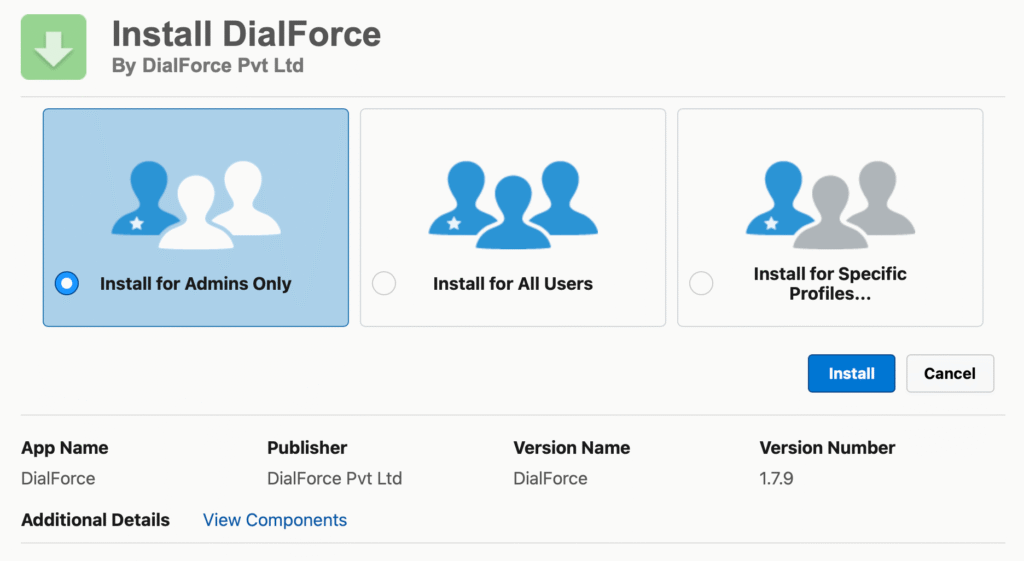
You will be presented with three installation options:
- Install for Admins Only
- Install for All Users
- Install for Specific Profiles
Select the option that best suits your needs and proceed with deployment.
Step 3: Deploy and finish
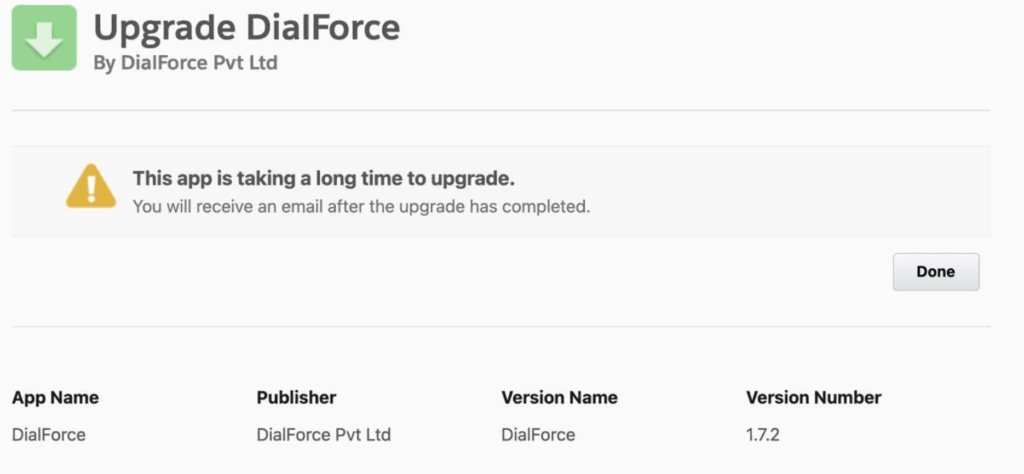
- Installation typically takes 10 to 15 minutes.
- Once complete, click the Done button to finalize.
Step 4: Verify the installation
- Verify the installation by searching for WorkDial in the App Launcher.
- The WorkDial Setup page should now be accessible.
- This step ensures WorkDial is properly integrated into your Salesforce environment.