You are in

Set up WorkDial on your org.

Your 14-day Professional trial of WorkDial, the Salesforce-native CTI platform, is ready, full AI on. Five steps from here to your first native call. No card, no markup on telephony.

Confused setting up?

Get setup help
step 01 · install

Install WorkDial from the AppExchange

Open your Salesforce org as an administrator and install the managed package. Choose production or sandbox, then pick who gets access: Admins Only, All Users, or Specific Profiles. Deploy takes about 10 to 15 minutes. When it finishes, search WorkDial in the App Launcher to confirm it is in your org.

Prefer the listing? View WorkDial on the AppExchange.
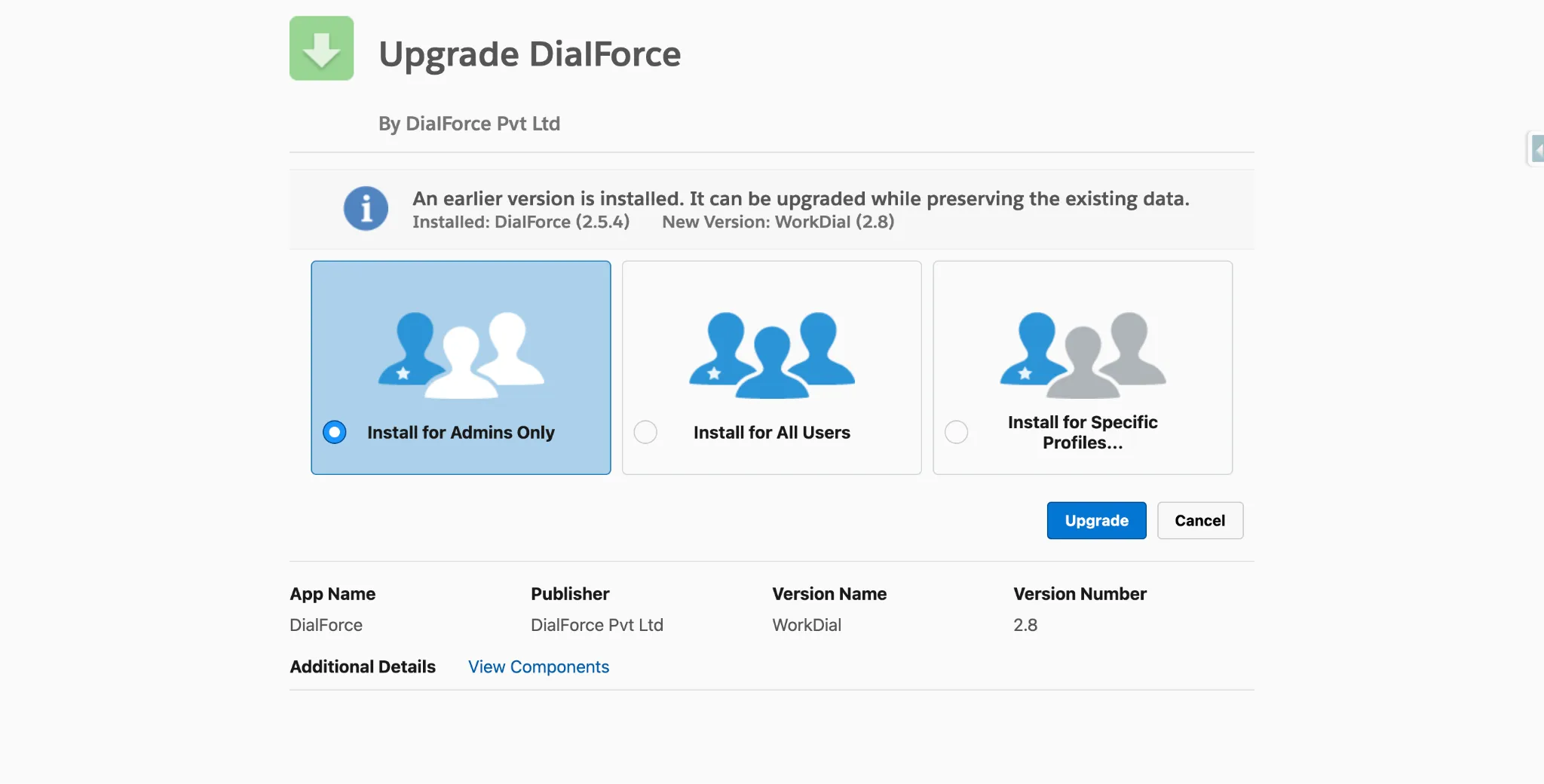
The Salesforce AppExchange install screen for the WorkDial managed package, choosing access for Admins Only, All Users, or Specific Profiles
AppExchange install options: Admins / All Users / Specific Profiles
step 02 · connect

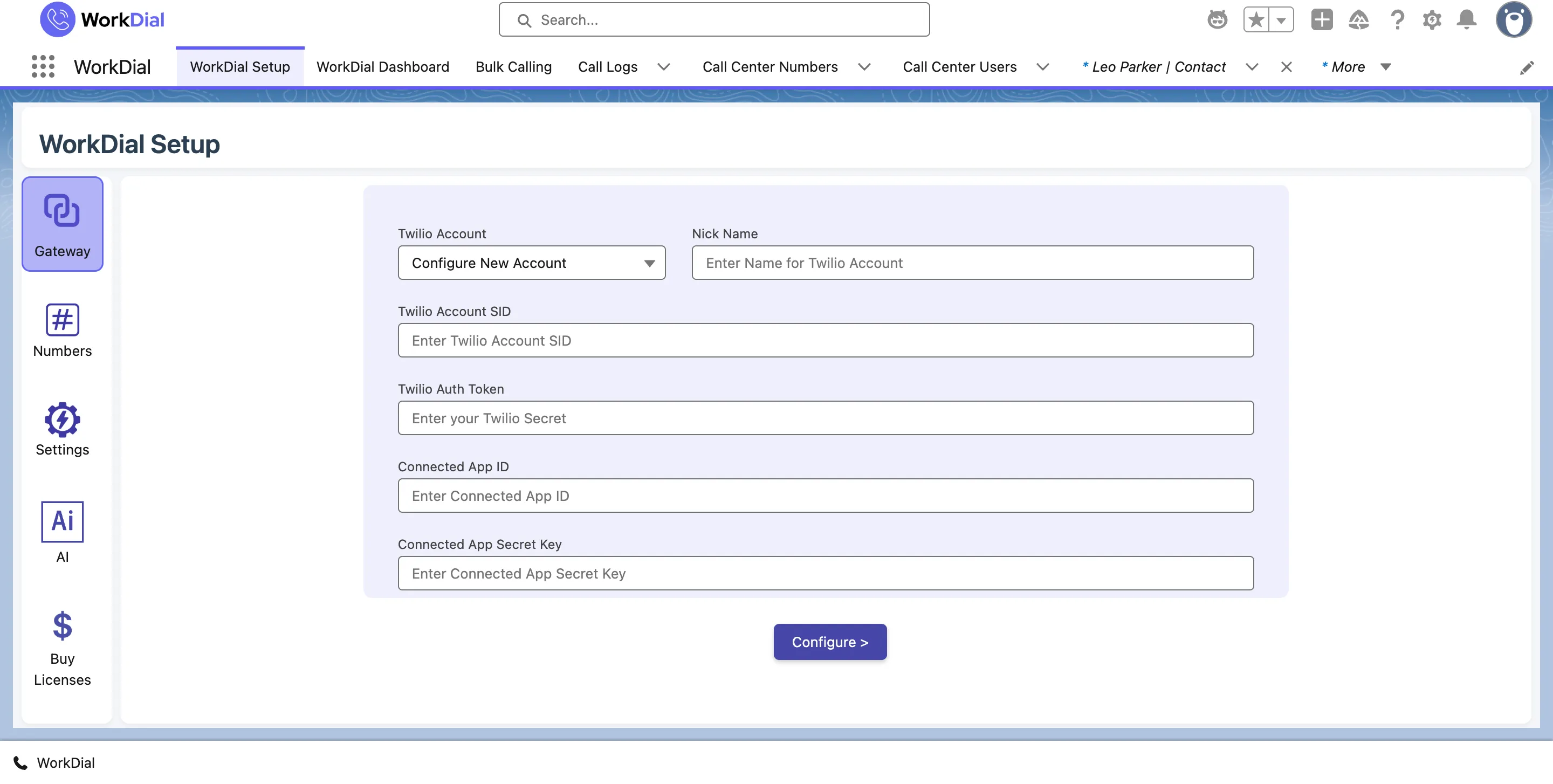
Connect your own Twilio

Open the WorkDial Setup page and connect your own Twilio account. Telephony runs on your Twilio at carrier cost, no markup from us. Your recordings go where you choose: your own Twilio, your own cloud storage, or native Salesforce Files. WorkDial keeps no copy of its own.

The WorkDial Setup gateway in Salesforce connecting your own Twilio account with Account SID, Auth Token, and Connected App credentials
WorkDial Setup page: connect your Twilio account
step 03 · access

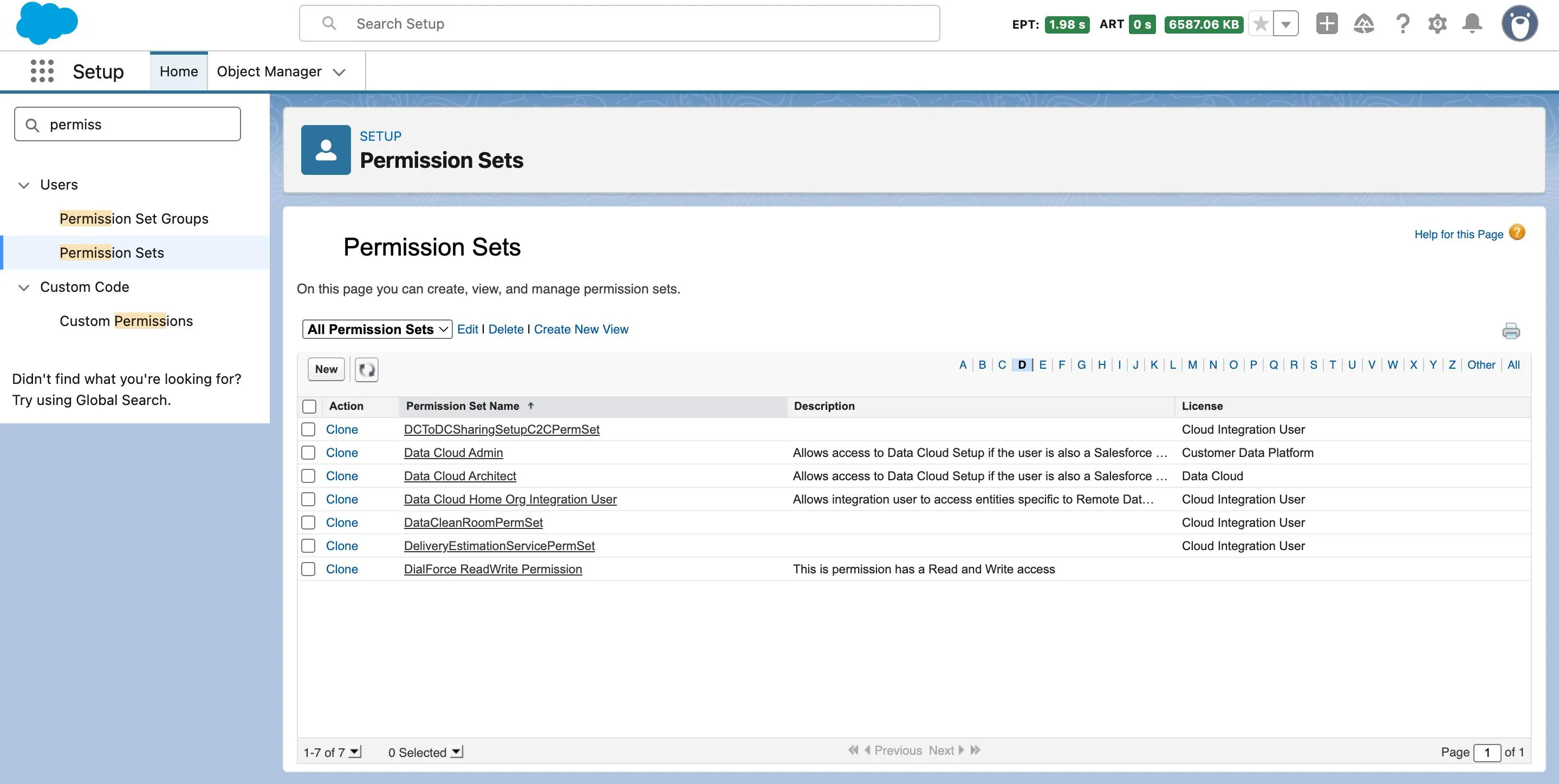
Assign the permission set

Assign the WorkDial permission set to the people who will be calling. It grants the dialer and the native call objects (Call__c, Transcript__c) inside Salesforce.

The Salesforce Permission Sets page in Setup, where you assign the WorkDial permission set to the people who will be calling
Assign the WorkDial permission set to your callers
step 04 · layout

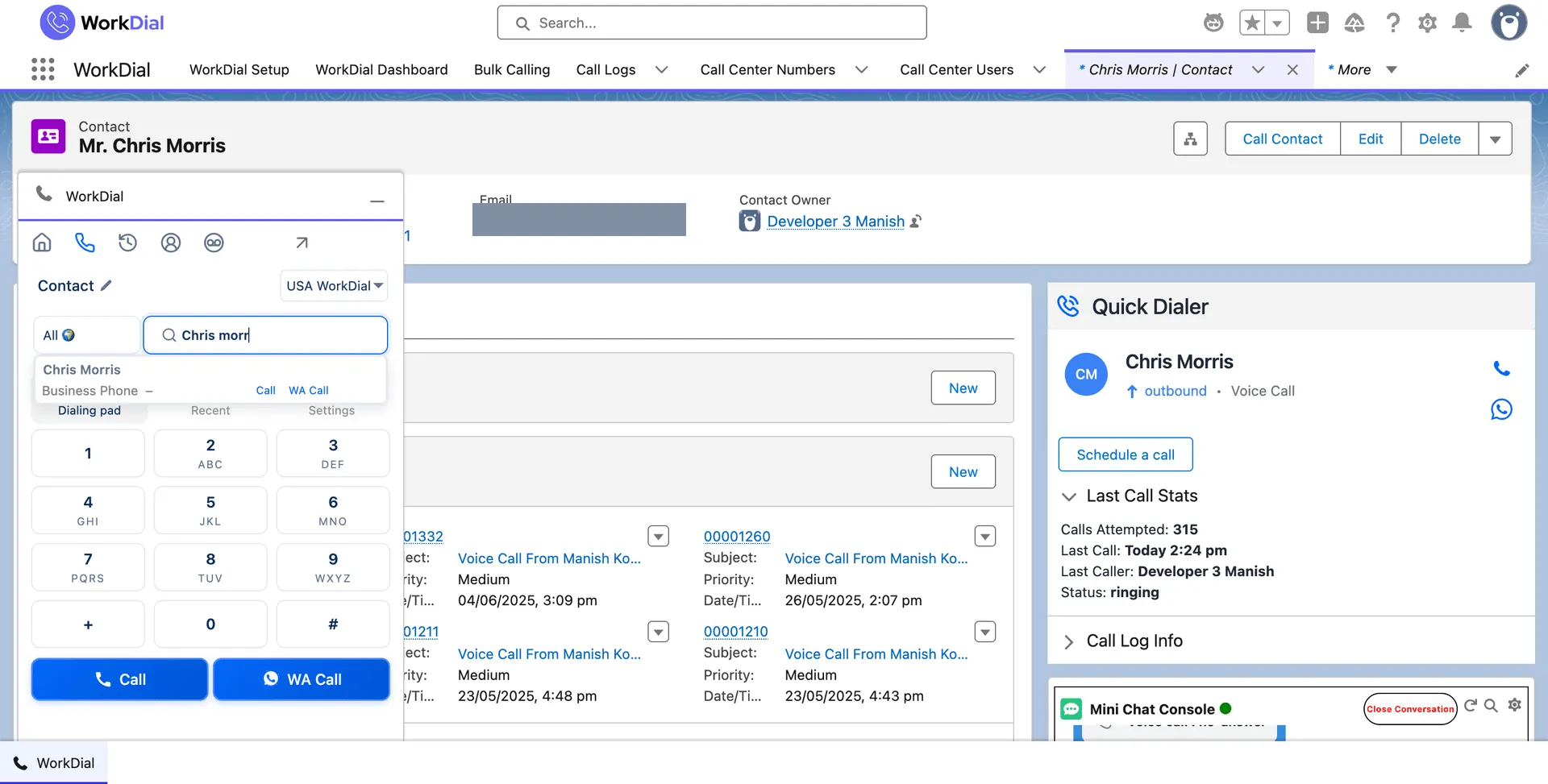
Add the dialer to your record layout

In the Lightning App Builder, put the WorkDial dialer where reps work. Add it to the utility bar of the apps they use so it opens from any page, and add the Quick Dialer component to your Lead, Contact, and Case record pages. Save and activate, and the dialer rides on every record the team opens.

The WorkDial dialer docked on a Salesforce contact record, with the Quick Dialer beside the record and Call and WA Call ready
the dialer, docked on a record
step 05 · call

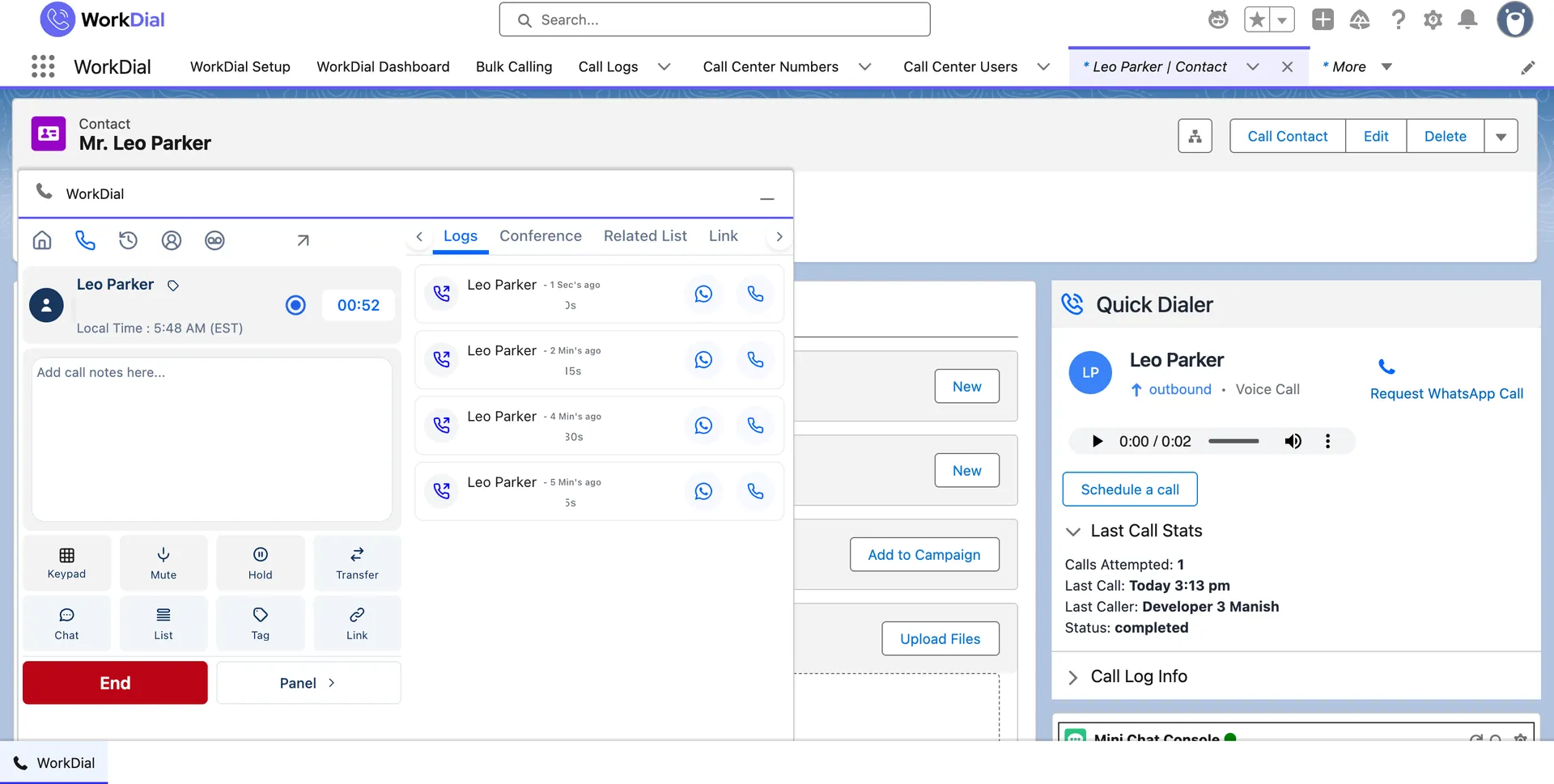
Place your first call

Open the WorkDial dialer from any record, search a contact, and place your first call. It writes to Salesforce as a native call record in real time. Most teams are calling the same day.

A live WorkDial call on a Salesforce contact record, with the in-call panel and timer on the record
a live call on a record

Prefer a hand?

Book a 15-minute setup call and we will complete the setup with you, on your own org. No charge.

Book a setup call
ValueText

Built by the team behind ValueText, the Salesforce-native messaging platform, rated 4.97 stars across 116 AppExchange reviews.