
Best Salesforce CTI apps in 2026: native, connected and middleware
The 9 best Salesforce CTI apps in 2026, compared on one thing: where your call record actually lives. Native, connected and middleware, with real pricing.
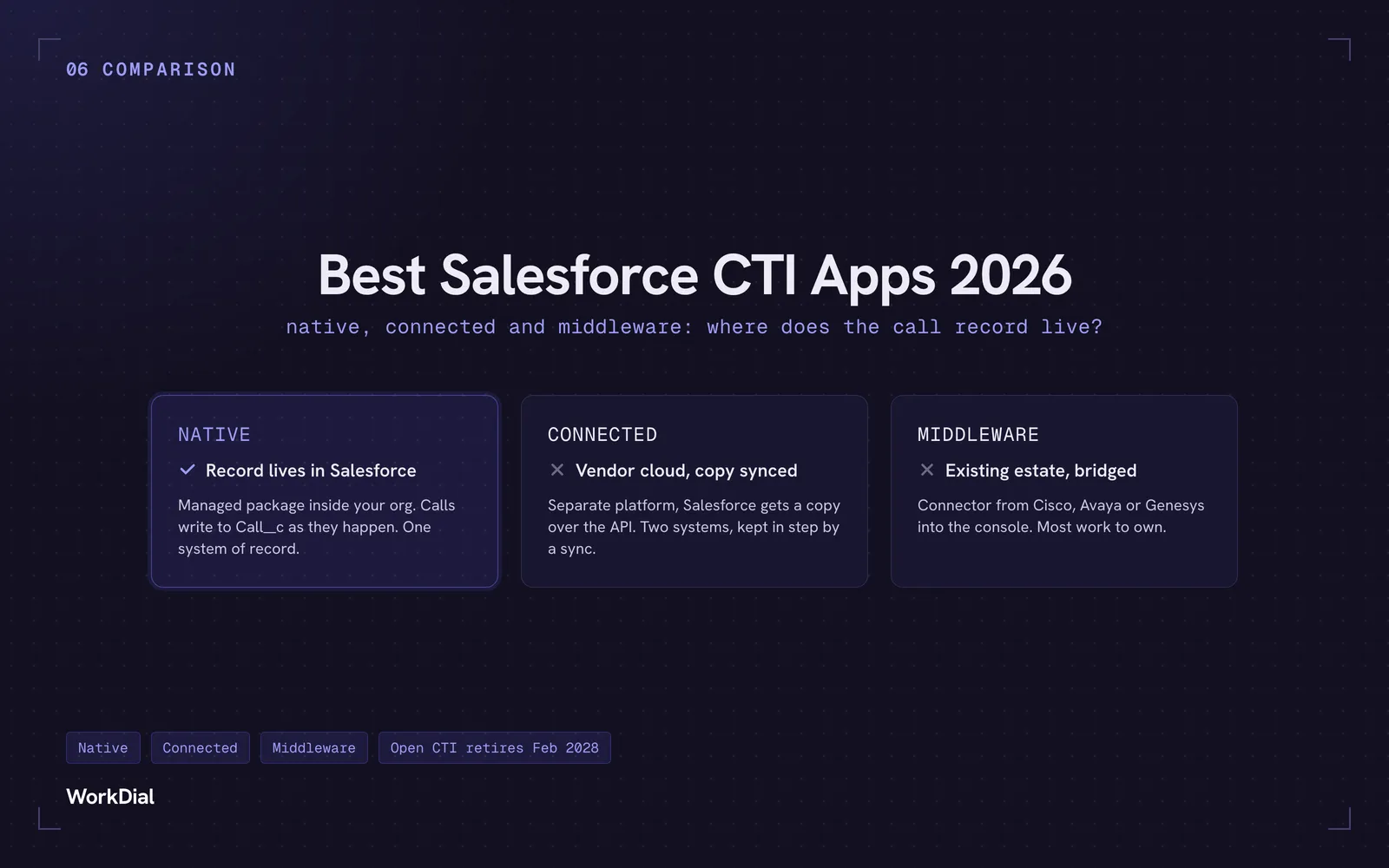
Every app on this page does click-to-dial, call recording and automatic logging. Ranking them on features is useless. So this comparison uses one question instead:
Where does your call record actually live?
That question splits the market into three groups, and the group predicts almost everything else. It predicts what your Salesforce reports can see, what happens when a sync fails, who your compliance team has to audit, and what you pay.
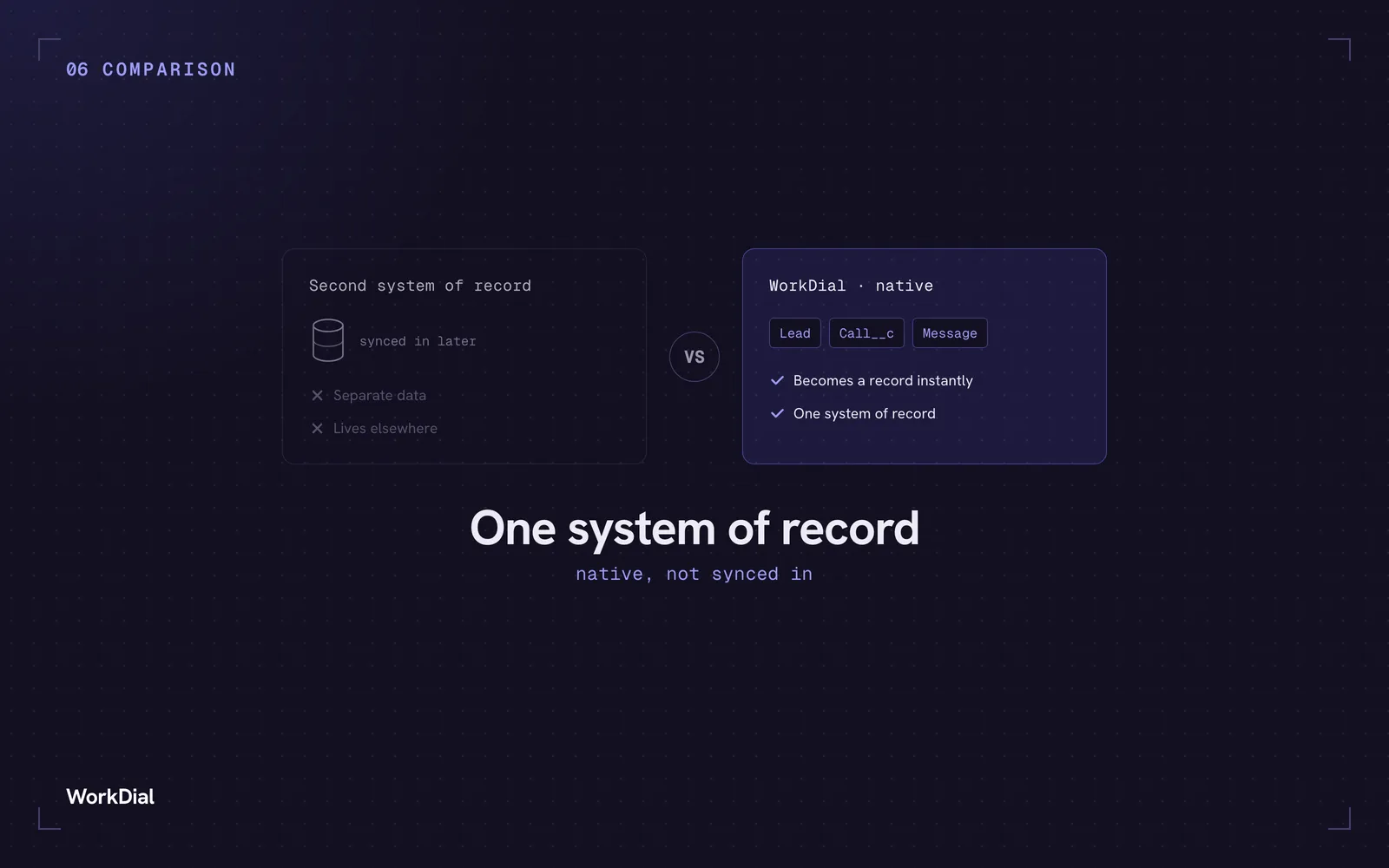
Native — the app is a managed package running inside your org. Calls write to Salesforce objects as they happen. One system of record, one security perimeter.
Connected — a separate platform with a Salesforce integration. The call happens in the vendor’s cloud and Salesforce gets a copy over the API. Two systems of record, kept in step by a sync. Invisible when healthy; quietly wrong when it isn’t.
Middleware — a connector bridging an existing estate (Cisco, Avaya, Genesys) into the Salesforce console. Powerful, most work to own.
None is automatically right. A 900-seat service floor shouldn’t buy a native package, and a 30-rep sales team shouldn’t sign a 50-seat CCaaS contract.
Pricing checked August 2026, every figure linked to its source.
The deadline that changes the 2026 shortlist
Salesforce has put Open CTI(Computer Telephony Integration) in maintenance mode with a retirement date of 28 February 2028. No new features, already unavailable to newly created Agentforce Service orgs, and existing implementations stop working after that date (Salesforce docs). We’ve written up what the migration actually involves in our Open CTI retirement guide.
Open CTI has been the standard route into Salesforce since 2012, so if your softphone sits inside Salesforce today there’s a fair chance it depends on the framework being switched off. Genesys now carries a retirement notice on its own AppExchange listing; Talkdesk has published a customer FAQ about the impact on its package.
Ask every vendor the same question: which components touch Open CTI, and what’s your dated migration plan? Apps that never used it have no answer to give, which is the point.
How we evaluated
We build WorkDial and we’ve ranked ourselves first, so instead of claiming neutrality we’ve shown the work. Every competitor claim links to that vendor’s own pricing page, docs or AppExchange listing, checked this month. We scored architecture, Open CTI exposure, the tier you’re actually forced onto, seat minimums and fit.
1. WorkDial — best Salesforce-native CTI for sales teams
Native · no Open CTI dependency · from $28/user/month · no seat minimum
Built after a long run of conversations with people who dial for a living, which shows in where things sit. Calls, WhatsApp voice, transcripts and sentiment write straight to native objects — Call__c, Recording__c, Transcript__c, Sentiment__c — the instant they happen. No second system of record, nothing to sync. Recordings go where you choose, including Salesforce Files in your own org, and WorkDial keeps no external customer data store.
What reps actually use:
- Quick Dial View tile on any Lead, Contact, Case or custom record: last call at a glance, recent history, one-click normal or WhatsApp call, and schedule-a-call. Context before dialling instead of hunting for it.
- A dialer with an expandable in-call panel. Inbound calls pop and match themselves to the right record. Then the panel opens into a working surface mid-call: pull related Tasks or Cases, check the last call, log feedback, link an unknown number to an existing record. No other Salesforce dialer does this.
- AI transcript and follow-up task list on every recording, written onto the call record. AI sits in the seat, not on a separate invoice — transcripts at Core, full sentiment and summaries from Professional.
- List-view and bulk calling screen where reps work a queue and see their own analytics from one dashboard.
- Calls triggered from Flow, Apex or a schedule, with the reason noted, landing on the right agent’s dashboard ready to dial. Speed-to-lead becomes a process.
- WhatsApp voice calling in the same layer as PSTN. The one nobody else here does. Natterbox routes WhatsApp conversations and Fastcall sends WhatsApp messages, but neither places or receives a WhatsApp voice call, and nor does anyone else on this list. Kills cross-border dialling costs and puts a verified business identity on the call.
- Smart and criteria-based routing, IVR, recording and logging included rather than bolted on.
- Telephony at cost: your own Twilio, carrier rates direct, zero markup, no seat minimum. Core $28, Professional $59, Enterprise from $99.
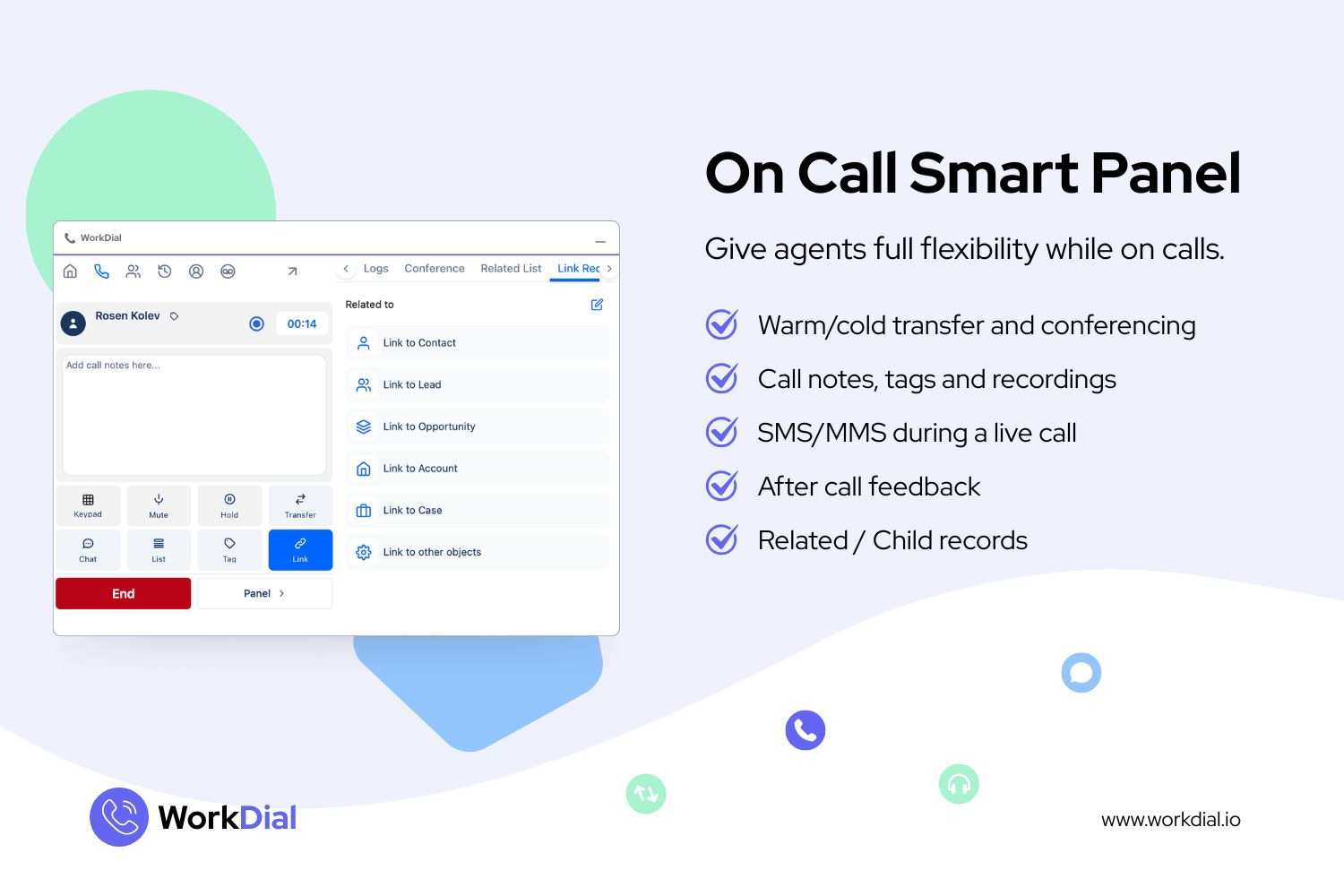
Best for: Salesforce-first sales and service teams of roughly 20 to 250 people who want voice, WhatsApp voice and AI in the org they already run, on a predictable bill.
Not for: non-Salesforce CRMs, teams needing a standalone phone system, or 500-seat contact centres. Keep reading.
Start a 14-day trial, full AI on, no card · Book a demo in your own org
The other eight, briefly
-
Natterbox — Native. The deepest native contact centre here: IVR, ACD, drag-and-drop routing policies, transcription, sentiment. WhatsApp is messaging only, and recordings live in Natterbox’s cloud, not yours. Pro from $82/user/month, Premium $146 (verified April 2026). Right call for an inbound-heavy Salesforce service org with budget.
-
Fastcall — Native, Twilio-powered, the closest sibling to WorkDial. Essential $30, Pro $60, range $15–75 (pricing). Two things to check: plans start at 10 users, and Fastcall creates and bills the Twilio subaccount itself, so the carrier relationship runs through the vendor (terms). WhatsApp is messaging only.
-
PhoneIQ — Native, and aiming to replace your phone system entirely: power dialer, local presence, voicemail drop, Salesforce-powered IVR routing to record owners, SIP desk phone support. From about $25/user/month (pricing). Telephony is PhoneIQ’s own, so no bring-your-own carrier.
-
Aircall — Connected. Buy it for breadth: if half your team lives in Salesforce and half in HubSpot, it covers both. Salesforce CTI and the Power Dialer both require Professional at $50/user/month, not the $30 entry plan, with a 3-licence minimum. AI Assist Pro is $49/licence and Analytics+ $15 (breakdown).
-
CloudCall — Connected, and the recruitment specialist. Bullhorn is the flagship integration, with Salesforce alongside HubSpot, Dynamics and JobDiva. Roughly $15–35/user/month; ask about set-up fees and contract minimums, which aren’t on the pricing page (analysis). Salesforce is one integration here, not the home.
-
Talkdesk — CCaaS with two Salesforce packages, and the difference matters. Talkdesk for Salesforce has Open CTI dependencies being engineered out; Talkdesk for Salesforce Voice needs an additional Salesforce licence (Talkdesk’s own FAQ). The $10/user/month AppExchange price sits on top of a Talkdesk Professional licence. Built for 100-plus seat service orgs.
-
Five9 — Connected, with one of the best outbound dialers in the business and an active Agentforce partnership. Read the footnotes: pricing is per concurrent user with a 50-seat minimum, and Salesforce integration is charged on top (pricing). Under 50 agents, the conversation ends there.
-
Vonage Contact Center — Connected, and the most Salesforce-invested CCaaS: Vonage claims the top AppExchange review position in its category at 4.9 (as of Oct 2025). Mixed-mode lets some agents sit in Vonage’s workspace and others in Service Cloud Voice. Quote-based, roughly $100–150/agent for voice, add-on heavy (Vendr).
Middleware, in one line: Cisco’s Webex CRM connectors need Developer, Enterprise or Ultimate edition and don’t support chat or email channels; Genesys points customers to CX Cloud; Amazon Connect is the telephony behind Service Cloud Voice. The routing engine stays put — what changes is the layer into the console. Get a dated plan in writing.
The price and architecture comparison
All list prices, checked August 2026, and all negotiable at volume.
| App | Architecture | Call record lives | Entry price | Seat min | AI in seat | WhatsApp voice |
|---|---|---|---|---|---|---|
| WorkDial | Native | Native SF objects, recordings where you choose | $28/user/mo | None | Yes | Yes |
| Natterbox | Native | Salesforce, recordings in Natterbox cloud | $82/user/mo | Quote | Top tiers | Messaging only |
| Fastcall | Native | Salesforce, Twilio billed via Fastcall | $30/user/mo | 10 users | Separate | Messaging only |
| PhoneIQ | Native | Salesforce, telephony on PhoneIQ | ~$25/user/mo | Quote | By tier | No |
| Aircall | Connected | Aircall, synced to Salesforce | $50/user/mo | 3 licences | Pro + add-on | Messaging only |
| CloudCall | Connected | CloudCall, synced to CRM | ~$15–35/user/mo | Quote | Summaries | No |
| Talkdesk | Connected / SF Voice | Talkdesk + Salesforce copy | $10 + TD licence | Quote | Tiered | Messaging only |
| Five9 | Connected | Five9, pushed to Salesforce | ~$119+/agent/mo | 50 seats | Usage | Messaging only |
| Vonage CC | Connected / SF Voice | Vonage + Salesforce | ~$100–150/agent/mo | Quote | Add-on | Messaging only |
Written by WorkDial, The voice layer of Salesforce. WorkDial is built by the team behind ValueText, the Salesforce-native messaging platform, rated 4.97 stars across 116 AppExchange reviews.
Keep reading
Related posts.
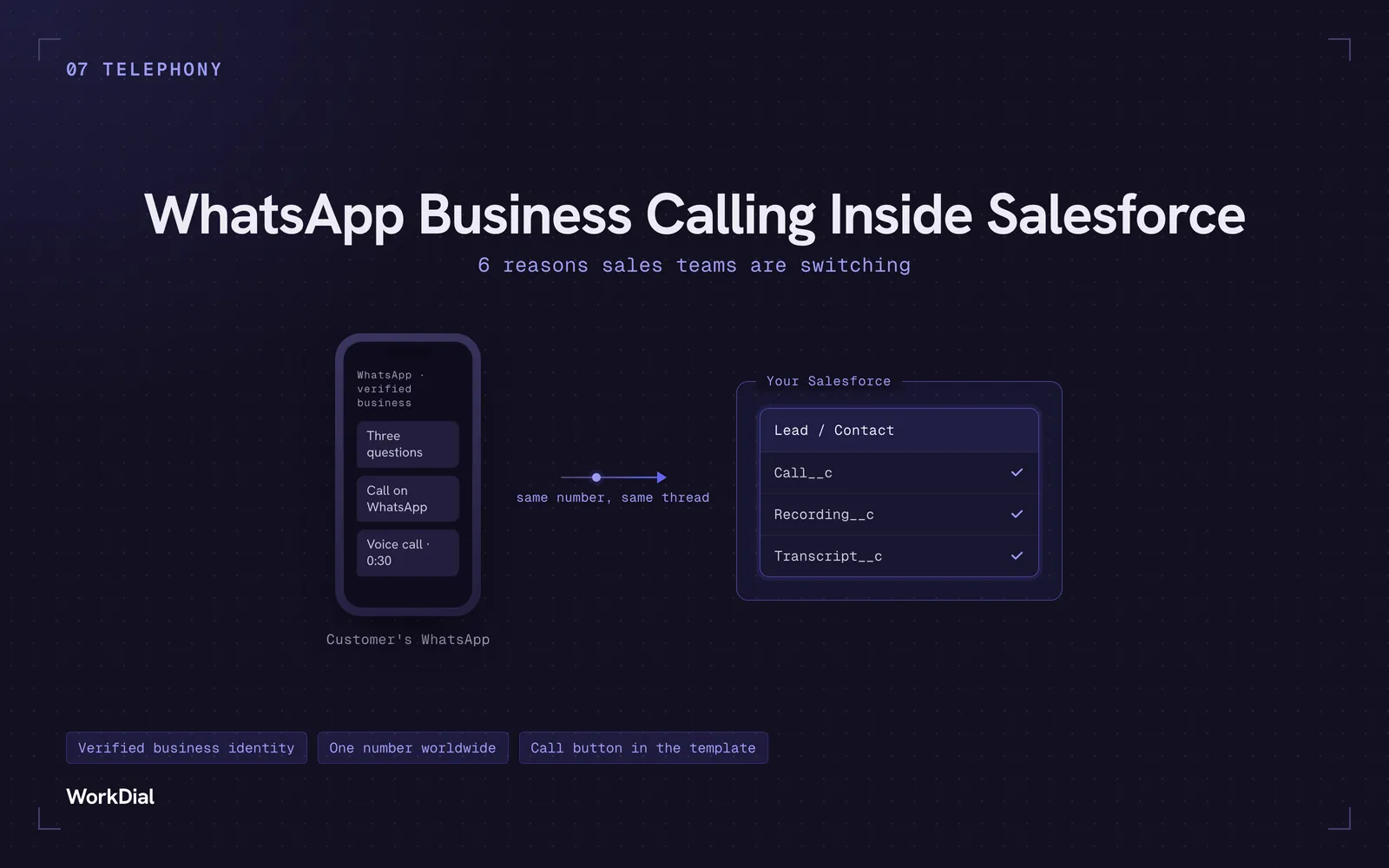
WhatsApp Business Calling Inside Salesforce: 6 Reasons Sales Teams Are Switching
Six reasons sales teams are moving calls onto WhatsApp inside Salesforce: one thread for chat and calls, a verified business identity on every call, one number worldwide, lower cost, a call button in the template, and one record for everything.
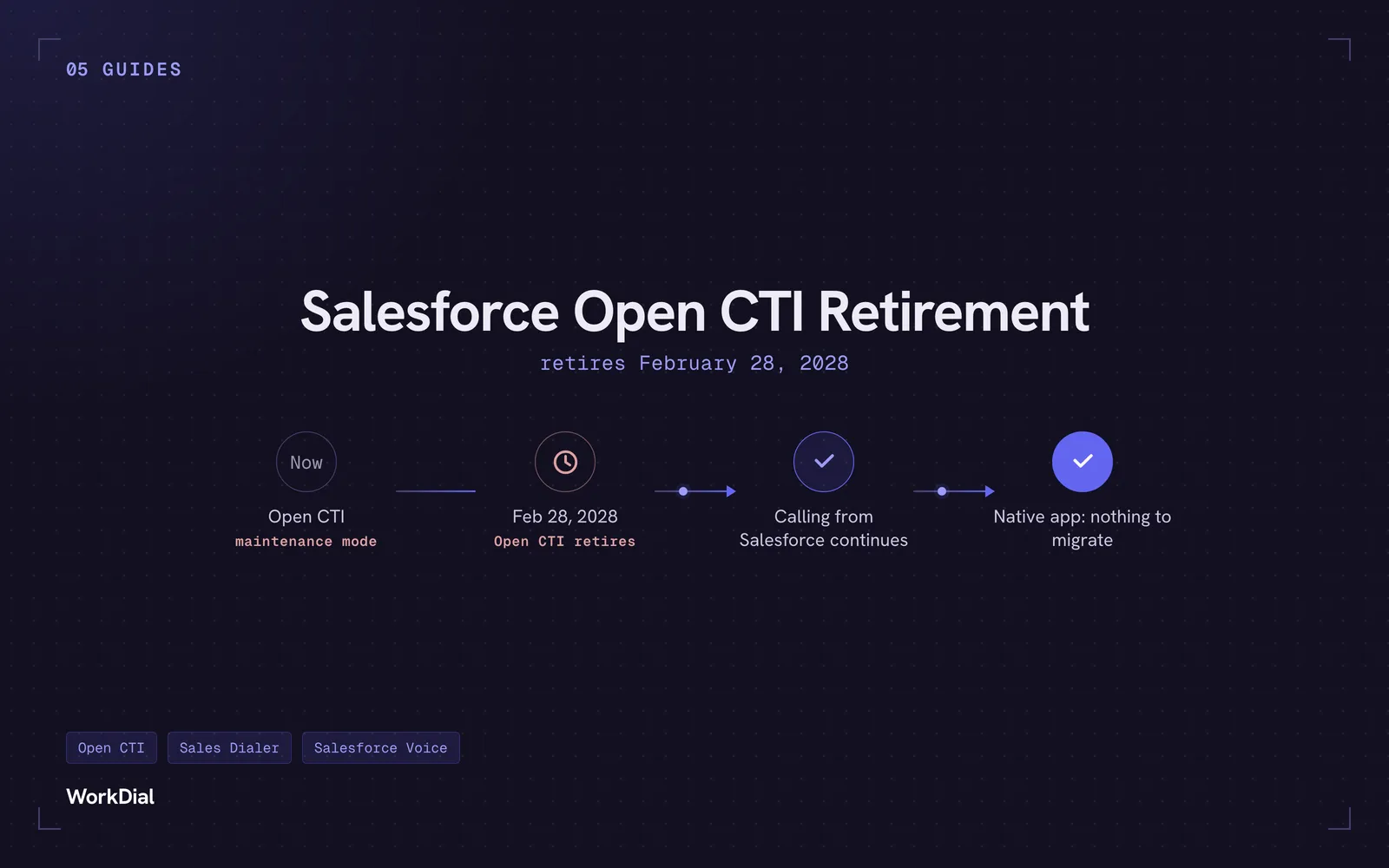
Salesforce Open CTI Retirement: What Actually Happens on February 28, 2028, and Your Real Options
Open CTI retires February 28, 2028. What breaks, what happens to your existing CTI, and how to keep calling in Salesforce without buying new licences.
You bought Salesforce for one system of record. Why does your WhatsApp live somewhere else?
Native Salesforce CTI means the call and the WhatsApp message become Salesforce records the instant they happen, not copies synced in from a second system.