If call data doesn’t show up cleanly in Salesforce reports, teams end up managing performance in spreadsheets or external portals. That’s usually not a reporting problem, it’s an architecture problem.
This post walks through how to think about CTI dashboards inside Salesforce, using native objects and standard reporting, without turning analytics into a separate system.
Where CTI reporting usually falls apart
Across many orgs, the same patterns repeat:
- Call logs live partially outside Salesforce
- Dashboards depend on nightly syncs or exports
- Metrics don’t match what agents actually did
- Managers switch tools just to answer basic questions
As a result, dashboards exist but aren’t trusted.
The core principle
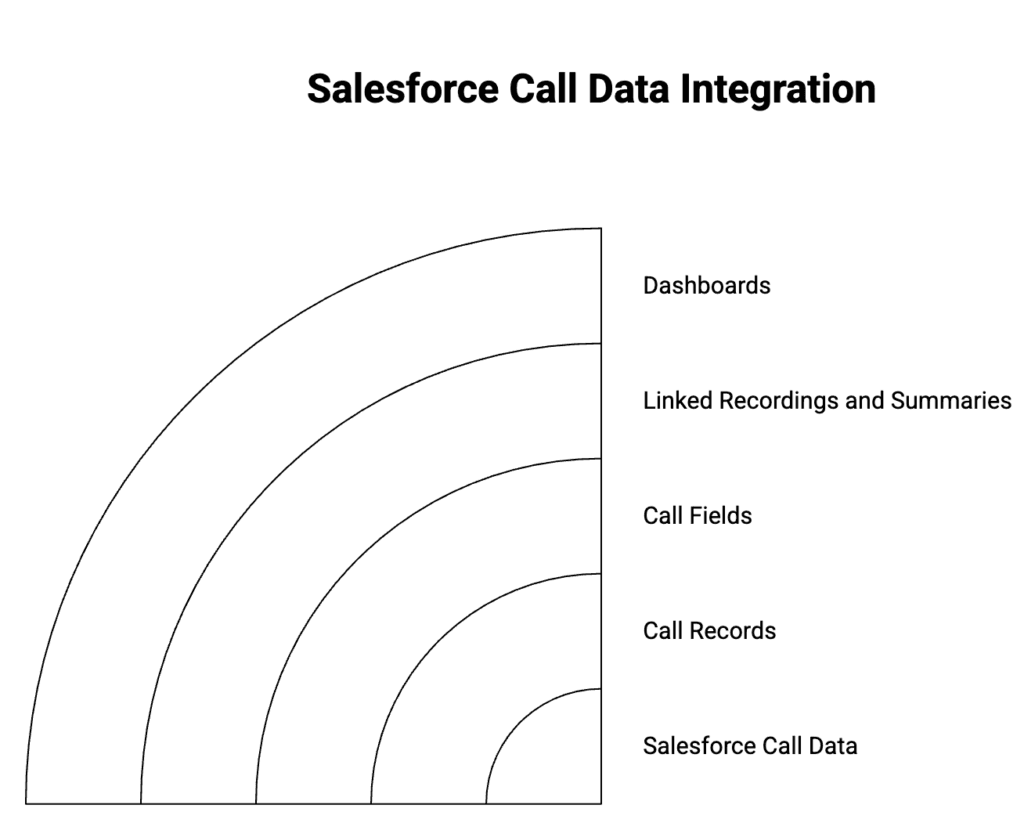
Dashboards only work when Salesforce owns the call data.
That means:
- Every call is a Salesforce record
- Timestamps, direction, agent, and outcome are fields
- Recordings and summaries are linked, not referenced externally
Once that’s true, dashboards become straightforward.
A practical dashboard model
1) Start with the call record
Your call object should clearly capture:
- Inbound vs outbound
- Agent or queue handling the call
- Start time, end time, duration
- Call outcome or disposition
If these fields are consistent, reporting stays stable.
2) Build reports before dashboards
Create simple reports first:
- Calls by agent and time range
- Answered vs missed calls
- Average handle time by queue
- Calls by outcome
If a report feels hard to build, the data model likely needs adjustment.
3) Layer dashboards for managers
Dashboards should answer operational questions quickly:
- Who’s overloaded right now
- Where calls are dropping
- Which queues need attention
- How today compares to yesterday
Avoid overloading a single dashboard. One role, one view.
4) Keep analytics inside Salesforce
When dashboards run on native objects:
- Filters work as expected
- Permissions stay enforced
- Historical trends remain accurate
- Admins don’t maintain parallel systems
That’s what keeps reporting trustworthy over time.
Why native CTI matters here
CTI dashboards break most often when call data is split between Salesforce and an external system. Even small delays or partial logging introduce gaps that dashboards can’t fix.
A native CTI architecture avoids that by design: calls, logs, and recordings are stored where Salesforce reporting already works.
WorkDial supports this model by keeping all call data inside Salesforce objects, so admins can build dashboards using standard reports without external tools.
👉🏻 Review a simple checklist for CTI dashboards in Salesforce
Author: Nikhil – Senior Client Consultant
I support Salesforce CTI implementations and customer adoption for WorkDial, covering setup, routing, reporting, and operational enablement. I also write implementation-focused content based on real project patterns.